Building a Personal Prompt Library: My Compounding AI Asset
Building a Personal Prompt Library: My Compounding AI Asset
Every Monday at 9am I used to rewrite the same prompt for my weekly report from scratch. I want to show you how a personal prompt library fixes that — not as a folder of saved text, but as an asset that pays you back for months. Here is the promise: a no-code system you can start today in a plain text file, with a clear rule for what to keep. I’ll walk you through the failure that forced it, the keep-or-kill rule, the five fields each saved prompt carries, and how the whole thing compounds.
This is the direct sequel to the last post in this series. There I described the weekly system I use to keep up with AI without burning out. That post promised one thing I had not shown yet: the small library I reuse so I am not rewriting prompts every week. This is that build.
I am not a prompt engineer. I am a Korean office worker with no CS degree who got tired of retyping the same instructions into ChatGPT and decided to treat my prompts like something worth keeping.
Why I Started a Personal Prompt Library
Let me start with the math that hurt.
Every week I write a Monday status report. For months I retyped roughly the same prompt each time: tone, format, the bullet structure my manager likes, the reminder to flag blockers first. Two or three minutes, fifty-odd times a year. That is a small tax I kept paying with no receipt.
The deeper cost was worse. Each time I retyped it, I rebuilt a slightly different version. Sometimes better, often worse. I was not improving one prompt over time. I was re-rolling the dice every Monday. Nothing accumulated.
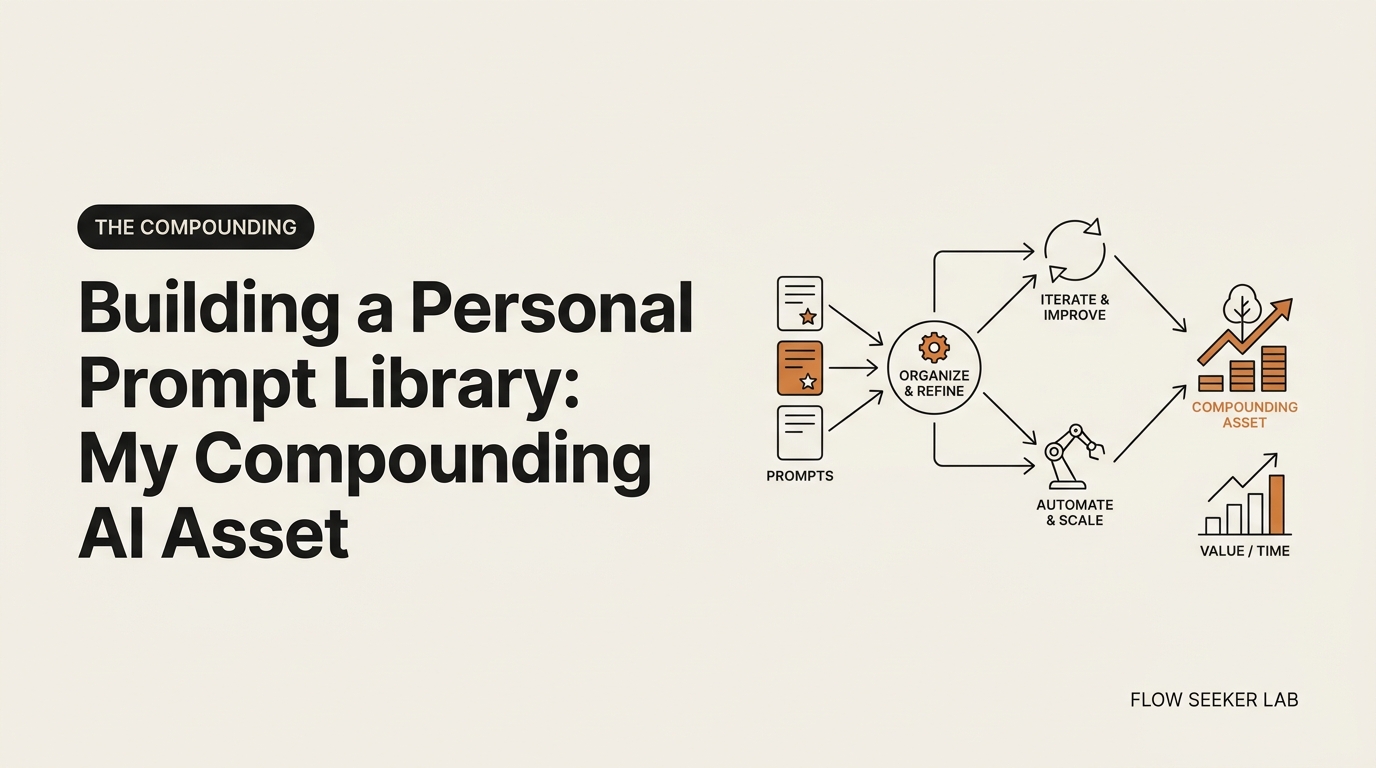
That is the whole thesis of The Compounding category, applied to a tiny daily habit. A clever prompt you use once and forget is a coin you spend. A refined prompt you save, reuse, and slowly improve is a coin you invest. The first vanishes. The second grows.
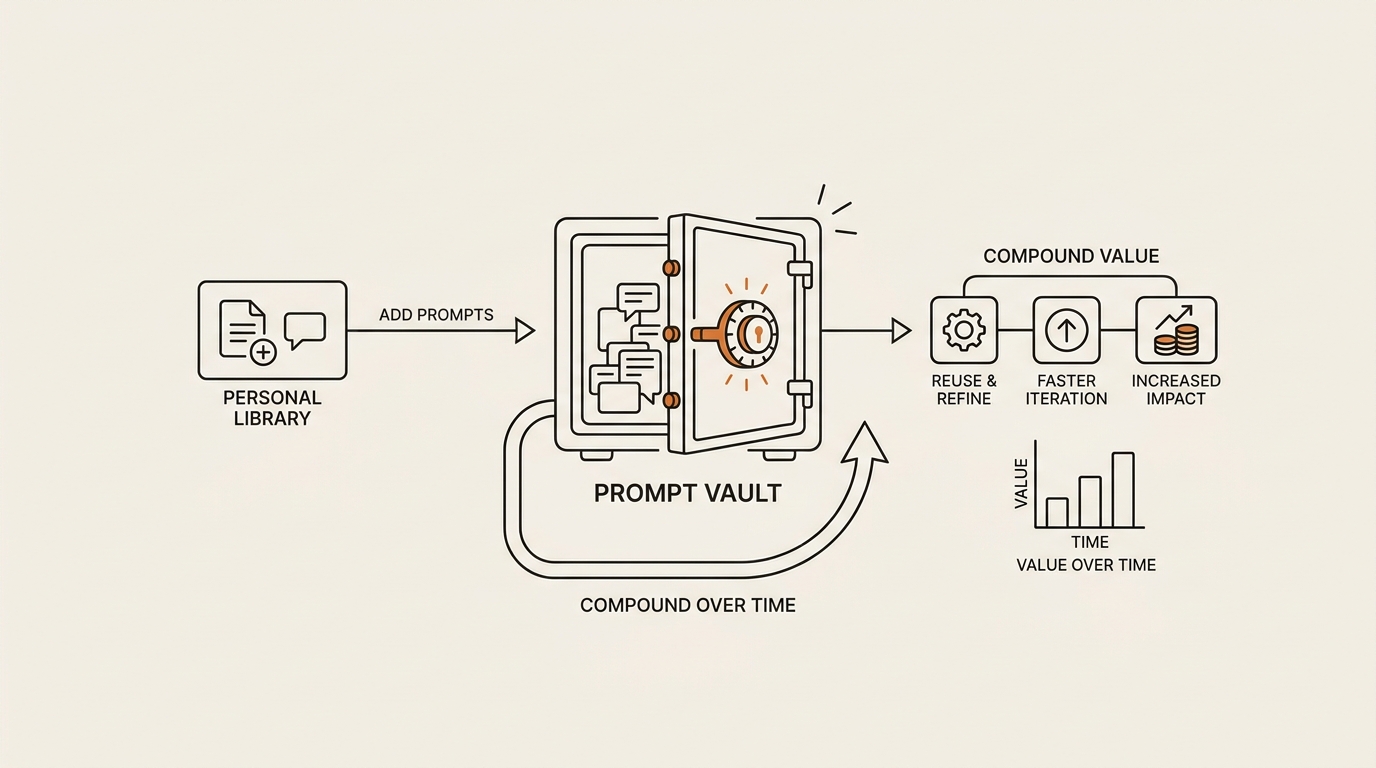
A library like this is just the container for that second kind of coin. It is not glamorous. It is a place where your best instructions stop dying after one use and start working for you again and again.
OpenAI’s own prompt engineering best practices for ChatGPT make the same point indirectly: good prompts come from iteration, not inspiration. You test, you adjust, you test again. But iteration only pays off if you keep the result. If the improved version disappears into a closed chat thread, you threw away the work. The library is where iteration finally has somewhere to land.
What Broke First: How Not to Organize AI Prompts
Here is the part I am not proud of, because my first attempt at how to organize AI prompts was a small disaster.
When I finally decided to save prompts, I overcorrected. I saved everything. Every half-decent prompt, every one-off experiment, every “this might be useful someday” fragment went into the pile. Within a month I had over a hundred entries and no idea which ones actually worked.
Then I made it worse. I tried to organize AI prompts the way I organize files at work: deep nested folders. Work > Reports > Weekly > Manager > Drafts. Personal > Writing > Blog > Intros. It looked tidy. It was useless.
The breaking point came on a Monday, of course. Nine in the morning, report due, and I went hunting for my weekly-report prompt. Was it under Work, or Reports, or Writing? I clicked through four folder levels, gave up, and retyped the prompt from memory. The system I built to save time had just cost me time. That moment is the most honest data point in this post.
A second thing broke too: tags. I went tag-crazy. Every prompt had five or six tags — #work #report #weekly #formal #manager #concise. I thought more tags meant easier finding. The opposite happened. With no controlled vocabulary, I tagged the same idea three different ways across three weeks. The tags became noise, not signal.
So here is what I learned from breaking it:
- Saving everything is the same as saving nothing. Volume buries value.
- Deep folders are where prompts go to be forgotten. Shallow beats nested.
- Tags only help if you keep the list tiny and fixed. Five tags total, not five per prompt.
The failure was not the tools. It was that I had no rule for what deserved a spot. Storage was never the problem. Judgment was. That is what the next section fixes.
The Keep-or-Kill Rule: Which Prompts Are Worth Saving
The single change that made my personal prompt library useful was a brutal entry rule. Not everything gets in.
I call it keep-or-kill. Before a prompt earns a slot, it has to pass one question: have I used this more than once, and will I likely use it again? If yes, keep. If it was a clever one-off, kill it — let it die in the chat thread where it was born.
This sounds obvious. It is not how most people behave, and it was not how I behaved. The instinct is to save the impressive prompt, the one that produced a wow output once. But a wow one-off is usually a coin you spend. The boring prompt you run every week is the coin that compounds.
Here is the table I actually use to decide.
| Keep it | Kill it |
|---|---|
| You have used it 2+ times | A single clever one-off |
| It maps to a recurring task (weekly report, email reply) | Tied to one specific project that is now done |
| It still works after light editing | It only worked once and you cannot reproduce it |
| You would be annoyed to rewrite it from scratch | You can rebuild it in 30 seconds anyway |
| It saves real minutes each time | It was fun but not useful |
The bias is toward recurring, boring, reusable prompts. Those are the ones that earn their keep over months. A personal prompt library full of dazzling one-offs is a museum. A library full of dull weekly workhorses is an engine.
One more rule that came out of the over-saving failure: when in doubt, kill. A library of 30 prompts I trust beats a library of 300 I have to wade through. Fewer, refined, reused. That is the whole game. Most posts about a personal prompt library answer “where do I put prompts?” The harder question is “which prompts deserve to be kept?” — and keep-or-kill is my answer.
The 5 Fields Every Saved Prompt Needs
A saved prompt is more than its text. The text alone is the body; the rest is the label that makes it findable and trustworthy six months later.
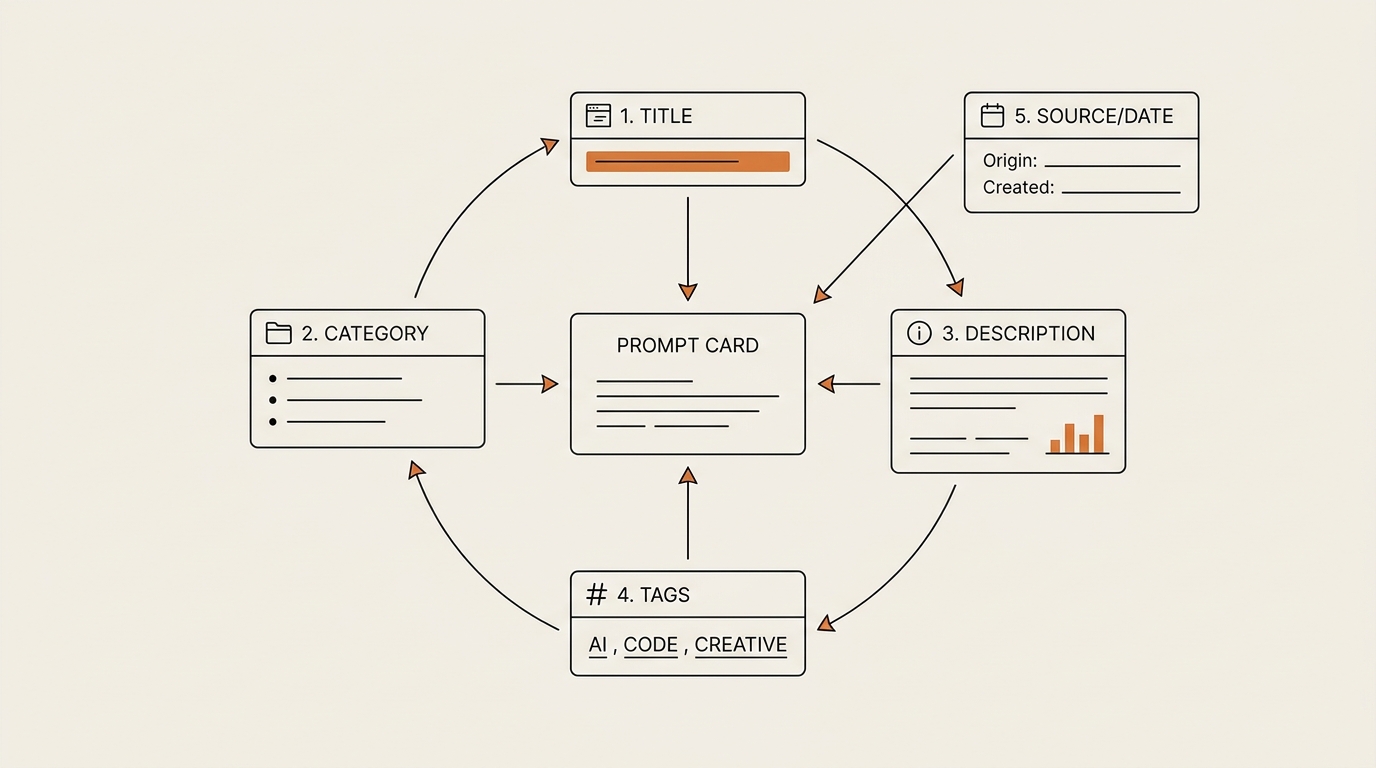
Every entry in my library carries five fields. Not ten. Five. I learned the hard way that more fields means more friction means I stop saving at all.
| Field | What it is | Why it matters |
|---|---|---|
| Prompt text | The actual instruction, with {{variables}} for the parts that change |
The reusable core; variables make one prompt serve many cases |
| One-line purpose | A plain sentence: “drafts my Monday status report” | This is what you actually search for, not the text |
| Model | ChatGPT, Claude, or Gemini — whichever it was tuned for | Prompts are not always portable; a Claude prompt can flop on another model |
| Last-tested date | When you last confirmed it still works | Models change; a prompt from eight months ago may have drifted |
| Example output | One short sample of what good looks like | Lets you judge a future result against a known-good baseline |
The {{variable}} idea is borrowed directly from how the labs structure reusable prompts. Anthropic’s guide on prompt templates and variables frames it for developers, but the non-developer version is simple: write the prompt once with fill-in-the-blanks, and you stop rewriting it for every new case.
Here is one real entry from my library, stripped to the snippet:
Purpose: Drafts my Monday weekly status report
Model: Claude
Last tested: 2026-05-26
Prompt:
You are helping me write a weekly status report for my manager.
Tone: concise, professional, no filler.
Structure: (1) blockers first, (2) what shipped, (3) next week.
This week's raw notes: {{notes}}
Keep it under 150 words.
Example output: [one saved sample pasted here]
That {{notes}} slot is the trick. Every Monday I paste in messy notes, run it, and the structure holds. I stopped rewriting the instructions. I only change the notes. That is the difference between a prompt I retype and a reusable prompt I reuse.
The last-tested date earns its place more than people expect. A prompt that worked perfectly in January can quietly degrade as models update. When an output looks off, the date tells me whether to trust the prompt or re-test it. Anthropic’s broader prompt engineering overview is worth a read on why clear structure and examples make prompts more durable in the first place.
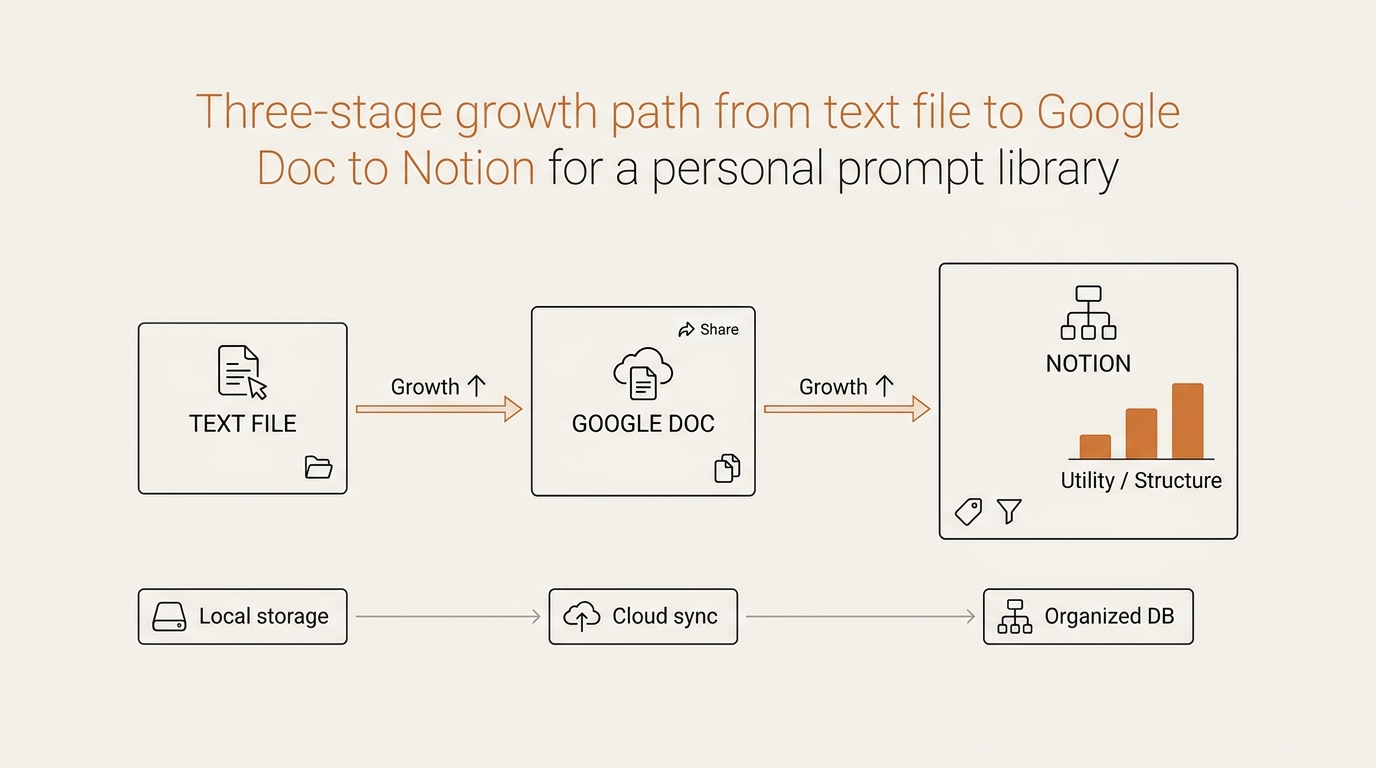
No-Code First: Text File to Google Doc to Notion
You do not need a tool to build a prompt library. You need a habit. The tool is the last decision, not the first.
This is the part where most guides try to sell you an extension or an app. I am not going to, because the honest answer is that prompt management for non-developers works fine with what you already have. Here is the three-tier path I actually walked.
| Stage | Tool | Good when | The catch |
|---|---|---|---|
| 1. Start | Plain text file (.txt) | Under ~15 prompts; you just need to stop losing them | No search beyond Ctrl+F; gets messy fast |
| 2. Grow | Google Doc | ~15–50 prompts; you want headings and easy access on your phone | Linear; no real tags or filtering |
| 3. Scale | Notion database | 50+ prompts; you want fields, filters, and tags | Slight setup; you must resist over-engineering it |
I started in a single text file on my laptop. One prompt, the Monday report. It felt almost too simple to count as a system. That was the point. The text file removed every excuse. There was nothing to learn and nothing to break.
When the file grew past a dozen prompts and Ctrl+F stopped being enough, I moved to a Google Doc. Headings for each use-case, a table of contents, and — crucially — it synced to my phone, so I could grab a prompt on the subway. That covered me up to roughly fifty prompts.
Only then did I move to a Notion database, where each of the five fields becomes a real column you can filter and sort. As of mid-2026 the free plan has been enough for a personal library, but plans and limits change, so check before you commit. The danger with Notion is not the tool — it is you. I had to actively resist rebuilding my old over-nested mess inside a fancier container. Same keep-or-kill rule, nicer columns.
The order matters. If you start at Notion, you will spend your first week designing the database instead of saving prompts, and the habit never forms. Start in the text file. Earn your way up. The point of how to organize AI prompts is not the container — it is that you keep adding to the same place. As for whether to save ChatGPT prompts inside ChatGPT itself: there is no native prompt-template vault, only chat threads, which is exactly why an external library beats relying on the app.
This is also why I stopped tool-hopping. The library survives switching apps, which is the whole reason I stopped chasing new AI tools and got more done. Your prompts are yours. The container is replaceable.
How a Personal Prompt Library Compounds Over Months
Here is the payoff, and it is the reason this lives in The Compounding and not in a tools roundup.
A library like this does not feel impressive in week one. You have three prompts. So what. But the math is the same quiet math as compounding your AI learning over time. Small, repeated advantages stack.
Watch how it plays out. In month one, you save your weekly-report prompt and shave two minutes off every Monday. Boring. In month three, you have a dozen workhorse prompts — reports, email replies, meeting summaries — and your mornings move faster. By month six, you are not starting from a blank box anymore; you are editing a known-good prompt and reusing it. By month twelve, you have a private toolkit that fits your exact job, your manager’s exact taste, your exact recurring tasks — something no generic template pack can sell you.
That last part is the real moat. A downloaded “100 best prompts” pack is built for the average user. Your personal prompt library is built for you, refined by your own edits, tested against your own outputs. It compounds precisely because it is personal.
There is a second-order effect too. Once prompts live in one place, you start improving them instead of rewriting them. Version two beats version one. Version five is dialed in. You are no longer re-rolling the dice every Monday — you are compounding one good prompt across a year. That is the difference between spending coins and investing them.
The long game here is unglamorous and that is the feature. A personal prompt library you actually maintain beats a perfect prompt system you abandon by March. Frameworks, not forecasts. Keep the boring engine running, and a year from now you will have something quietly valuable that you built one Monday at a time.
FAQ
How do I organize my ChatGPT prompts? Start simple and stay shallow. Group prompts by use-case (reports, emails, research) rather than nesting deep folders, and use a tiny fixed set of tags instead of inventing new ones each week. The mistake I made was over-organizing — five folder levels and six tags per prompt. A flat list with clear one-line purposes is far easier to search than an elaborate hierarchy you forget by Monday.
Does ChatGPT have a built-in way to save prompts? Not as a real prompt-template vault. You get chat threads and a history, but no structured place to store, tag, and reuse refined prompts with fields like model and last-tested date. That gap is exactly why an external personal prompt library — a text file, Google Doc, or Notion database — beats relying on the app’s own history.
Do I need a tool to build a prompt library, or is Notion or Google Docs enough? No special tool needed. A plain text file is enough to start, a Google Doc carries you to around fifty prompts, and a Notion database scales past that with filterable fields. The habit of saving to one place matters far more than the software. Start with what you already have and only upgrade when the current container actually hurts.
How many prompts should I keep in a prompt library? Quality over count. A few dozen refined, reused prompts beat hundreds of junk entries you have to wade through. My keep-or-kill rule is simple: a prompt earns a slot only if I have used it more than once and will likely use it again. When in doubt, kill it. A small trusted library is faster than a giant cluttered one.
What should each saved prompt include? Five fields: the prompt text (with {{variables}} for the parts that change), a one-line purpose, the model it was tuned for, the last-tested date, and one example of a good output. The purpose line is what you actually search for; the last-tested date warns you when a prompt may have drifted as models updated. Five fields is the sweet spot — more and you stop saving altogether.
Is a personal prompt library worth it? Yes, if you reuse prompts weekly. The value is compounding: a refined prompt you run every Monday saves minutes each time and improves with each edit, while a clever one-off vanishes after a single use. Over months, a personal library tuned to your exact job becomes something no generic template pack can replace.
seonjae — Korean office worker documenting his transition into AI systems, agents, and vibe coding — without a CS background. Shipping in public.
Series: The Compounding (#5) · Published 2026-06-01 · flowseekerlab.io
What’s next in The Compounding? A library is only as good as the prompts inside it, so next I am opening mine up: the three reusable prompts I run every single week, why they earn their keep, and the exact edits that took each one from version one to version five. That is where a personal prompt library stops being storage and starts being leverage.