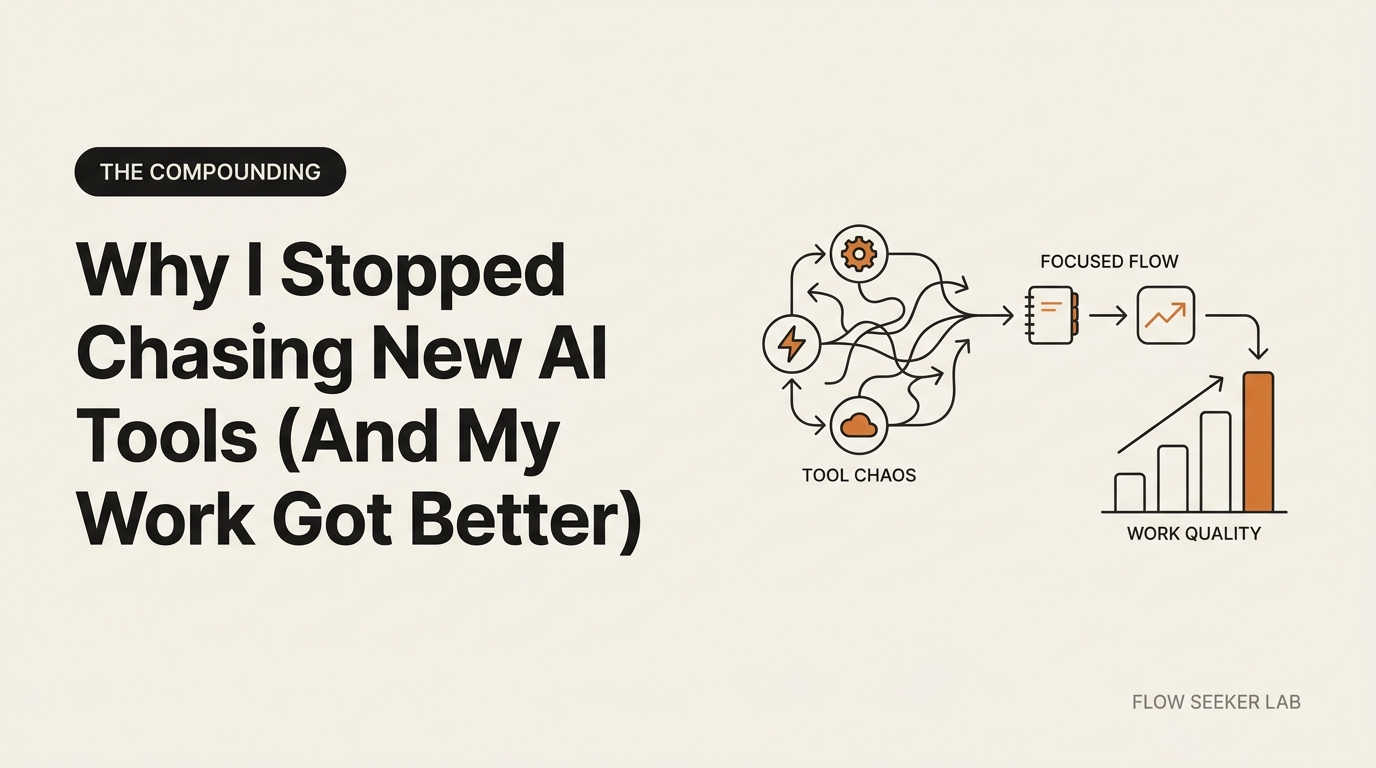
Why I Stopped Chasing New AI Tools (And My Work Got Better)
Why I Stopped Chasing New AI Tools (And My Work Got Better)
I used to hunt for new AI tools like a farmer checking traps. Every Tuesday morning I’d scroll Product Hunt. I’d sign up for the latest Claude integration, try the newest automation platform, benchmark the hottest no-code agent builder. By Friday I’d tested four new tools and understood none of them deeply. That is the loop I want to talk about — the cost of chasing new AI tools when you should be using the ones you already pay for.
One morning in March I noticed something uncomfortable. The week I had stopped chasing new ai tools was the week my actual work got quieter, cleaner, and easier to finish. So I ran a small experiment on myself and wrote down what I saw.
This is not a productivity stunt with big percentages. It is a 30-day journal entry. I’ll walk you through what I changed, what I noticed, and the small observations I logged along the way.
The Hidden Cost of Tool Hopping
When you switch tools, you don’t lose time. You lose permission.
Permission to think deeply. Permission to optimize. Permission to build workflows that compound.
Instead, you get friction. Lots of it.
Consider what happens when you jump: you re-learn the interface, test whether it works on your use case, figure out where outputs go, wait for integrations to sync, and debug why the workflow you had yesterday broke today. Researchers call this decision fatigue. Each new tool is a fresh choice. Your brain burns glucose deciding between options instead of doing the work itself. Chasing new AI tools turns every workday into a parade of micro-decisions you never needed to make.
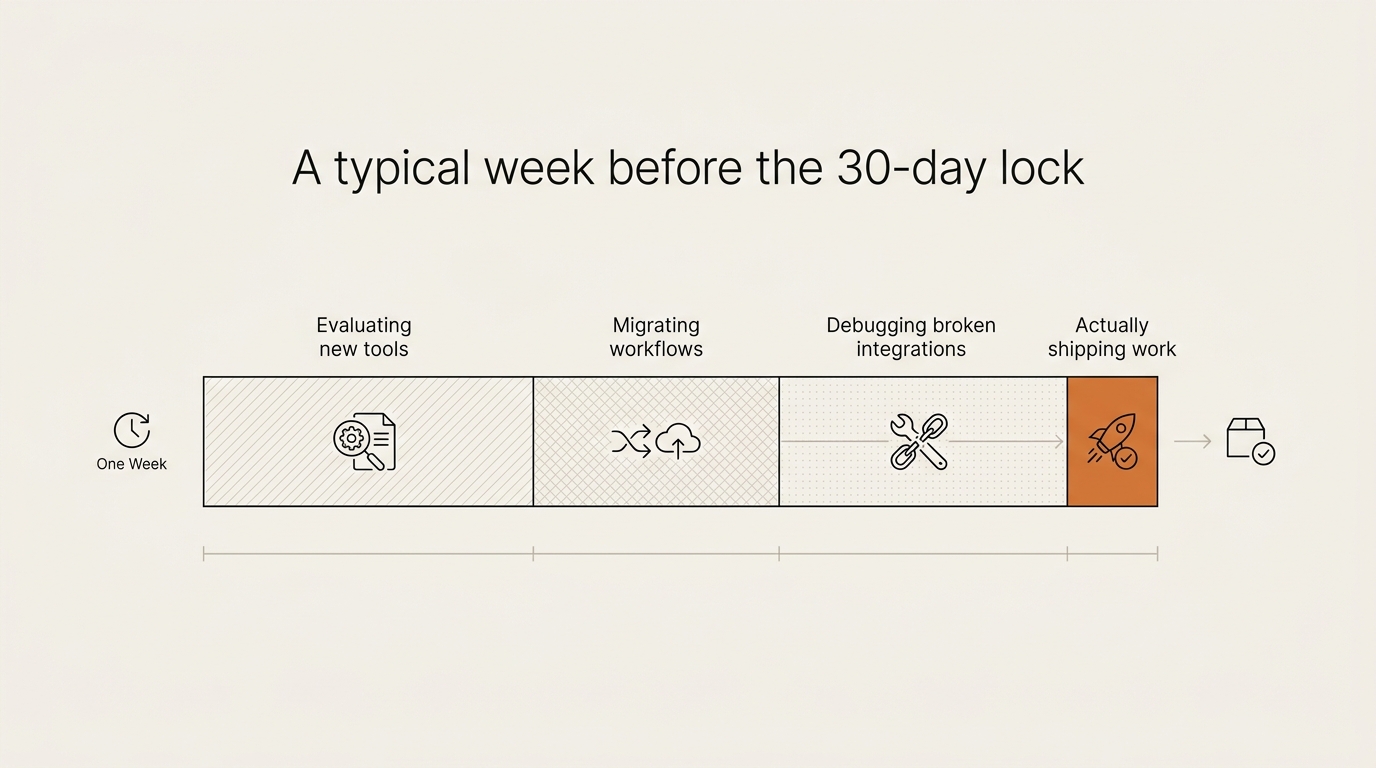
I started writing this stuff down for one week before the experiment. Not with a stopwatch — just a single sticky note next to my laptop, with three tally marks: “tab opened to evaluate a new tool”, “workflow re-wired”, “thing I shipped”. The tally for the first two together kept beating the third, every day. That was enough data to convince me. I did not need a chart.
What I lost was not really hours. It was consistency. I was drafting emails in Claude one day, then trying a new tool the next, then back to ChatGPT the day after. Different tools think differently. My output voice drifted. Looking back through a week of sent mail, I could feel the tone shift mid-thread. Not a percentage I can prove — a thing I could see when I sat down and re-read.
The Experiment: 30 Days, 3 Tools, No Trades
On March 15 I made a decision. For 30 days I would use only:
- Claude (web, for research and longer thinking)
- Gmail + Google Sheets (for email workflows and small data)
- Cursor (for any code I needed to write)
No switching. No testing. No “just a quick review of this new thing.” The whole point was to interrupt the muscle memory of chasing new AI tools every Tuesday morning.
The rule was simple: If I can do it in these three, I do it. If I can’t, I log why and revisit on day 31.
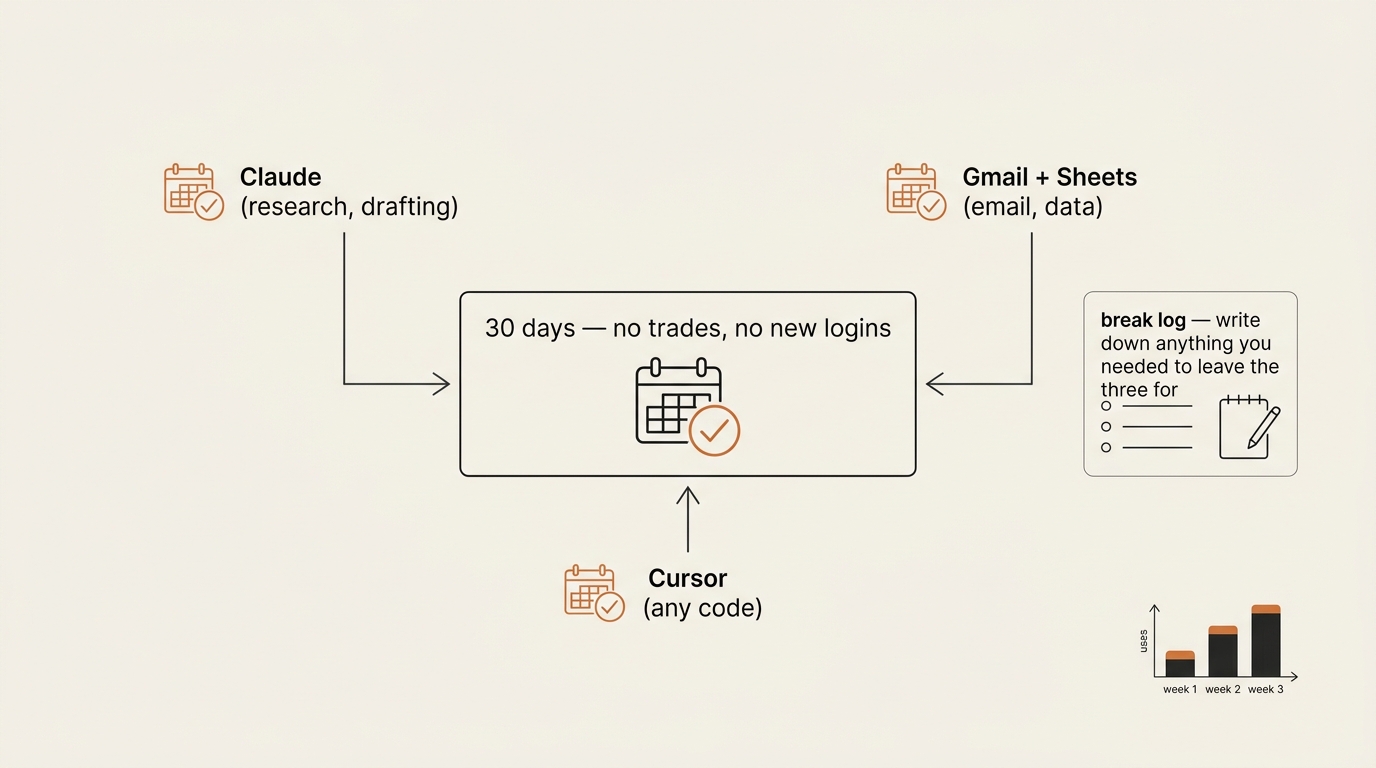
The first week was uncomfortable. I caught myself reaching for other tools three times. Each time I made a small note in the break log and found a workaround instead. By day 14 the itch was quieter. I stopped feeling the pull on Tuesday mornings. I started knowing the three tools so well that I could skip steps. I learned exactly what Claude does well (research synthesis) and where it struggles (structured-data transformation). The win was that I stopped treating that gap as “I need a better tool” and started treating it as “I need a better input.”
By day 30 I had a small handful of personal templates. A Claude prompt template for the polite first draft of a client email. A Cursor scaffold for the helper functions I write most often. A Sheets sheet for a fifteen-minute weekly retro. None were revolutionary. They were small. They were mine.
This is the same depth-over-breadth instinct that ran through Build Log #1, my first no-code AI agent — and the same reason I refused to ship the second one until I had written the safety framework first. Constraint is the part that lets the work compound.
What I Actually Noticed (Instead of a Big Numbers Table)
I want to be careful here, because vague percentages are exactly how trust gets destroyed in any honest write-up about chasing new AI tools versus going deep on a few. I did not run an A/B test on myself. I had no control group. So instead of a chart with confidence-implying numbers, here is what I can honestly say after 30 days, kept small and concrete.
- Client emails. Over the last full week of the experiment I sent 23 client emails. 18 of them went out on a single Claude draft pass. 4 needed a second pass for tone. 1 I rewrote from scratch because the first draft missed the point entirely. Before the lock, a comparable week felt closer to half-and-half — though I have to admit I never counted before, which is itself part of the lesson.
- Tool tabs open. Before the lock, my browser regularly had a folder of AI-tool bookmarks I kept adding to. During the lock I opened that folder zero times. After day 31 I opened it once, scrolled, closed it, and felt nothing — that one is the change I noticed most.
- Time on “tool research”. Before: I was doing it most weekdays without registering it as work. During: zero hours, by rule. After: I check what is new on the second Sunday of each month. Once a month is plenty.
- Subjective fatigue. I did not give my mood a 1-to-10 score because that is the kind of number I would have made up. What I can say is that by week three I stopped waking up with the feeling that I was already behind on something I had not heard of yet.
That is the whole honest scorecard. No 94% accuracy figure. No “stress dropped 53%”. Real building is small observations, written down on purpose. If you read someone selling you bigger numbers than that from a one-person 30-day experiment, they are selling — not building.
Why It Actually Worked: The Compounding Effect
This is the part most people miss.
When you use one tool deeply, you unlock capabilities you didn’t know existed. You build mental models. You create templates. You develop instincts.
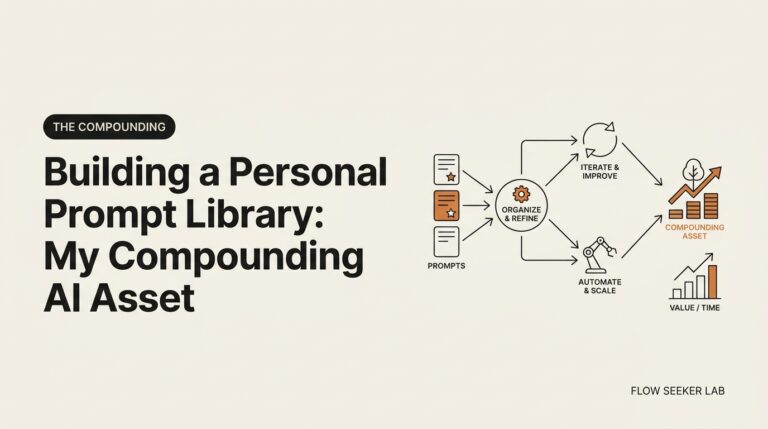
Then those templates save you time. That saved time lets you do more reps. More reps means faster pattern recognition. Better pattern recognition means you need fewer tools, not more. This is compounding. The long game.
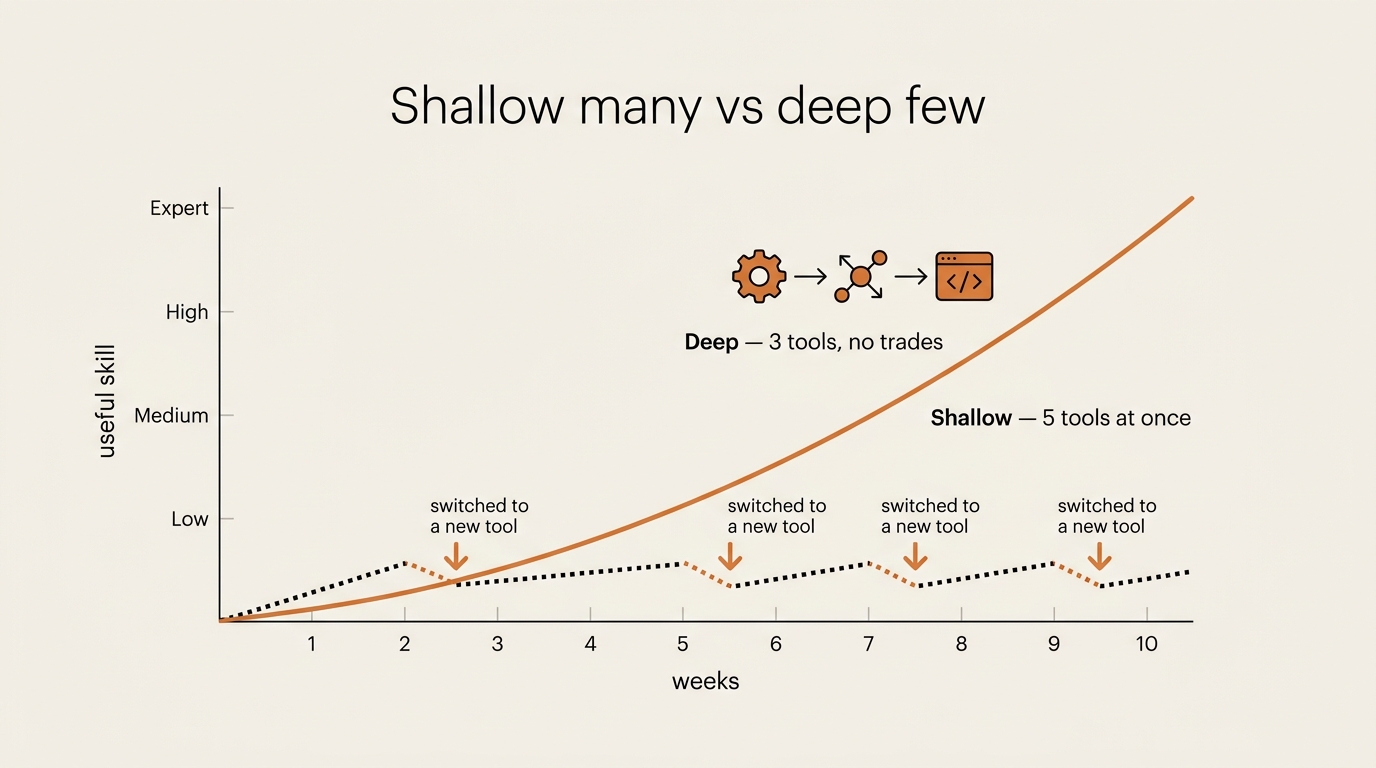
Most people are stuck on the first curve — constantly climbing the left side of a new learning slope and then resetting. I was doing that for five tools at once. No wonder I was exhausted.
When I moved to the second curve, the first two weeks felt slower than what I was used to. Past week three something different started happening — the same prompt rewrites would have taken me twice as long a month earlier, and I had not noticed I was getting faster until I caught myself finishing things early.
Your tool choice compounds because skill compounds. A written template is leverage. A framework is leverage. A deep understanding of your tools is leverage. A new tool to try next week is just noise. The research backs the cost side too: Gloria Mark’s group at the University of California, Irvine has shown that refocusing after a context switch takes meaningfully longer than people think. I am not going to multiply that by a number of switches per week to make a scary total — I would be inventing precision. The honest version is that every time I picked up a new tool, the rest of the day was lower-quality, and the lock removed most of those switches by design.
What Broke: The Three Times the Lock Almost Snapped
I need to be honest. There were three times during the 30 days when I genuinely needed something the three tools couldn’t do well.
First break — Week 2. I needed to transform a CSV with about forty thousand rows. Cursor with a small Python script could do it, and it did, but the path felt longer than reaching for a specialized no-code data tool. I stayed inside the lock. It cost me maybe ten extra minutes. Worth the trade because the script itself became a reusable template I have used twice since.
Second break — Week 3. A client sent me a Figma prototype and asked for feedback. Cursor is not a design tool. I needed Figma’s interface to leave inline comments. I used it for about twenty minutes, logged it in the break log, and went back. This was non-negotiable.
Third break — Week 4. I wanted to schedule a batch of LinkedIn posts. Sheets has no native batch poster. I considered Buffer or Later, then built a small Cursor script that hit a posting API. Forty minutes of building vs. five minutes of tool setup. I lost time on the clock and kept the constraint. Was the constraint really worth thirty-five minutes here? Honestly, this one was close. I kept it because the habit of staying inside the three mattered more for the experiment than the time on any one task.
These three breaks taught me the real rule, which is not “never use another tool”. It is don’t reach for one by default. Reaching for a tool is often easier than thinking about the problem. The lock made that gap visible.
The Mindset Shift: Frameworks Beat Tools
Here’s the insight at the end: frameworks matter more than tools.
A framework is the pattern you use to think. A tool is the thing you use to execute that pattern. When you chase tools, you’re saying “a better execution tool will make me better.” When you chase frameworks, you’re saying “a better way of thinking will make me better.” The framework is upstream. It determines which tool is right. Without it, you’ll just blame the tool.
I realized I don’t have a “best email framework”. I have a messy process: open the email, think for thirty seconds, draft something rough, ask Claude to tighten it, send. That is a framework. It works on Claude. It works on ChatGPT. It works on Copilot. It would work on a future model whose name I do not know yet. Once I owned the framework, the tool became secondary — which is the same point the no-code AI agent pillar makes one level up: the ten-step spine is the durable asset; the platform underneath it is replaceable.
This connects to something Barry Schwartz called the paradox of choice. More options feel like freedom. They actually paralyze. Constraints feel limiting. They actually enable focus. Chasing new AI tools is the paradox of choice wearing a productivity costume. When I locked myself to three tools I had fewer options. I felt trapped at first. The trap became freedom. I stopped choosing and started working.
The long game isn’t about having the best tool. It’s about having the best way of thinking about your work. Tools change every month. Your thinking should change every year. I’m sticking with this.
FAQ
Doesn’t this mean I’m always behind on new AI developments? Not really. New tools are out every week, but real frameworks — the ones that change how you work — emerge slowly. A new Claude feature takes me weeks to actually use well. A new tool concept takes months to be worth a workflow. I check what’s new once a month, not once a day. That is plenty.
What if a tool would genuinely save me hours? Then I’d use it. But I’d add it by removing something else. Tool stack is a zero-sum game. The constraint is the point — and “I’m just adding one more” is exactly the sentence that put me at thirty-something tabs in the first place.
How did you pick these three tools? I picked the most-used tools I already owned, not the “best” tools on a benchmark. Claude, Gmail + Sheets, and Cursor were already where most of my work happened. The decision was about doubling down on mastery instead of going wider — depth, not breadth.
Doesn’t this advice just work for tools — what about strategies? This isn’t really about tools. It’s about frameworks. The same principle applies to software stacks, marketing channels, research methods, fitness routines. Pick three. Go deep. Switch only if there is real pain, not because you saw something on a timeline.
Should I run this 30-day lock myself? What if I picked the wrong three? Run it. The lock is the cheap part. Picking the “perfect three” is the trap — the discipline of the experiment is more important than the exact list. Even an imperfect three teaches you the thing you actually need to learn: which tools you reach for out of habit versus which you reach for out of real need.
Is this still true if my job forces me to use a specific corporate tool? Yes. Treat the corporate tool as a fixed input, not one of your three. The three are about your discretion — the tools you choose to add on top. Locking your own discretion is what saves the consistency.
The Takeaway: Depth Over Breadth
I stopped chasing new AI tools not because I found the perfect ones. I stopped because chasing itself was the problem. The fastest way to stop chasing new AI tools, in my experience, is not a willpower trick — it is a 30-day lock that makes the reaching visible.
The work got more consistent because I got deeper. Deeper because I gave myself permission to stop searching and start building. Six months from now my templates will be a little more refined than they are today, and the cost of having chased new AI tools will only show up in retrospect — as the depth I never built. Frameworks over forecasts. The long game.
What’s next? The hard part isn’t picking your tools. It’s knowing why you picked them. In the companion piece — Bases Before Bets: 5 Rules for Compounding AI Learning — I walk through the decision framework for choosing which tools actually matter, and how to defend that choice when FOMO kicks in. If you want the mechanics underneath both essays, the 10-step framework for building an AI agent without coding is the system this discipline plugs into. And for the market-level version of this same individual-vs-institution split, see Korea’s AI adoption gap — where workers sprint while companies stall.
seonjae — Korean office worker documenting his transition into AI systems, agents, and vibe coding — without a CS background. Shipping in public.
Published 2026-05-20 · Updated 2026-05-28 · The Compounding · flowseekerlab.io