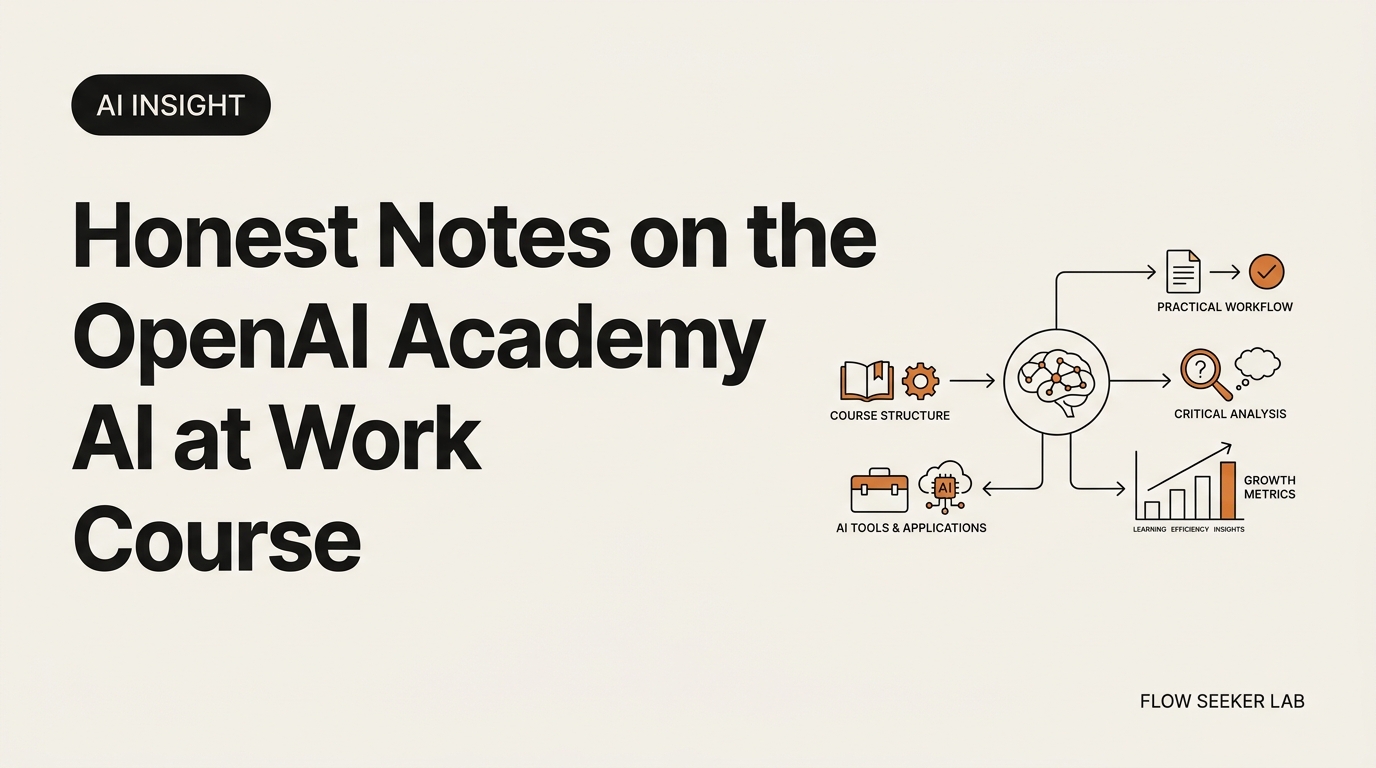
Honest Notes on the OpenAI Academy AI at Work Course
Honest Notes on the OpenAI Academy AI at Work Course (From a Non-Developer)
It’s Saturday morning in Seoul and I’ve got the new tab open with a cold coffee. The track dropped on Thursday. I’m a Korean office worker, no CS degree, already paying for ChatGPT Plus. So the OpenAI Academy AI at Work course was aimed at exactly me, and I wanted to know one thing before I burned 15 hours on it: would it move the needle on my actual job, or is it a polite funnel for ChatGPT Enterprise?
Here’s the deal. I spent a weekend going through the new tracks, kept a stopwatch on each lesson, and shipped one workflow off Lesson 2 of Applied AI Foundations. This post is the keep-vs-skip triage I wish someone had written for me. No hype, no career-promise framing. Frameworks, not forecasts.
What the OpenAI Academy AI at Work course actually covers
The track rolled out as a three-step ladder on June 12, 2026, sitting inside the broader OpenAI Academy hub. Three courses, designed to be taken in order, all free to start. The official announcement calls it a “next era of work” curriculum, which is a marketing line, but the structure underneath is honest.
Here is the ladder in plain English.
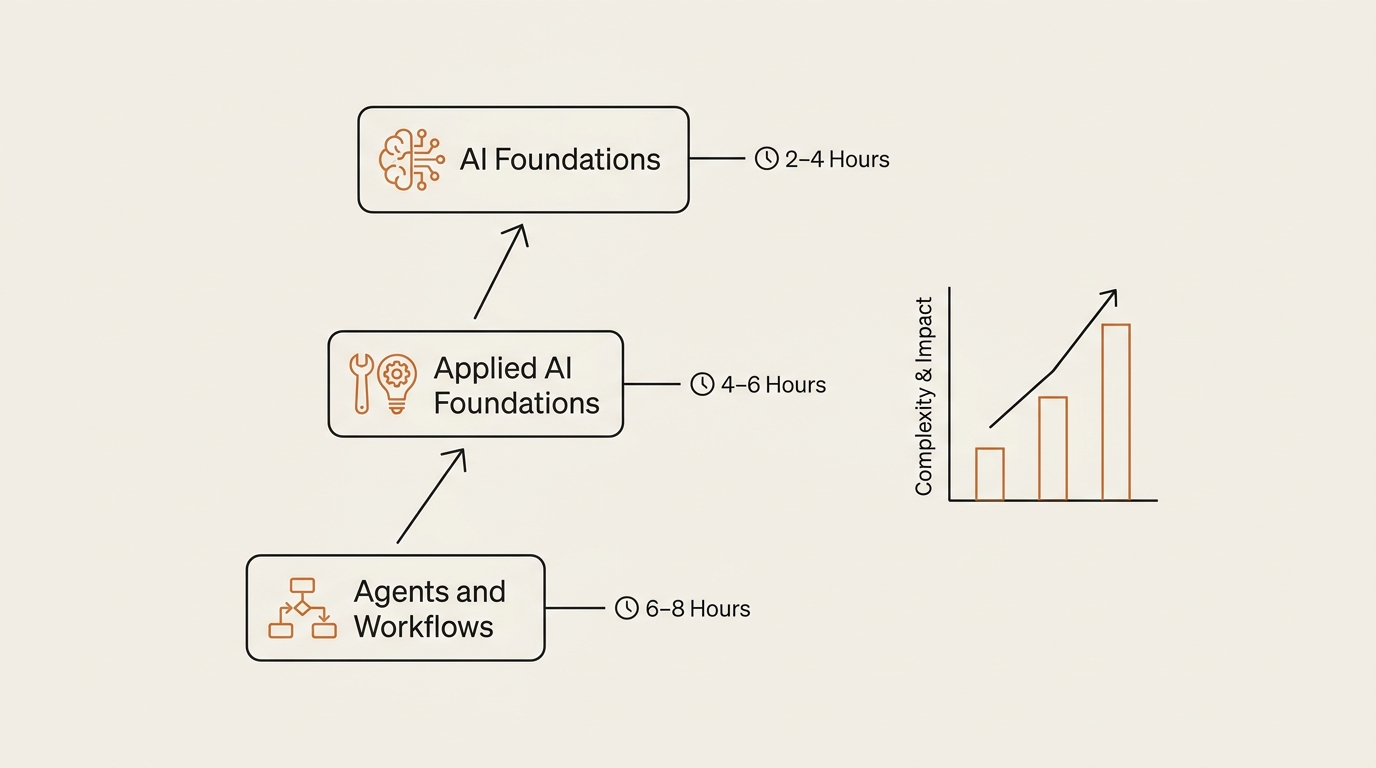
- AI Foundations. Core concepts. What prompting is. Context windows. Evaluating outputs. Responsible use. Targets routine tasks — drafting, summarizing, meeting prep. About 2–3 hours.
- Applied AI Foundations. Turn one-off prompts into repeatable workflows. Define inputs. Pick a model. Add tools. Set checkpoints. Insert human review. About 2–3 hours.
- Agents and Workflows. Direct agent-assisted work. Define outputs and boundaries. Review results. Identify where human judgment is required. About 2–3 hours.
Take all three and you’re at roughly 6–9 hours of video plus exercises. The full certification path with practice tasks lands at 15–20 hours over 4–6 weeks. That’s the number that matters.
The whole thing is platform-agnostic enough to apply on ChatGPT Plus. I tested. You don’t need an Enterprise seat to do the exercises. But the admin-facing side resources — “Planning your ChatGPT rollout,” “Communicating about ChatGPT Enterprise to your team” — are clearly a soft funnel for decision-makers buying seats. Name that openly and the consumer-facing tracks still stand on their own.
Is it free, and what about the certificate?
Yes, the AI at Work course is free. You sign in with an account, you watch, you do the exercises. No card, no Plus requirement.
The certificate is more interesting. Completing a track gives you a shareable completion badge — the LinkedIn-style artifact. The Academy is partnering with Credly (Pearson) and ETS to issue portable, standards-aligned badges. Three tiers are in pilot: Basic AI Fluency, AI-Enabled Work, and Advanced Prompt Engineering. Pilots involve large employers and public-sector partners.
The Academy’s stated goal is to certify 10 million Americans by 2030. That’s a workforce-literacy play, not a hiring credential play. Read the badge that way and you’ll have the right expectation.
My honest take on the certificate: treat it as a portable artifact, not a moat. It’s a clean way to signal “I sat through a structured curriculum” to a manager who is also new to this. It is not a credential that will get you hired over someone with shipped work. A GitHub repo with one working agent beats a Credly badge every time. Both is fine. One is enough.
Who the OpenAI Academy course is really for
I want to be blunt about who should and shouldn’t sit through 15 hours of this. Three buckets, based on what I saw in the lessons.
Bucket A — High return. You use ChatGPT a few times a week. You haven’t built a repeatable prompt yet. You ask “what’s a system prompt” and you mean it. The AI Foundations track will save you a year of trial and error in one afternoon. Applied AI Foundations will then teach you the move from prompt to workflow, which is the part most people skip.
Bucket B — Mixed return. You’re a daily ChatGPT Plus user. You’ve copy-pasted prompts from Reddit. You know what context windows are but you’ve never measured one. Skip half of AI Foundations. Skim the lesson on output evaluation. Then go straight to Applied AI Foundations, which is where the actual lift is. The agents course is worth watching at 1.5x to grab vocabulary.
Bucket C — Low return. You already built a no-code agent. You read Anthropic’s docs for fun. You’ve burned tokens debugging your own workflows. The course will teach you nothing new about prompting. The only piece worth your time is the agent-boundaries lesson in course three — the framing of “where does human judgment go” is cleaner than what I’ve seen on YouTube.
If you manage a team and you’re trying to figure out how to roll this out, the admin pages are the funnel. Useful pages, but read them as marketing for ChatGPT Enterprise and adjust your filter.
The 90-minute version: what I’d keep, what I’d skip
This is the section I went looking for in every other review and never found. So I built it myself.
The premise: you have one Sunday afternoon, not six weeks. You want the 80% lift in 90 minutes. Here’s where I’d spend each block.
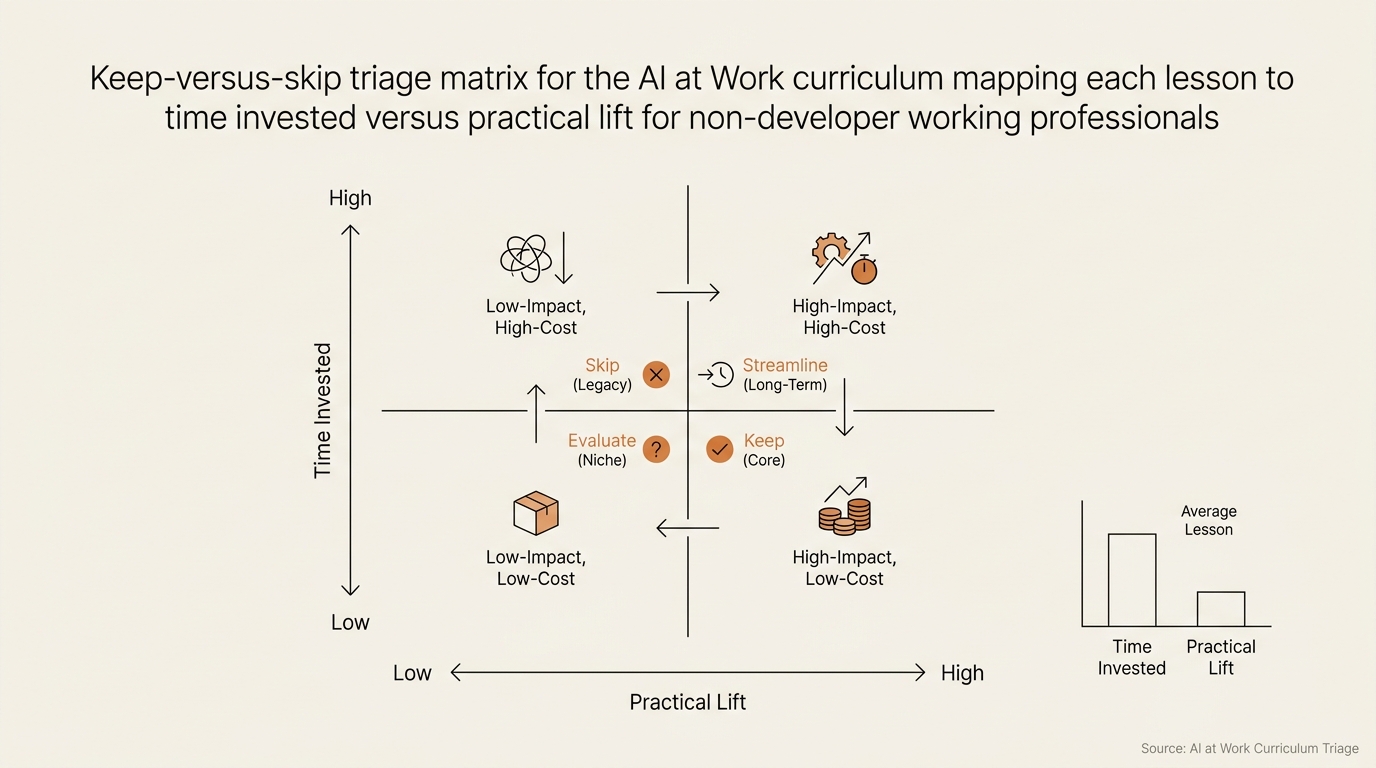
| Lesson block | My time | Keep or skip | Why |
|---|---|---|---|
| AI Foundations — what prompting is | 5 min skim | Skip if you use ChatGPT weekly | You already know this |
| AI Foundations — context windows | 10 min | Keep | Most people misuse context; this fixes it |
| AI Foundations — evaluating outputs | 15 min | Keep | The single most underrated skill in this course |
| AI Foundations — responsible use | 5 min skim | Skip | Generic compliance framing |
| Applied AI — prompt to workflow | 25 min | Keep, do the exercise | This is where the real value is |
| Applied AI — adding tools and checkpoints | 15 min | Keep | Forces you to scope your workflow |
| Applied AI — human review insertion | 10 min | Keep | The guardrail lesson everyone skips |
| Agents and Workflows — boundaries | 10 min | Keep | Clean framing of where humans stay in the loop |
| Agents and Workflows — review and iteration | 10 min skim | Skip if rushed | Restates earlier material |
| Enterprise admin resources | 0 min | Skip | Funnel content for decision-makers |
That’s about 95 minutes of actual seat time. You get the prompt-to-workflow translation, the output-evaluation reflex, and the guardrail vocabulary. The rest is repetition or marketing.
The two pieces I’d never skip, even if I had only 30 minutes: evaluating outputs and prompt to workflow. Output evaluation teaches you to stop trusting confident-sounding answers. Prompt-to-workflow is the bridge from “ChatGPT helped me draft this once” to “this runs every Monday morning without me thinking about it.”
What I shipped from one Applied AI Foundations lesson
Here’s the part where this stops being a review.
The Applied AI Foundations track has a lesson called “From Prompt to Workflow.” The blueprint is six boxes: input → model → tools → checkpoint → human review → output. The exercise asks you to take a recurring work task and rebuild it in those six boxes. I picked weekly client status updates. Every Monday I write the same kind of summary email and it eats 40 minutes.
I sat down on Saturday afternoon and rebuilt it.
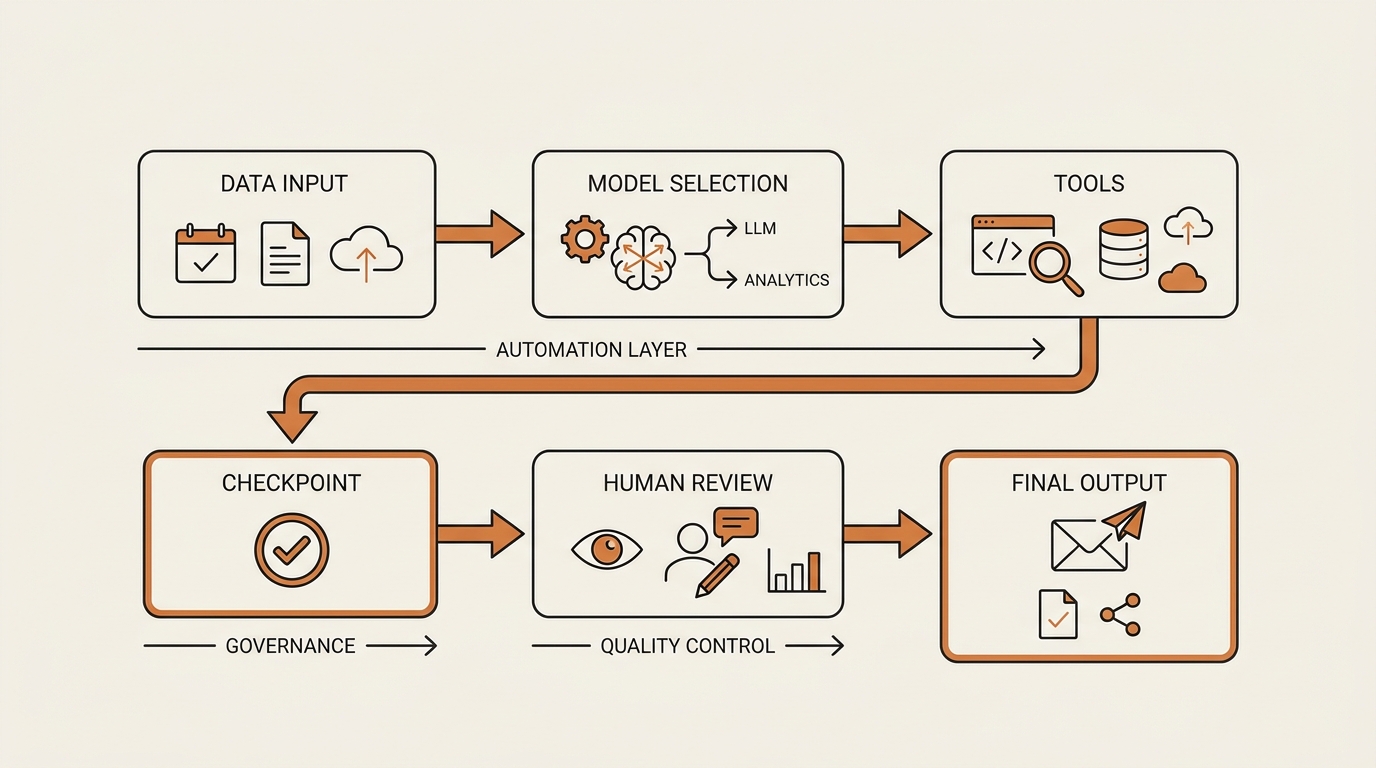
Input. A single Notion page where I drop three things during the week: bullet wins, bullet blockers, links to relevant Slack threads.
Model. GPT-5 Thinking inside ChatGPT Plus. The lesson made me actually pick a model on purpose instead of defaulting. Reasoning model because the summary needs prioritization, not speed.
Tools. None for the first version. The course warns against adding tools before the prompt works, and that’s good advice. I held back from wiring up Slack search until the basic loop was stable.
Checkpoint. A formatted output the model returns before sending. Two sections: “what shipped” and “what’s blocked, and what I need from you.” If the second section is empty, the model has to ask me what I forgot.
Human review. Five minutes. I edit the tone and add one personal sentence. The course is right that this step is non-negotiable — without it the email reads like a status report from a stranger.
Output. Pasted into Gmail. Send. Done in 12 minutes instead of 40.
The lift is real, but it isn’t magic. The course didn’t teach me anything I couldn’t have figured out alone. What it did was force me to write the workflow down in those six boxes before I started prompting. That single discipline is the value. If you’re already an instinctive prompter, you’ve been skipping this step and it’s been costing you.
I measured the first run. Twelve minutes end to end, including the five minutes of human review. Down from 40. The second draft on Monday morning should be faster once I tighten the Notion input page format. That’s a roughly 30-minute weekly reclaim from one Saturday afternoon of structured study. Not life-changing. But repeatable, which is the only number that actually compounds.
If you want the practice version of this, I covered how I actually use AI agents at work in a separate post — same six-box logic, different task, more screenshots.
Where I was wrong about the OpenAI Academy
I went into this weekend with three assumptions. Two of them were wrong.
What I expected. I thought the AI Foundations track would teach me at least one new prompting pattern. I’ve been prompting daily for a year. I was ready to be embarrassed.
What actually happened. Zero new patterns. Every prompting technique in the course is something I’ve already internalized — system messages, role framing, structured output, chain-of-thought asks. If you’re past Lv2 on the ChatGPT-user spectrum, the prompting lessons are review.
What I underestimated. The certificate. I went in assuming a Credly badge was decorative. The ETS partnership genuinely changed my read on it. Not because the badge gets you hired — it doesn’t — but because it gives HR teams a vocabulary for “this person did the structured thing.” That’s useful when you’re rolling AI out internally and need to point at a baseline. I’d still rather ship a working agent. But I no longer think the badge is purely decorative.
Where my workflow broke. First version of the Monday status email skipped the checkpoint box. I let GPT-5 write the whole email in one pass. Result: the email summarized the wrong week because I’d dropped a Slack link to last week’s thread. The checkpoint exists for a reason. I rebuilt it, added a one-line “confirm the week range” step, and the second run was clean. That’s exactly the failure mode the course was trying to immunize me against, and I had to break it once to internalize it.
The honest meta-lesson: the course doesn’t teach you new techniques. It forces you to name techniques you’ve been doing badly. That’s a different kind of value, and it’s worth two hours of your Sunday.
I keep a separate routine for filtering AI updates without getting overwhelmed. If you’re trying to decide whether to do a structured course like this one or just stay current on your own, that piece pairs with this one.
Frequently asked questions
Is the OpenAI Academy AI at Work course free?
Yes. The full three-course AI at Work track is free, including completion certificates. An optional paid certification tier is in pilot through Credly and ETS, but the core curriculum costs nothing. You sign in with an account, watch the lessons, and complete the exercises in your browser.
How long does the OpenAI Academy AI at Work course take?
Each of the three tracks runs about 2–3 hours of video plus exercises. The full certification path, including practice tasks, is around 15–20 hours spread over 4–6 weeks. If you only have one afternoon, my keep-vs-skip table above gets you the high-value pieces in about 90 minutes.
Does the OpenAI Academy give a real certificate?
Yes. Completion gives you a shareable badge. The Academy is partnering with Credly (Pearson) and ETS to issue portable, standards-aligned credentials. Three tiers are in pilot: Basic AI Fluency, AI-Enabled Work, and Advanced Prompt Engineering. Treat the badge as a literacy signal, not a hiring credential.
Who is the OpenAI Academy AI at Work course for?
Working professionals who use ChatGPT regularly but haven’t formalized their workflow. Team leads rolling out AI internally. Enterprise admins planning a ChatGPT rollout. If you’ve already built no-code agents and read Anthropic docs for fun, you’ll get the least new material out of it.
Is the OpenAI Academy AI at Work course worth it for someone already on ChatGPT Plus?
Mixed. The prompting lessons will be review. The prompt-to-workflow exercise in Applied AI Foundations and the agent-boundaries framing in course three are worth your time even as a daily Plus user. Skip the rest.
What’s the difference between AI Foundations, Applied AI Foundations, and Agents and Workflows?
They are three steps of the same ladder. AI Foundations teaches concepts and prompting. Applied AI Foundations turns prompts into repeatable workflows with inputs, tools, and checkpoints. Agents and Workflows covers direct agent-assisted work, output boundaries, and where human judgment stays in the loop. Concept → workflow → agent direction.
Next in this series
The next post in this Framework Deep Dive thread is the one I keep avoiding: the single Academy lesson that actually changed how I open ChatGPT in the morning, and the three-minute checklist I now run before any new prompt. It builds directly on the six-box workflow I shipped above. I’ll link it here once it’s up.
For context on where the broader literacy push is heading, McKinsey’s Superagency in the workplace report makes the case that the upskilling gap, not the technology gap, is the binding constraint. The OpenAI Academy AI at Work course is one answer to that constraint. Whether it’s the right answer for you depends on which bucket you’re in — and now you have a triage table to decide.
If you want to start with the no-code agent framework I keep coming back to, that’s the pillar I wrote first. The third course in the Academy ladder maps roughly onto it.
seonjae — Korean office worker documenting his transition into AI systems, agents, and vibe coding — without a CS background. Shipping in public.