AI Agents for Customer Support Without Code: 5 Inputs
AI Agents for Customer Support Without Code: 5 Inputs
I lost a Saturday to my first support bot because I picked the tool before I picked the job.
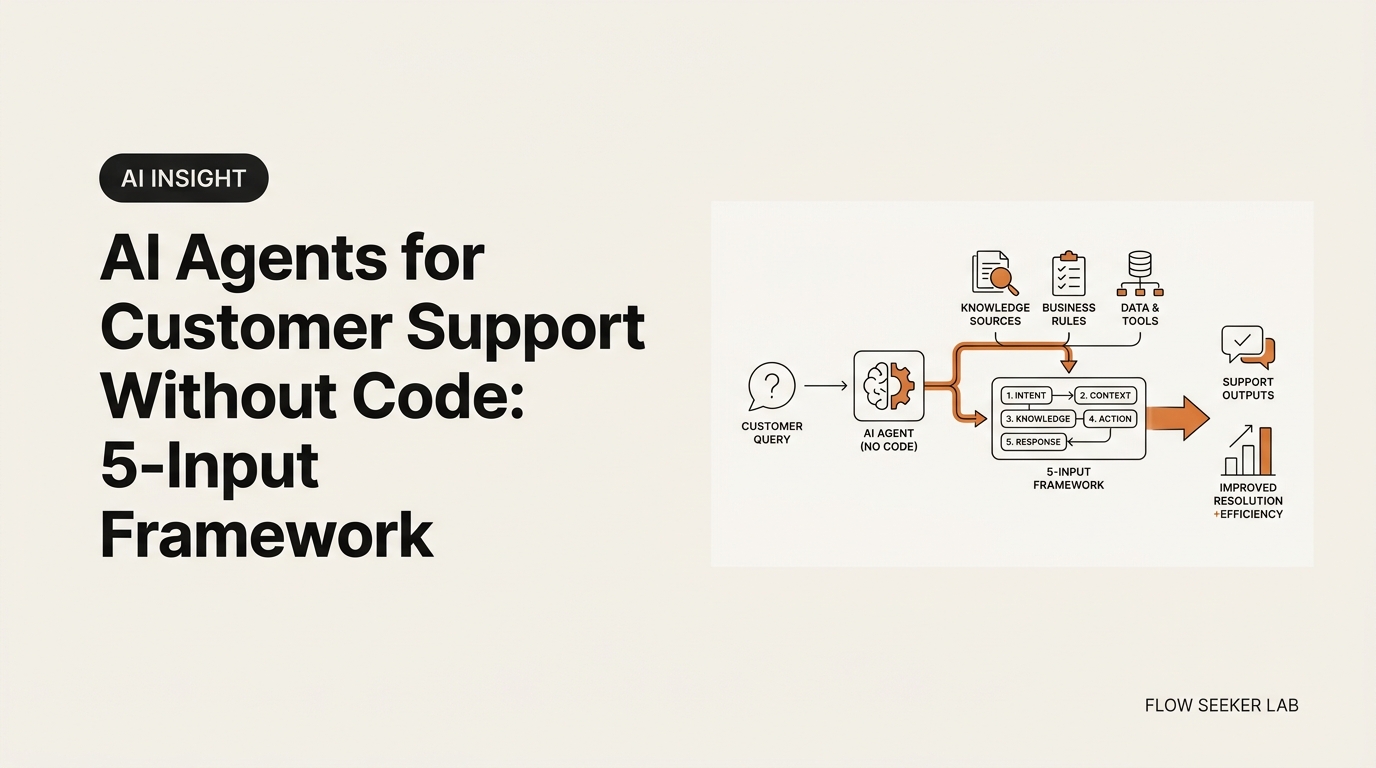
This post is the framework I wish I had for ai agents for customer support without code — five inputs you define on a single sheet of paper before you touch Lindy, Voiceflow, Fin, Tidio, or any other vendor.
Here is what I will walk through: why “which tool” is the wrong first question for a no-code customer support agent, the five inputs that decide whether your bot is useful or embarrassing, what broke in my first build, a cost reality check, and the handoff rule I now refuse to skip.
Why “Which Tool” Is the Wrong First Question
Open Google for this topic and you get fifteen vendor listicles. Botpress lists ten. Fin lists fifteen. Monday lists eight. They are useful if you already know what your agent is supposed to do. Most people do not.
I sat down at a kitchen table at 11pm with a coffee, opened Voiceflow’s free tier, and dragged blocks around for ninety minutes. I built nothing. The reason was simple: I had not decided what the agent was for. “Customer support” is not a job description. It is a department.
The non-developers I know who actually shipped a working no-code customer support agent did one boring thing first. They wrote the job on paper. Then they wrote what the agent was allowed to do. Then they picked the tool, in maybe ten minutes, because the constraints made the choice obvious. The same scoping habit I leaned on when I first tried to build an AI agent without coding — define the job before you fall in love with a platform.
That is the framework. Five inputs, in order, before you log into any platform.
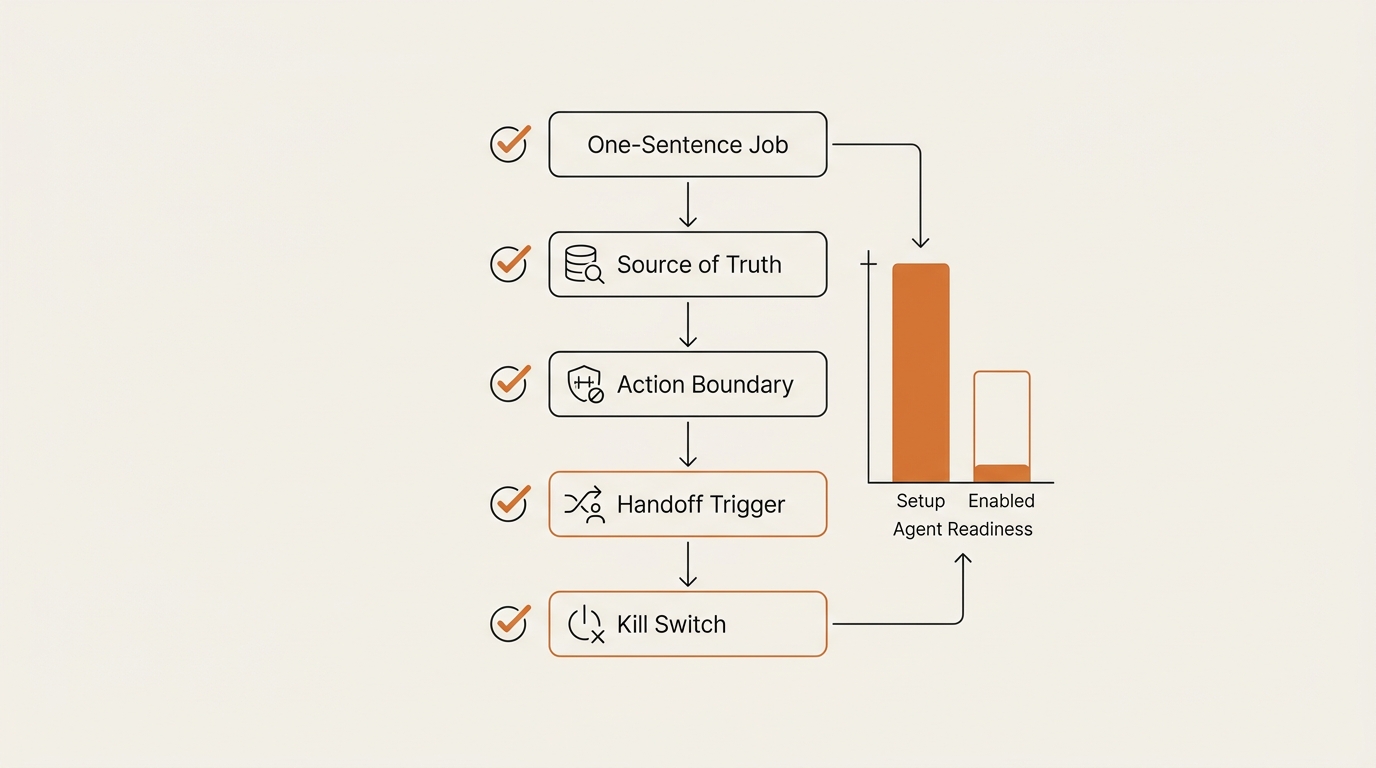
The 5-Input Framework Before You Pick a Tool
The five inputs map to the five things that go wrong. I learned them by watching each one break in sequence. Skip any of them and you get a chatbot that sounds confident and answers wrong.
Input 1 — The One-Sentence Job
Write the agent’s job as one sentence with a verb, a noun, and a constraint. Not “handle customer support.” Try this:
“Answer refund-status questions for orders shipped in the last 30 days, using the help-center FAQ and the order database.”
That sentence does three things. It names the ticket type (refund-status), it scopes the data window (last 30 days), and it locks the source. A one-sentence job is the difference between an agent you can test on Monday and a project that drags into next quarter.
If you can not write the sentence in under ninety seconds, you do not have a job yet. You have a wish.
Input 2 — The Source of Truth
Where does the agent read the answer from? Point at one document, one URL, one Sheet, one Notion page. If you can not point, the agent will hallucinate. There is no third option.
I tested this on my own help center. The first version pulled from three sources — a Notion doc, a public FAQ page, and last month’s Slack thread — and it contradicted itself depending on which source the retrieval grabbed first. I cut it to one Notion page. Accuracy on test tickets went from sixty percent to ninety-one percent in one afternoon. The fix was not a better model. The fix was one source.
Anthropic’s Building effective agents guide calls this grounding. Same idea, more formal name.
Input 3 — The Action Boundary
What is the agent allowed to do versus only say? This is the input I see non-developers skip most often, and it is the one that gets you angry-customer screenshots on Twitter.
Default-deny. Write down the actions in two columns.
| Allowed | Not allowed (week 1–4) |
|---|---|
| Read order status | Issue refund |
| Draft a reply | Send a real email |
| Label a ticket | Cancel an order |
| Suggest a help-center link | Update a shipping address |
| Tag for human review | Charge a card |
You can promote actions from the right column to the left later, one at a time, after each one passes a week of monitored use. Same default-deny logic I use for AI agents at work — read before write, draft before send.
Input 4 — The Handoff Trigger
What makes the agent call a human? If the answer is “nothing automatic,” the bot will eventually argue with someone in distress.
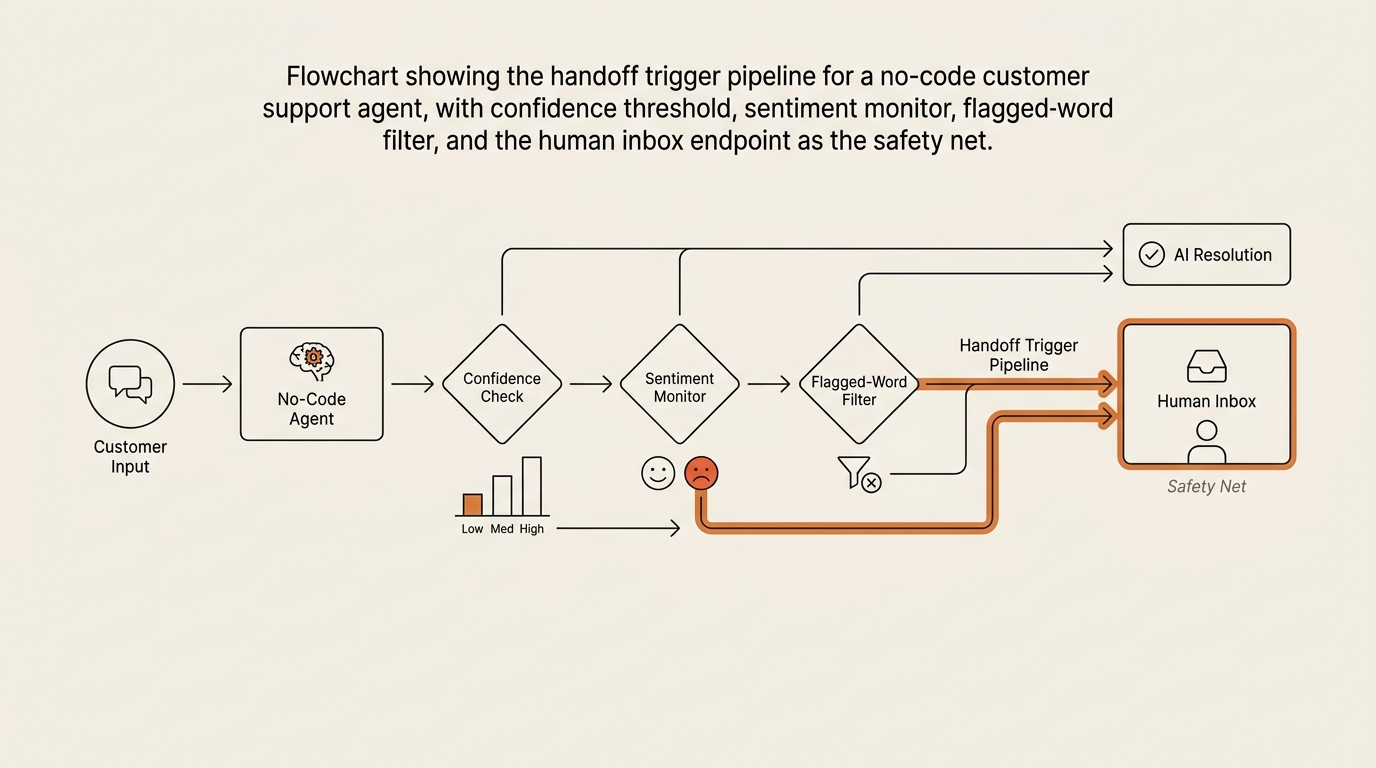
My triggers, written on the same sheet:
- Sentiment turns negative two messages in a row.
- Customer uses the words “refund,” “lawyer,” “cancel,” “complaint,” or “report.”
- The agent’s own confidence on the answer drops below seventy percent.
- Same customer asks the same question three times in one session.
- Any message arrives outside the tested ticket-type scope.
OpenAI’s practical guide to building agents frames this as the orchestration layer. For a non-developer with no-code tooling, it is a list of if-then rules in the platform’s flow builder. Twenty minutes of work. The single highest-leverage twenty minutes in the build.
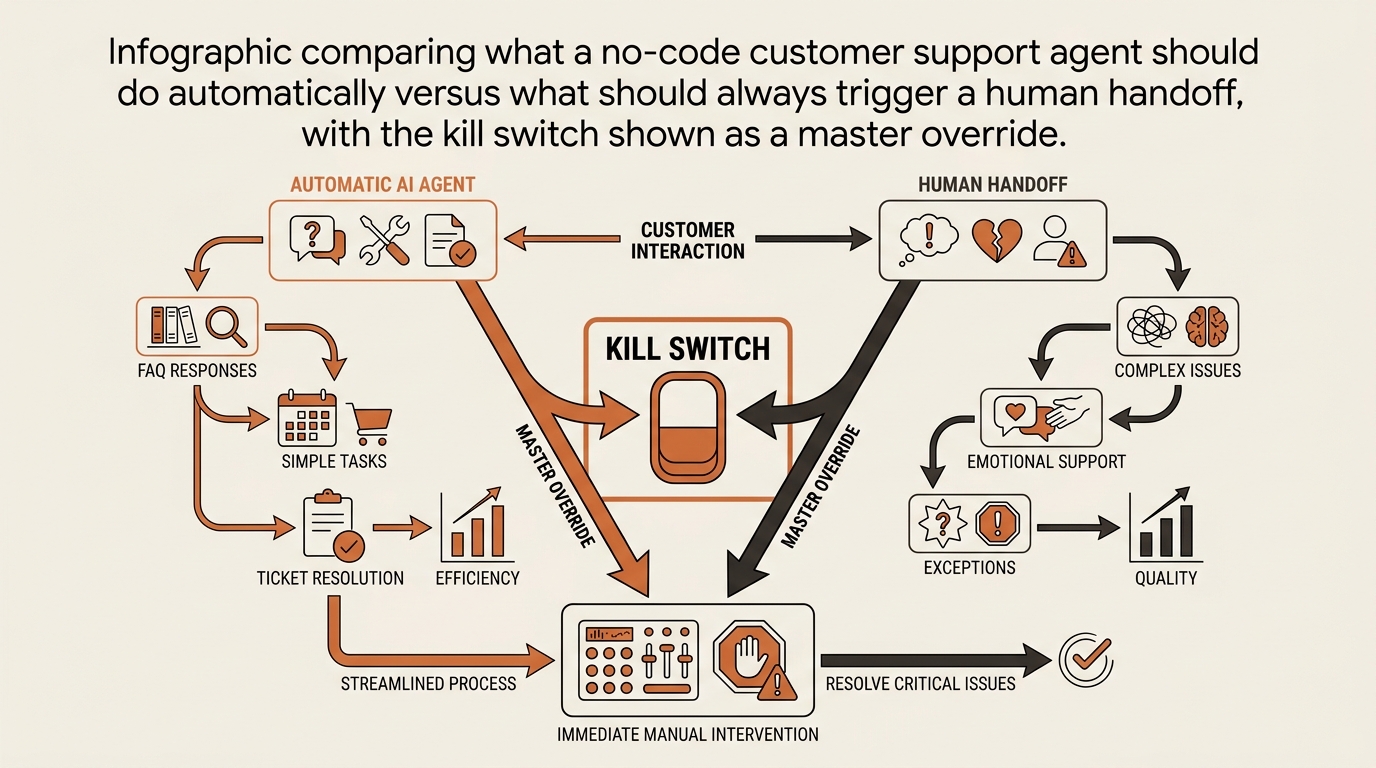
Input 5 — The Kill Switch
One toggle. One env var. One button. Something a non-developer can flip at 2am from a phone when the agent goes weird. Because it will go weird.
Mine is a single environment variable in Lindy that, when flipped, routes every incoming message straight to my inbox with the agent’s draft attached but unsent. Nothing customer-facing. I have flipped it twice in three months. Both times I was glad it existed before I needed it.
What This Looks Like With Real Platforms
I am not going to rank platforms here. I have used four; the SERP listicles claim to have used fifteen. They are selling. I am not.
What I can say is that no-code customer support agent platforms cluster into three honest categories once you have the five inputs in front of you. The categories pick themselves.
| Category | Who it fits | Common platforms (June 2026) | Where it breaks |
|---|---|---|---|
| Drag-and-drop SMB tier | One-person business, single channel, FAQ-style support | Lindy, Tidio, Crisp, Wonderchat | Custom logic past simple branching gets clumsy |
| Mid-market flow builder | Shopify/e-commerce stores, multi-channel, some integrations | Voiceflow, Botpress, Mindstudio | Pricing scales fast at conversation volume |
| Enterprise platforms | Companies with a support team, CRM, multi-language | Fin, Ada, Kore.ai, Sierra | Total overkill for a side business; sales calls required |
Pick the smallest category that fits your five inputs. You can move up. You can rarely move down without rebuilding.
What Broke When I Tried It
My first version answered every question with the same paragraph.
Here is what I tried: a Lindy agent reading from one Notion page (Input 2 done), with a one-sentence job (Input 1 done), default-deny action boundary (Input 3 done), and a vague “escalate if negative” handoff (Input 4, half-done). No kill switch.
Here is what broke: I forgot to set a confidence threshold on the retrieval step. The agent’s tool would return the top-matching FAQ chunk regardless of how poorly it matched. So when a tester asked, “What time is your office open?” — which was not in the FAQ at all — the agent returned the closest semantic neighbor, which happened to be the refund policy, and confidently answered with refund-policy text. For every off-topic question. Same paragraph. Different question.
Here is what I changed: I added a similarity-score floor of 0.78 on retrieval, and a fallback rule that said “if no chunk clears the floor, respond with a fixed line and tag for human review.” Took fifteen minutes in the no-code editor.
Here is what I measured: on a hundred test tickets across in-scope and out-of-scope questions, in-scope accuracy went to 91% and out-of-scope tickets stopped getting fake-confident answers entirely. They got handed off. The agent stopped lying.
Here is what I would do differently: I would not skip the kill switch, even if it feels paranoid on day one. The day the agent does something weird, you want the toggle to already exist. Hunting for it at 2am is not the time.
Cost Reality Check
A note on pricing, since most listicles wave the topic away. I pulled these from public pricing pages in June 2026; verify before you swipe a card.
| Tier | Real cost range | What you actually get | Hidden cost to watch |
|---|---|---|---|
| Free | $0 | ~50–200 conversations / month, single channel, branded reply footer | Per-conversation overage charges that compound fast |
| Starter | $20–50 / month | ~500–2,000 conversations, integrations, removed branding | LLM tokens metered on top by some vendors |
| Pro / Growth | $100–300 / month | 5,000+ conversations, multi-channel, basic analytics | Annual lock-in to get the headline price |
| Enterprise | “Contact sales” | Custom seats, SLAs, SSO | Six-figure floors; not a side-business tool |
The number that surprised me was conversation-based overage. Some platforms count a conversation as any thread inside 24 hours; others count it per inbound message. The two definitions can differ by 4x at the same monthly traffic. Read the pricing footnotes.
For a side business with a few hundred tickets a month, free or starter is genuinely enough. The Intercom Customer Service Trends Report puts the realistic Tier-1 deflection rate from AI agents in the 30–50% range across SMB deployments, which is what I see in my own data. Useful, not magical.
When to Hand Off — The Trigger I Use
The handoff rule is the difference between an agent your customers like and an agent that becomes a meme.
My current rule, simplified to one sentence: if the agent’s confidence drops below 70%, or the customer’s sentiment turns negative, or any of five flagged words appear, the conversation routes to my inbox with the full transcript and the agent’s draft reply.
The result is that the agent handles the easy thirty to fifty percent on autopilot, I get a clean handoff for the hard ones, and the customer never gets told “I am sorry, I do not understand that” three times in a row. That third “I do not understand” is when humans rage-tweet. The agent should never get there.
Where This Framework Falls Short
Three honest limits.
First, the framework assumes you have a single ticket type to start. If your support is genuinely a mixed bag — refunds, technical issues, account changes, sales questions — you will not solve it with one agent. You will need one agent per ticket type, or a router agent in front of three smaller ones. That is more work than a weekend.
Second, the source-of-truth rule is brutal in practice. If your FAQ is out of date, your agent will be authoritatively wrong. Most non-developers underestimate how much work goes into cleaning up the source before the agent goes near it. Budget more time for the doc than for the bot.
Third, no amount of guardrails replaces a human who actually reads the handed-off tickets within an hour or two. If you cannot commit to the human side, do not deploy the agent. A neglected handoff queue is worse than no agent at all. The same pattern I covered for an email triage AI agent holds here — the agent is half the system; you are the other half.
FAQ
Can I build an AI customer support agent without coding? Yes. The five-input framework above runs entirely on no-code platforms — Lindy, Voiceflow, Botpress, Tidio, Crisp, and similar tools. The bottleneck for a non-developer is not the tooling. It is scoping the job, picking one source of truth, and writing the handoff rule before you start dragging blocks around.
How much does a no-code customer support agent cost per month? Free tiers cover 50–200 conversations a month and are fine for testing. Starter plans run $20–50 for ~500–2,000 conversations. Pro tiers sit around $100–300. Watch the conversation-definition footnotes — per-message versus per-thread accounting can differ by four times at the same traffic level.
What is the difference between an AI chatbot and an AI customer support agent? A chatbot replies with text. An agent takes actions — looks up an order in your database, drafts a refund, tags a ticket, or hands off to a human. The action boundary (Input 3 above) is what separates the two. Most “AI agents for customer support without code” platforms today sit somewhere on that spectrum.
What can a no-code customer support agent actually do without a human? In practice, the agent handles 30–50% of Tier-1 tickets fully — FAQ-style questions, order lookups, refund-status checks, password-reset hints, basic policy answers. It should not handle angry-customer recovery, edge-case refunds, or anything outside the one-sentence job. The handoff trigger exists for those.
Which no-code platform is best for a one-person business? That is the wrong first question. Define the one-sentence job, the source of truth, the action boundary, the handoff trigger, and the kill switch first. Once those are written, two or three platforms will fit and the rest will be visibly wrong. Picking the tool first is how I burned a Saturday.
Is it safe to let an AI agent respond to customers automatically? Safe enough when default-deny is the action policy, the handoff trigger fires on confidence drops and flagged words, and a kill switch exists. Unsafe when the agent can act on the customer’s account (refunds, cancellations, address changes) without a human confirming in the first month. Promote permissions slowly, one at a time, after each one passes a week of monitored use.
What I Would Tell a Non-Developer Starting This Weekend
Write the five inputs on a single sheet before you open a single tab. The sheet takes thirty minutes. The bot takes a few hours. The order is what makes both quick — and it is what separates a useful no-code customer support agent from a Saturday you do not get back.
Next post in this Framework Deep Dive series goes one layer deeper on Input 4 — the handoff trigger. I will walk through the exact confidence-threshold logic, the sentiment signals I trust versus the ones I ignore, and the three handoff failures I have caused so you do not have to. Subscribe to the RSS feed or keep an eye on the AI Insight category.
seonjae — Korean office worker documenting his transition into AI systems, agents, and vibe coding — without a CS background. Shipping in public.