
Hardware Wallet Comparison & Self-Custody Checklist 2026
Hardware Wallet Comparison & Self-Custody Setup Checklist for 2026
Last winter I almost saved a photo of my seed phrase to my phone. My thumb was on the button.
Here’s the promise: this hardware wallet comparison self-custody setup checklist 2026 hands you a scoring grid you run against your own threat model, plus the exact setup steps I ran. No “best device” verdict, no affiliate link, no buy button.
Here’s the plan. First I’ll show you the axes I score any device on. Then a comparison table you read as reference, not ranking. Then the setup checklist step by step. Then what broke for me. This is the framework I use, not a recommendation — you own your keys, so you own the call.
Why I stopped asking “which is the safest hardware wallet”
For a month I searched like everyone else. “Ledger vs Trezor safest.” “Best cold storage 2026.” Every result crowned a winner and pointed at a checkout page.
That’s the wrong question. It is not a trophy you win. It’s a tool that fits a specific threat model. My threat model is not yours.
I’m a Korean office worker with a full-time job. My risk is boring — phishing, a lost device, a house move, one careless screenshot. Someone holding life-changing sums has a different risk: coercion, targeted supply-chain attacks, border crossings.
So the useful question flips. Not “which device is safest,” but “which trade-offs match the way I actually live.” The device keeps your private key offline, off the always-online machine that gets phished. The Cryptocurrency wallet reference on Wikipedia frames it plainly: the wallet holds keys, not coins. Lose the key, lose access. Leak the key, lose the coins.
That reframe is the whole memo. Everything below scores devices against your model, not against a headline.
The five axes I score a hardware wallet on
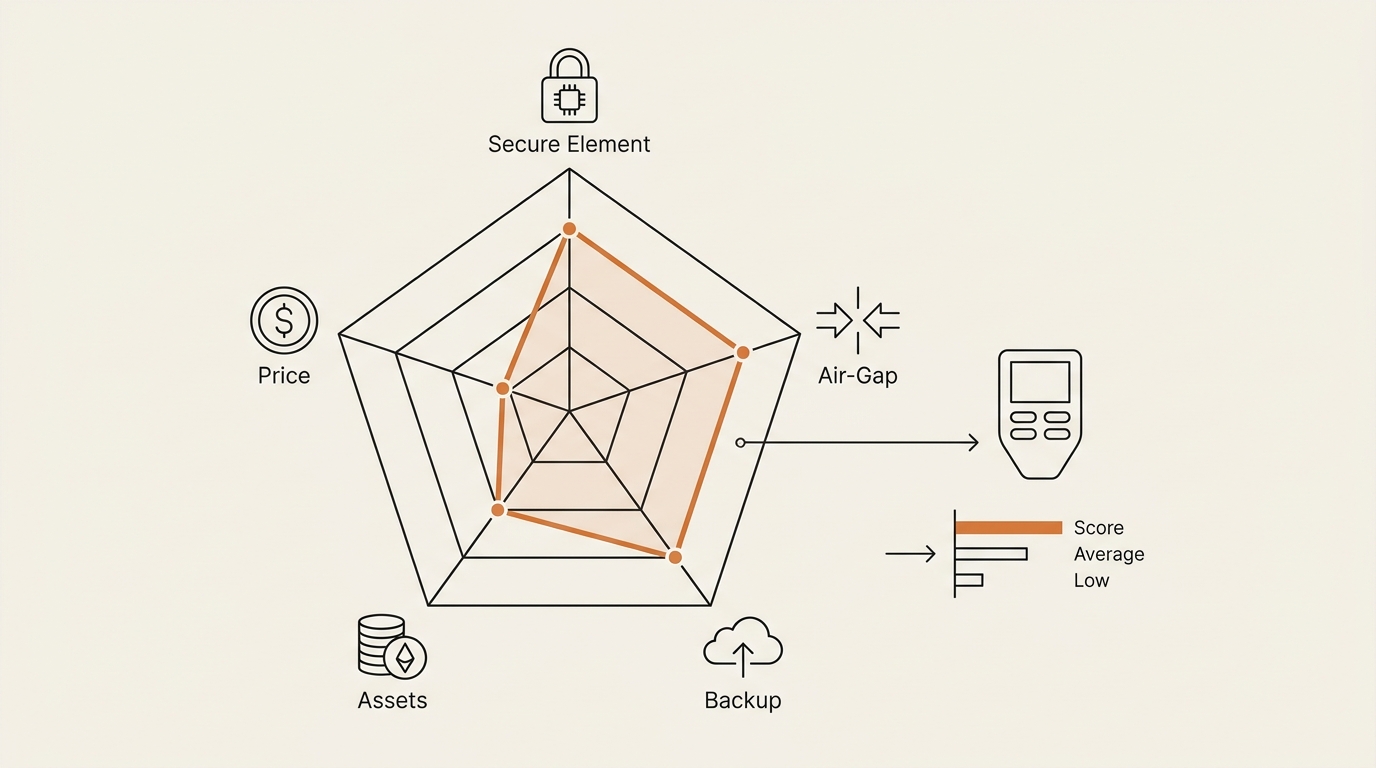
Instead of a ranking, I built a scorecard. Five axes. I give each device a rough read on each, weighted by my own threat model. You reweight for yours.
Axis 1 — Secure element vs open-source firmware. A secure element is a tamper-resistant chip that guards the key, rated by standards like EAL5+ or EAL6+. It’s a locked vault, but the code inside is partly closed. Open-source firmware is fully auditable, but often pairs with a general chip. This is the oldest fault line in the Bitcoin wiki’s hardware wallet page. You’re choosing which kind of trust you can live with: trust a certified chip you can’t read, or trust readable code on a less fortified chip.
Axis 2 — Air-gapped vs USB/Bluetooth convenience. Air-gapped devices never touch the internet. You move transactions by QR code or microSD card. It’s slower and it’s safer against a compromised computer. USB and Bluetooth are faster and fit a phone-first life. More convenience, more surface.
Axis 3 — Backup model. Plain 24-word seed is simple and universal. Shamir Backup splits the seed into shares, so no single slip of paper is fatal. Multisig spreads signing across devices. Simpler backups are easier to restore under stress. Fancier ones survive a single point of failure but add steps you can fumble.
Axis 4 — Asset support. Bitcoin-only firmware shrinks the attack surface and the temptation to click strange tokens. Multi-asset support is convenient if you hold a spread across chains. Fewer assets, fewer footguns.
Axis 5 — Price, as an approximation. I list price last and loosely. Numbers drift fast, so treat any figure as approximate and check the manufacturer. Price should be the tiebreaker, never the driver. A device you understand beats a cheaper one you fumble.
Notice none of these is “which is best.” Each is a dial you set by your own life.
Hardware wallet comparison table (reference, not ranking)
Here’s how a handful of documented devices sit on those axes. Read the rows as reference points, not a leaderboard. I pulled the procedural facts from each maker’s own documentation — Trezor’s learn pages and Ledger’s support docs — and treat them as documentation, not endorsement.
| Device (example) | Secure element | Open-source firmware | Air-gapped option | Backup model | Price (approx., drifts fast) |
|---|---|---|---|---|---|
| Ledger Nano S Plus / Nano X | Yes (certified) | Partial | No (USB / BLE) | 24-word seed | ~$79–$149 |
| Trezor Safe 3 / Safe 5 | Yes (newer models) | Yes | No (USB) | 24-word + Shamir option | ~$79–$169 |
| BitBox02 | Yes | Yes | No (USB-C) | 24-word + microSD backup | ~$150 |
| Keystone 3 Pro | Yes | Yes | Yes (QR air-gap) | 24-word + optional shares | ~$149 |
| NGRAVE ZERO | Yes (high-rated) | Partial | Yes (QR / no ports) | Metal recovery + shares | ~$400 |
Read that table as a menu of trade-offs. Want full open-source and air-gap? A couple of rows lean that way. Want a phone-first everyday feel with a certified chip? Others lean there. There is no winning row. There’s only the row that matches your five-axis weights.
A quick honesty note on prices: every figure above is approximate and moves. Check the manufacturer before you decide. I refuse to pin an exact number that goes stale in a month.
Here’s how I actually used the grid. I gave each axis a weight out of five, then a quick score per device. Air-gap mattered a lot to me, so I weighted it heavily. Multi-asset support mattered little, so I weighted it down. The device that “won” for me lost badly for a friend who holds only Bitcoin and never wants to fiddle with QR codes. Same grid, different weights, different answer. That’s the point — the grid is a mirror, not a verdict.
The self-custody setup checklist I actually ran
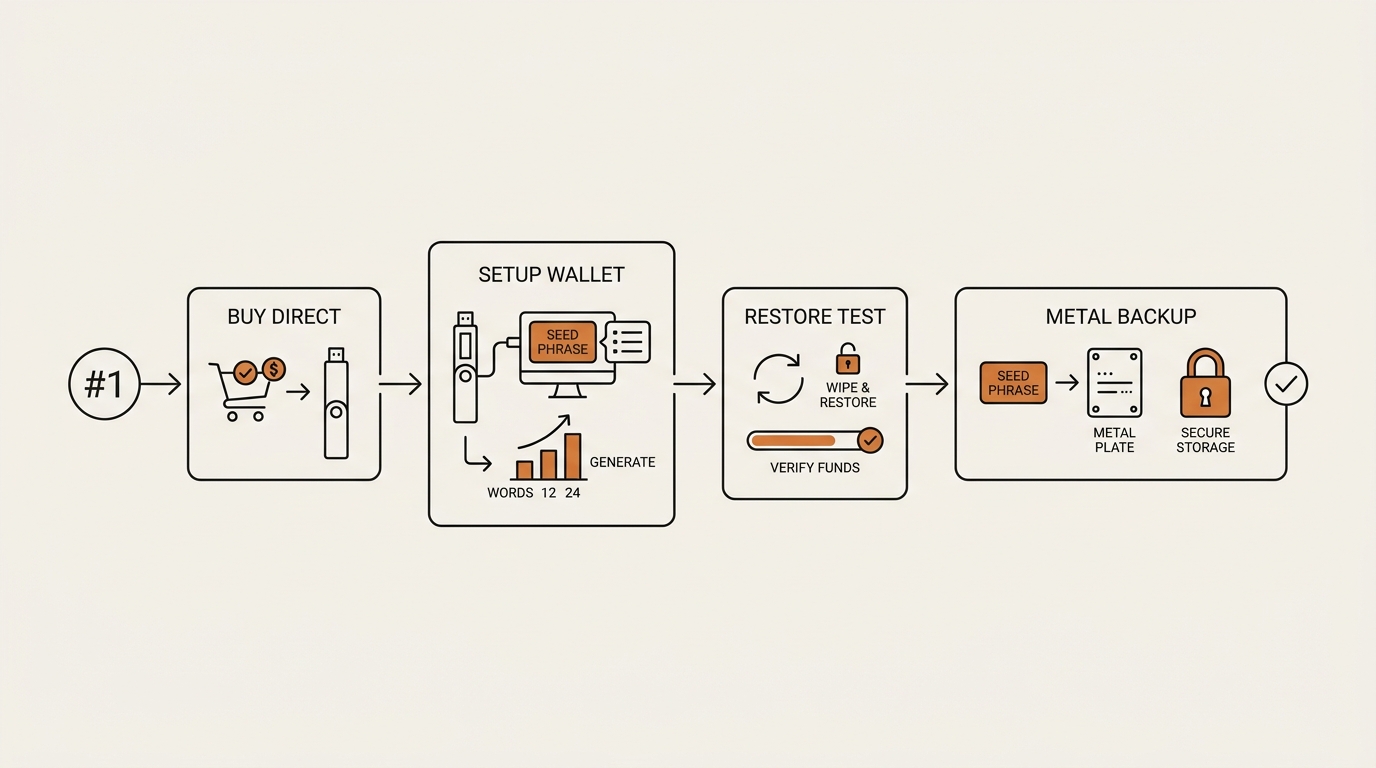
Here’s the part the listicles skip. Once you’ve scored a device and bought it, the setup is where safety is won or lost. This is the checklist I ran, in order.
- Buy direct from the manufacturer. Not a marketplace, not second-hand. A resold device could be tampered. Order from the maker’s own site.
- Check the tamper seal and packaging the moment it arrives. If the box looks opened or the seal is off, stop and contact support.
- Update firmware from the official app first, before anything else. Verify the device shows a genuine-device check.
- Generate the seed on the device itself. Never accept a pre-filled seed. The 24 words must appear on the device screen, generated there.
- Write the 24 words by hand, on paper, then metal. No photos. No cloud notes. No password manager. Just your handwriting.
- Do a restore test before you fund it. Wipe the device and recover from your written words. If restore fails, you found out with zero coins at risk. This is the step almost nobody does.
- Set a strong PIN. Understand it locks the physical device — it is not the passphrase.
- Decide on a passphrase only if you have a memory plan. The optional 25th word creates a hidden wallet. Powerful, and unforgiving if you forget it.
- Store the metal backup separate from the device. Different room, ideally different building. One fire, one theft, shouldn’t take both.
- Verify every receive and send on the device screen. The screen is your source of truth, not your computer.
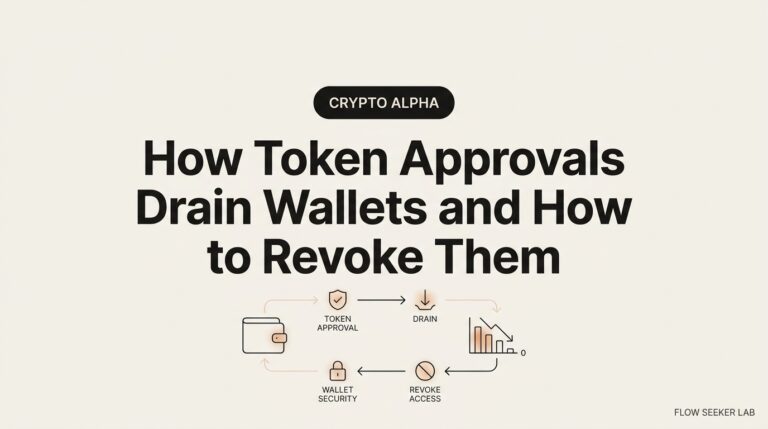
That order matters. Restore-test before funding is the line between a hobbyist and someone who’ll still have coins next year. And step 10 links to a scam I’ve written about — a cold wallet still signs whatever you approve. Read my breakdown of how token approvals drain wallets before you assume the device saves you from a bad signature.
Where the “offline key” idea actually comes from
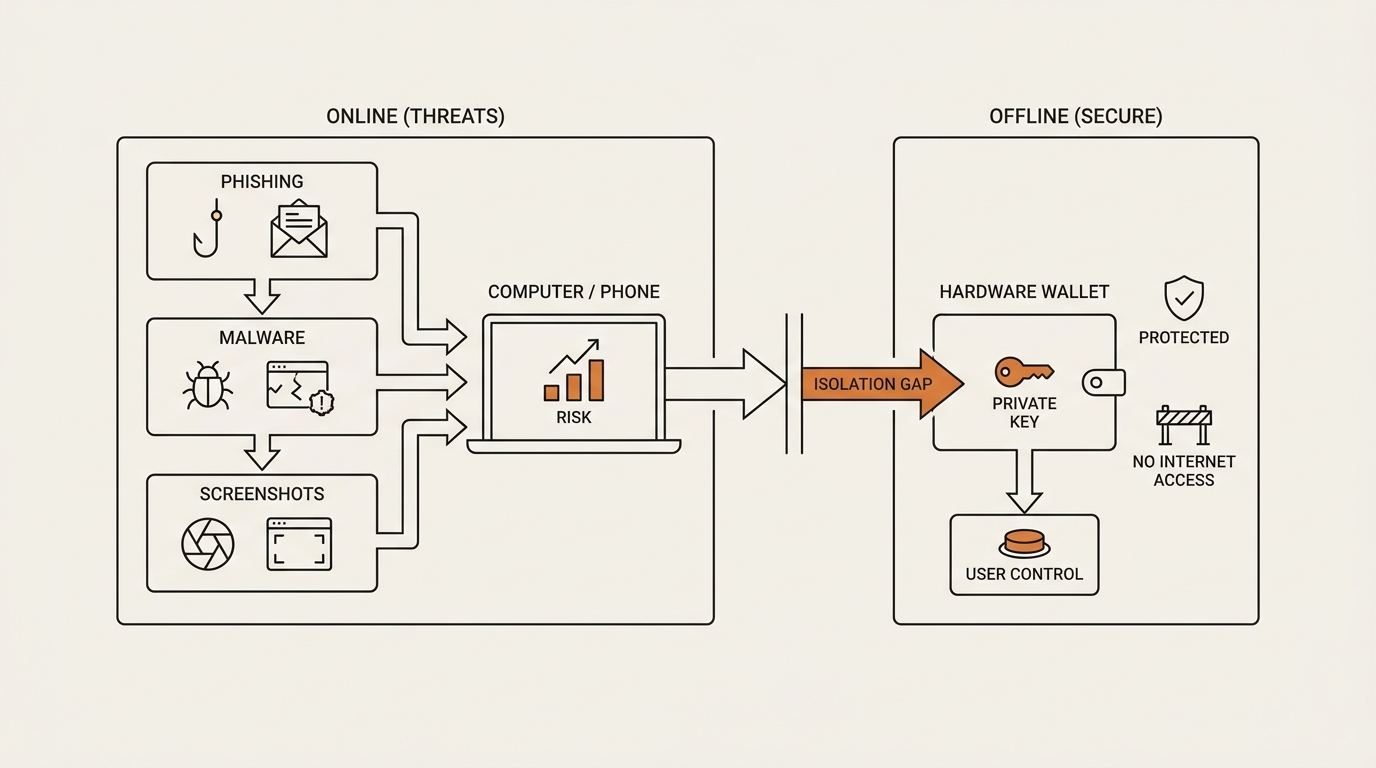
One thing that helped me stop panicking: understanding why offline keys matter at all. This isn’t crypto folklore. It’s basic key management.
The NIST recommendation for key management, SP 800-57, is a .gov document written long before most of us held any coins. Its core idea is old and dull: a private key that never touches an online, general-purpose machine is far harder to steal. The device is that principle in plastic.
That framing calmed me down. I wasn’t buying a magic box. I was moving my key off the exact machine that gets phished, exactly like the key-management people have advised for decades.
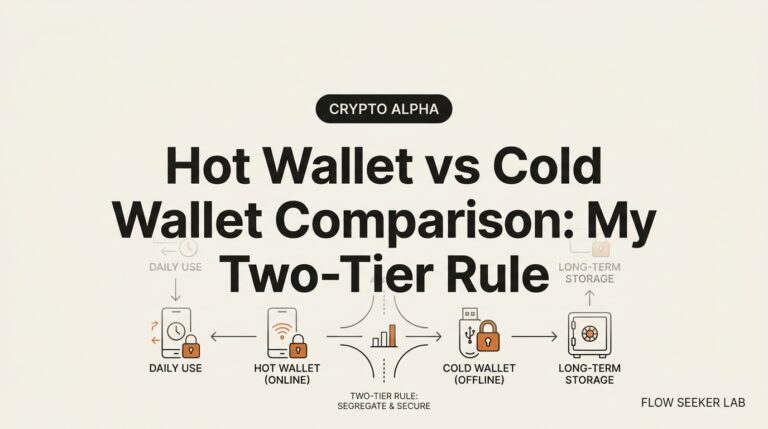
It also reframed the whole “hot wallet vs cold wallet” debate for me. A hot wallet keeps the key on a connected device for speed. A cold wallet keeps it offline for safety. Neither is wrong. They’re two settings on the same dial, and most people I know run both — a small hot balance for daily moves, the bulk offline. The mistake is pretending one setting fits every dollar you hold.
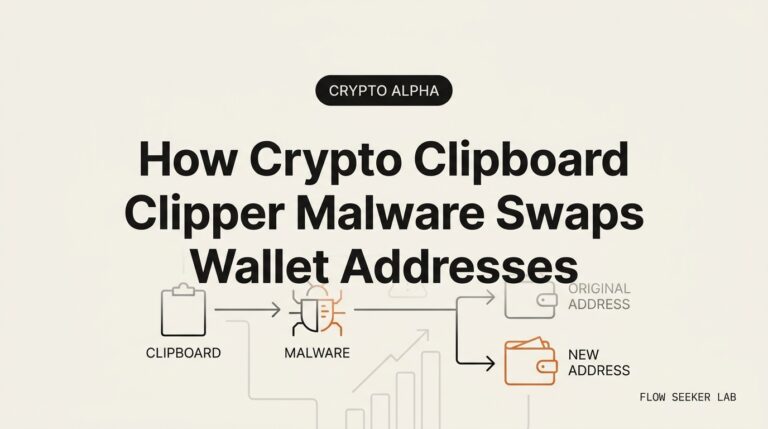
It also set my expectations honestly. The device reduces one class of risk — key theft from an online device. It does nothing about a bad signature you approve yourself, or an address you paste wrong. For that second risk, I learned it the hard way in my write-up on the address poisoning scam, where the exploit lives in your copy-paste habit, not the chain.
Where I was wrong (the “what broke” section)
I got four things wrong. Publicly, so you don’t repeat them.
The screenshot near-miss. My first instinct was to photograph the seed “just as backup.” My thumb was literally on the shutter. A photo lands in cloud sync, and cloud sync is an online machine. If you take one thing from this post: the seed never becomes a file. Ever.
PIN versus passphrase confusion. I spent a full evening thinking the PIN and the passphrase were the same protection. They’re not. The PIN locks the device you’re holding. The passphrase — the optional 25th word — creates a whole separate hidden wallet. I nearly set a passphrase I’d never have remembered, which would have quietly stranded funds. I backed off until I had a real memory plan.
The Amazon temptation. A marketplace listing was cheaper and faster. I almost clicked. Then I remembered a resold or intercepted device can ship pre-initialized by an attacker. I paid full price, direct, and waited the extra days. Boring beats sorry.
The restore-test I almost skipped. After setup I wanted to fund it immediately. The urge is strong — you feel done. I forced myself to wipe and restore from my written words first. It worked, but only because I checked. If it hadn’t, I’d have learned with real money on the line.
There’s also a myth I had to unlearn: “if the wallet breaks, my coins are gone.” False. The coins live on the chain. The device is just a key-holder. A broken device plus your seed equals full recovery on any compatible wallet. The seed is the asset. The plastic is replaceable.
Where this framework falls short
I won’t pretend the scorecard is complete. Three gaps.
It can’t score coercion risk well. If someone can physically pressure you, no chip rating helps — that’s a different plan entirely, closer to duress wallets and legal structure than to firmware.
It undersells the learning curve. Air-gapped QR signing is safer on paper and genuinely annoying in practice. I’ve fumbled a QR scan at 11pm and wanted to throw the device. Safety you won’t use isn’t safety.
And it says nothing about ongoing behavior. The device handles storage. It does not handle the daily habit of what you sign. Most losses I read about aren’t stolen keys — they’re approvals and signatures the owner clicked. If you want to see what an on-chain footprint even looks like, my guide on how to track a crypto wallet walks through reading activity on a block explorer.
FAQ
Is a hardware wallet 100% safe, or can it be hacked? No device is absolute. It strongly reduces key theft from an online machine, which is the common attack. It doesn’t stop you approving a malicious transaction, losing your seed, or being physically coerced. It shifts risk from your computer to your habits.
What’s the difference between a hardware wallet and cold storage? Cold storage is any method of keeping keys fully offline — a paper seed in a safe counts. A hardware wallet is one convenient, signing-capable form of cold storage. All such devices are cold storage; not all cold storage is a hardware wallet.
Do I need one if I already use MetaMask? It depends on your threat model. MetaMask is a hot wallet — its key sits on an internet-connected device. For small, active balances that’s a reasonable trade-off. For amounts you’d hate to lose, moving the key offline with a dedicated device is the standard step in my own setup checklist.
What happens if my hardware wallet breaks or is lost? Your coins are on the chain, not in the device. With your 24-word seed you restore onto a new compatible wallet and regain full access. The device is replaceable hardware. The seed is the real asset, which is why the restore test matters before you fund anything.
Should I buy from Amazon or only the manufacturer? I buy direct from the manufacturer, never a marketplace or second-hand. A resold device can arrive tampered or pre-initialized by an attacker. The savings aren’t worth the supply-chain risk, and this is one place I don’t cut corners.
Is the passphrase (25th word) worth the risk of forgetting it? The passphrase adds a hidden wallet and real protection, but forgetting it means the funds behind it are unreachable. In my hardware wallet comparison self-custody setup checklist 2026, I only set a passphrase when I have a concrete, tested plan to remember it. No plan, no passphrase.
The reframe
Stop hunting for the safest device. That question has no answer because “safest” is a property of your life, not the plastic.
The real move is to set your five dials — secure element, air-gap, backup, assets, price — then run the setup checklist without skipping the restore test. The device is the easy part. The habit of never turning your seed into a file, and never signing what you can’t read on the screen, is the hard part and the whole game.
Next in this Crypto Safety series: how to trace stolen crypto across a block explorer — following the money after a bad signature, so you can see exactly where a mistake leads on-chain.
seonjae — Korean office worker documenting his transition into AI systems, agents, and vibe coding — without a CS background. Shipping in public.
One Comment