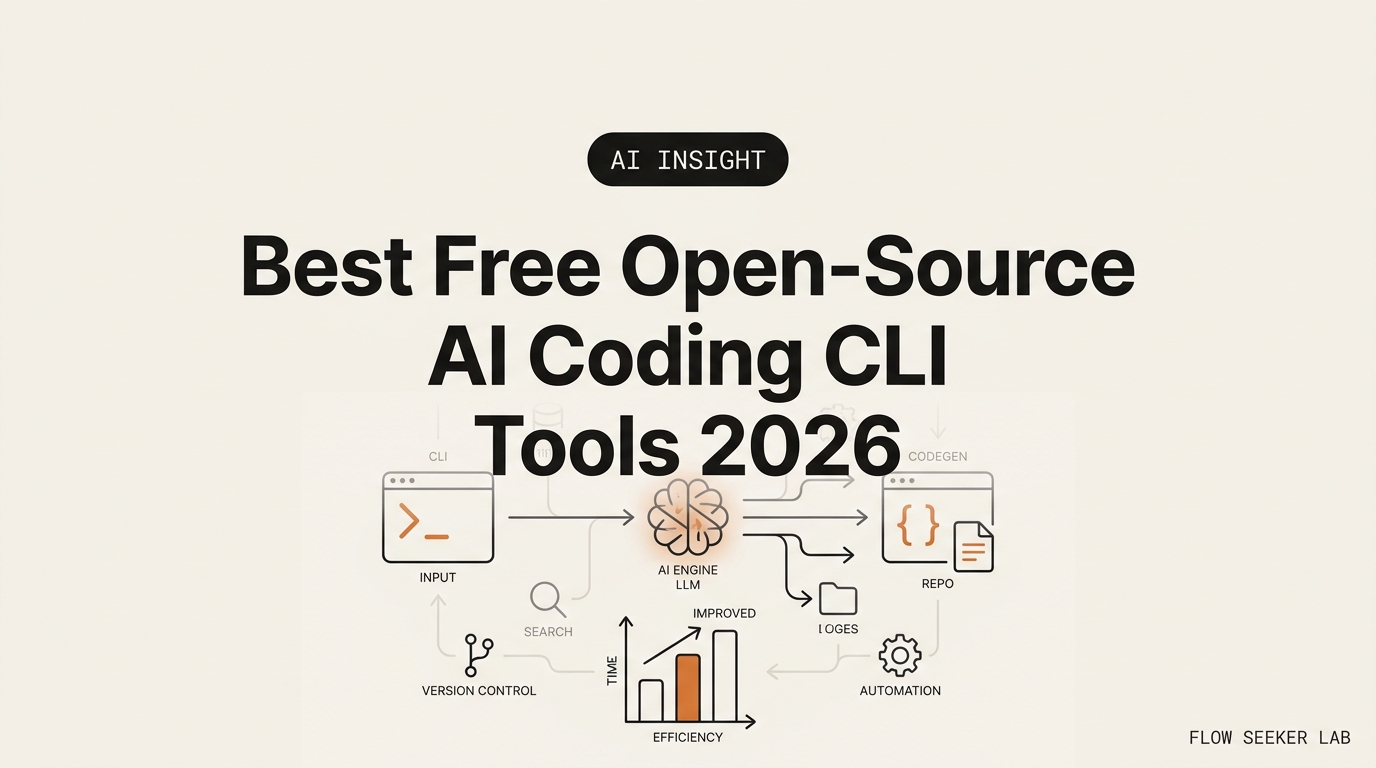
Best Free Open-Source AI Coding CLI Tools 2026
The Best Free Open-Source AI Coding CLI Tools 2026: opencode vs Cline vs Aider
I pay for ChatGPT Plus every month, but until this spring I had never once opened a terminal coding agent. So I did the thing every developer blog assumes you already know how to do, and I got surprised by a bill I didn’t expect.
Here’s the promise: this is my decision memo on the best free open-source AI coding CLI tools 2026: opencode vs Cline vs Aider — which one a non-developer should start with, and what “free” actually cost me. The load-bearing truth first: the tool is free, the model is not.
I’ll walk through the one distinction that changes everything, the three options, what broke on day one, and the single condition that would flip my pick.
The “free” trap: the tool is free, the model isn’t
Every one of these tools is genuine free, open-source software. You download it, you run it, and nobody charges you a cent for the program itself. That part is real.
But an AI coding CLI can’t think. It’s a wrapper — a smart one — that takes your plain-English request, sends it to a large language model, and applies whatever code comes back to your files. The model does the thinking. And the model is where the money hides.
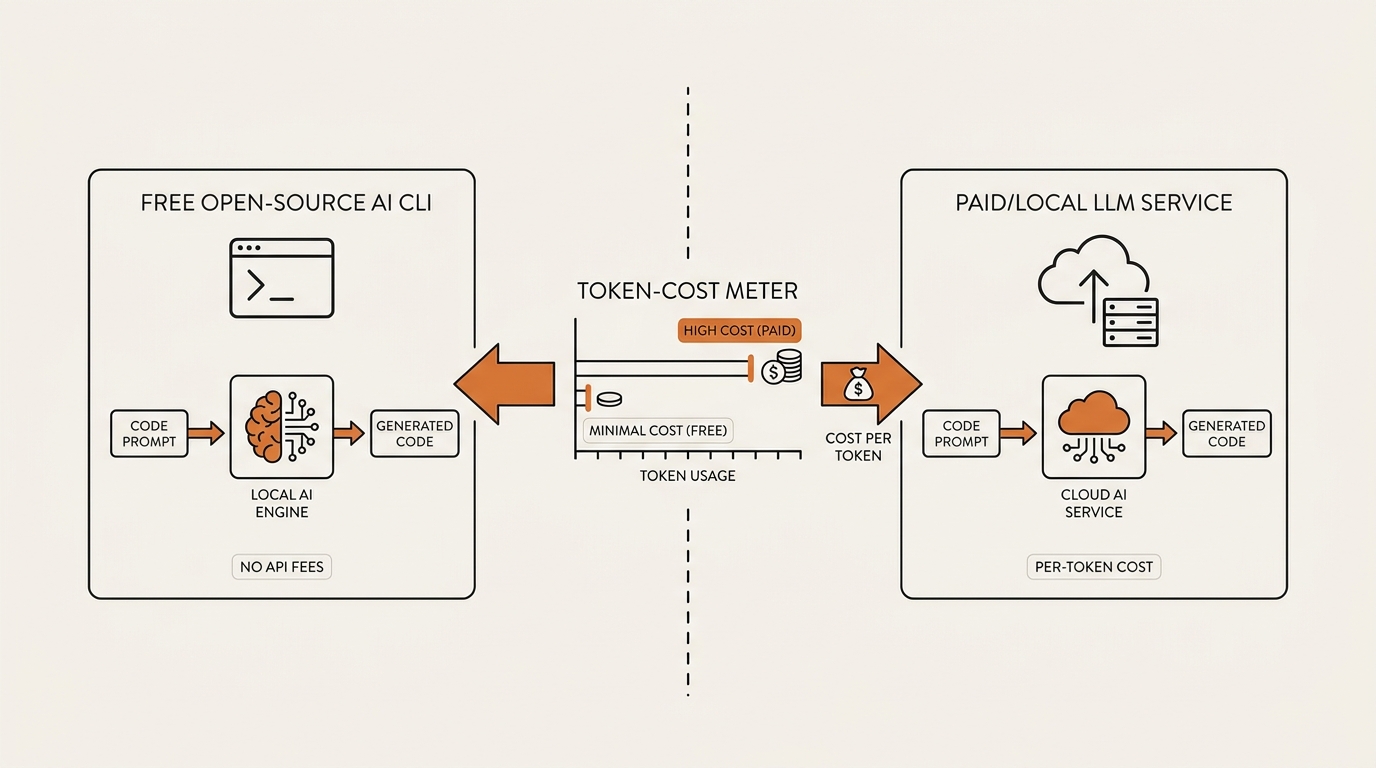
So you have two ways to feed it. First: bring your own key (BYOK). You paste in an API key from Anthropic, OpenAI, DeepSeek, or Google, and that provider bills you per token — every word in and every word out. Second: point the tool at a local model running on your own machine via Ollama or LM Studio, and your API cost is exactly zero.
This is the sentence every developer-written comparison buries: the tools are free; your only cost is whichever model you feed them, and that cost can drop to zero. I learned it the annoying way, which I’ll get to.
If you want the $0 path in detail, I already broke down how to run a free local model with Ollama and LM Studio in an earlier post. It’s the same local model you’d plug into any of these three CLIs.
The three candidates, in plain terms
Before the decision, here’s who’s actually on the table. I’ve stripped out the star counts and benchmark charts other posts lead with, because as a non-developer, none of those numbers told me which tool I could survive using.
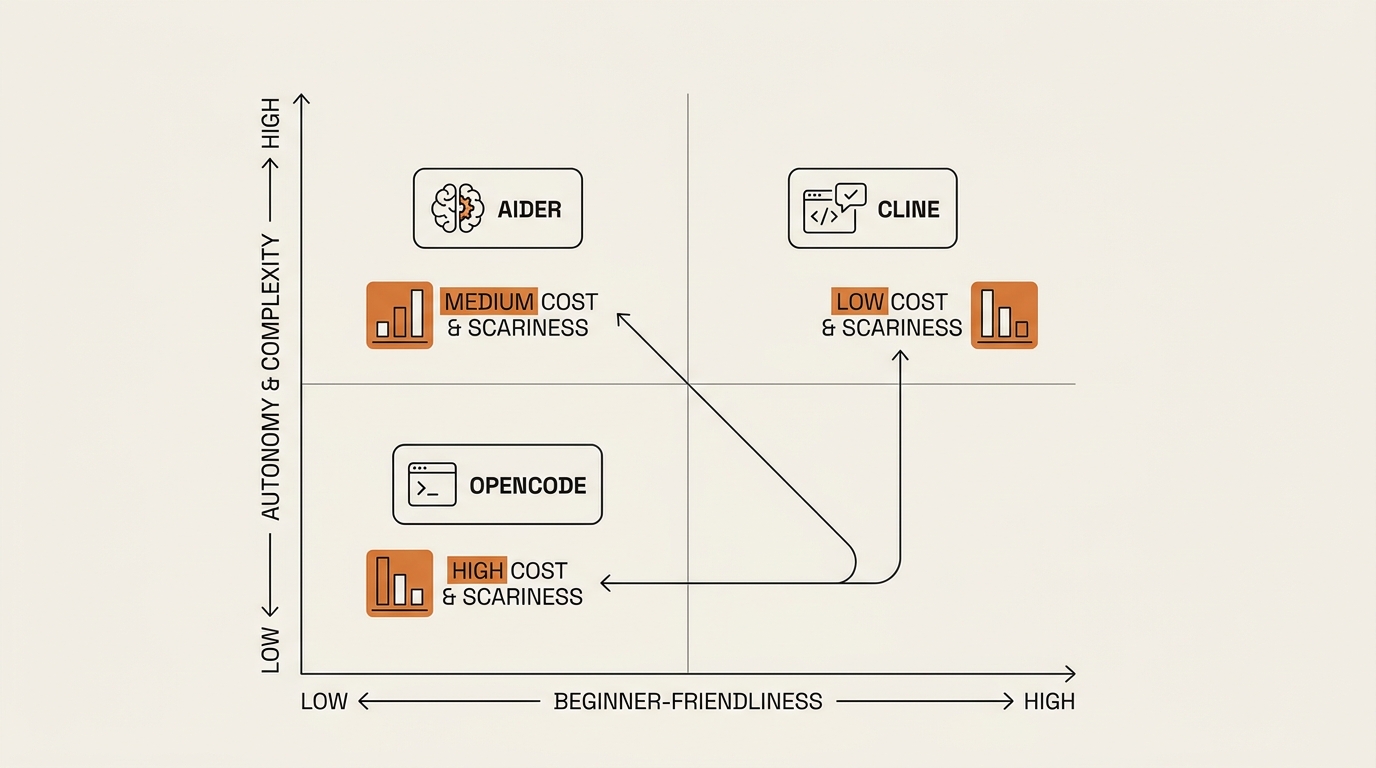
Aider is a terminal AI pair programmer. It’s licensed under Apache-2.0, it’s free, and you install it with a single pip command. It’s model-agnostic — Claude, GPT, DeepSeek, Gemini, or a local model, your choice. Its signature move: it’s git-native. Every change it makes, it auto-commits with a descriptive message. That means a clean, reviewable history and a one-command undo. For a nervous beginner, that undo button matters more than any benchmark. It also has an architect/editor mode, where one model plans the change and a cheaper one applies it — a built-in way to cut cost.
Cline is Apache-2.0, free, no subscription, with something like 65k GitHub stars and millions of installs. Here’s the honest nuance the SERP loves to blur: Cline is best known as a VS Code extension, not a terminal-first tool. As of 2026 the official project ships as an SDK, an IDE extension, or a CLI assistant, and yes, a real Cline CLI now exists — but it’s aimed at terminal and CI automation users. If you don’t live in the terminal, the VS Code extension is the friendlier front door. Its standout feature is Plan/Act mode: you describe the goal, Cline shows you a plan and the exact files it will touch, you approve, and only then does it act. Approve-before-change is the calmest experience of the three.
opencode is an open-source terminal AI coding agent from the SST team, licensed MIT and free. It’s provider-agnostic across 75+ providers, BYOK, with a fast terminal interface (a TUI) built for people who genuinely live in the terminal. It’s the fastest-growing of the three by community size. One safety note for non-developers: use opencode.ai as the canonical source. There are lookalike forks and older repos floating around, and the actively-maintained project is the SST one. Don’t install a random clone because the name matched.
The decision matrix: cost, risk, lock-in, learning curve
A non-developer doesn’t care which tool tops Terminal-Bench. I care about four things: How scared will I be on day one? Can I undo a mistake? Do I get to approve before it edits my files? And what will show up on my API bill?
Here’s how the three AI coding CLI options score on the axes that actually kept me up at night.
| Criteria | opencode | Cline | Aider |
|---|---|---|---|
| License | MIT | Apache-2.0 | Apache-2.0 |
| Free tool? | Yes | Yes | Yes |
| Model cost | BYOK per token, or $0 local | BYOK per token, or $0 local | BYOK per token, or $0 local |
| Interface | Terminal (TUI) | VS Code extension (CLI exists, CI-focused) | Terminal |
| Learning curve (non-dev) | Steepest — terminal-native | Gentlest — lives in VS Code | Medium — one command to start |
| “Scariness” / autonomy | High — fast, agentic | Low — approve before it acts | Low-medium — auto-commits every change |
| Undo safety | Depends on your git habits | Plan preview before change | Git auto-commit = one-command undo |
| Best first pick for | Terminal-comfortable users | Total beginners in an IDE | Cautious users who want a paper trail |
Notice the “Model cost” row is identical for all three. That’s the whole point. The tool never decides your bill — your model choice does. So the real decision isn’t “which tool is cheapest.” It’s “which failure can I survive on my own machine.”
Lock-in barely exists here. All three are BYOK, so switching the underlying model is a config change, not a migration. And because none of them own your code — it sits in your own git repo — walking away costs you nothing but the afternoon you spent learning the commands.
What broke: I assumed “free tool” meant “free to run”
My first mistake was reading “free and open-source” as “free forever.” I installed a terminal AI coding CLI on a Friday night, wired in an API key because that was the fastest path, and asked it to refactor a small script I’d vibe-coded weeks earlier.
It worked. It also chewed through tokens on every read of my files, every plan, every retry. For one small task, the spend was modest — in my testing a single job ran anywhere from a few cents to a couple of dollars, depending on how big the files were and how many times it re-read them. Not scary money. But I’d expected zero, and “a couple of dollars I didn’t plan for” is exactly the surprise this post exists to spare you.
My second mistake was bravery in the wrong order. I started with the most terminal-native, most autonomous option because it looked powerful in the demos. It is powerful. It’s also the one that moves fastest and asks permission least — which, for someone who’d never driven a coding agent, meant I was approving changes I didn’t fully understand. I bounced off it in an evening.
My third mistake nearly cost me more than tokens. Searching for one of these tools, I clicked a repo that matched the name but wasn’t the maintained project. I caught it before installing, but a non-developer trusting the first search result is exactly how a lookalike fork gets onto your machine. This is why I keep hammering on the canonical-source point.
What I changed: I switched to the tool with a built-in undo (auto-commits), pointed a small local model at it for the throwaway experiments, and only spent tokens on the jobs that mattered. The panic went away once I could roll back with one command.
The call I made, and the one condition that flips it
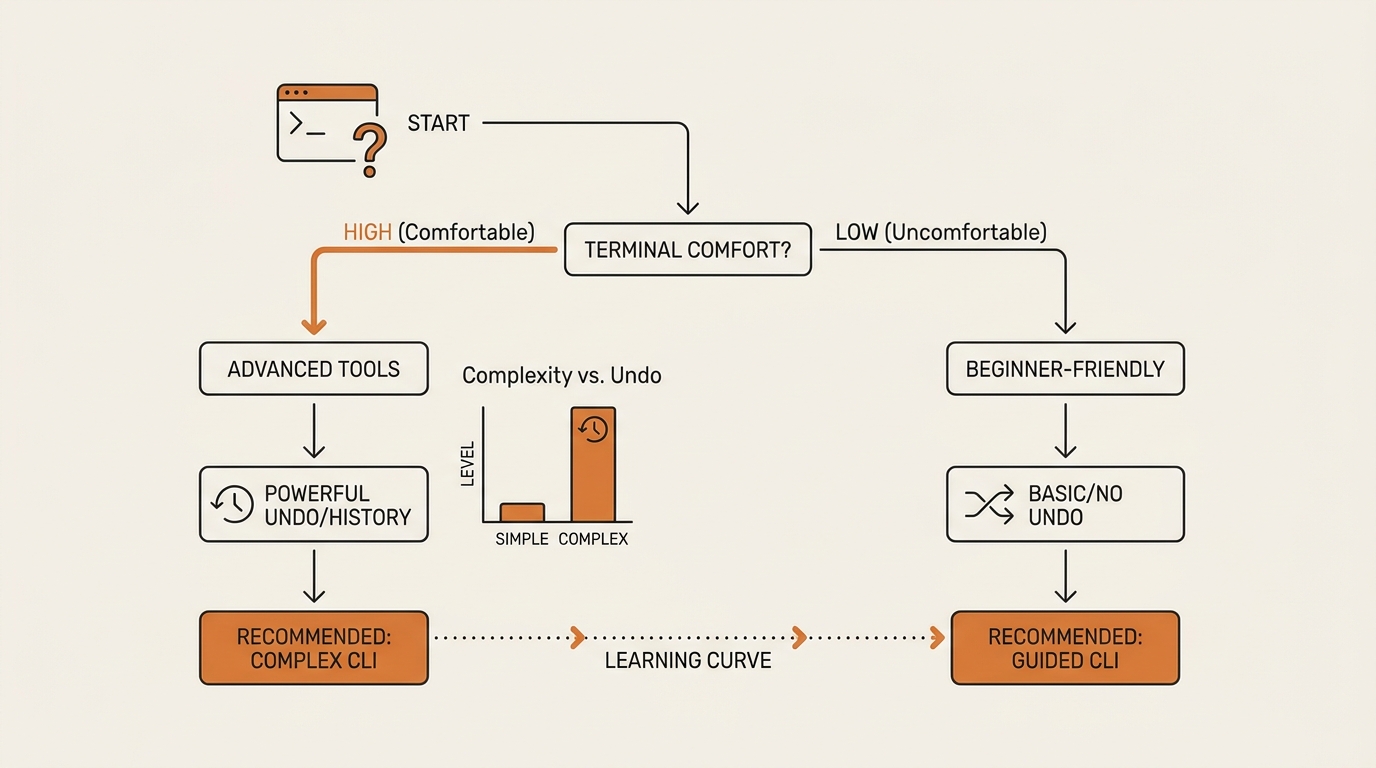
If you’ve never opened a terminal, start with the tool that shows you a plan and waits for your yes — that’s Cline, in its VS Code extension form. You stay inside an editor you can see, you approve every file it touches, and you learn the rhythm of an AI coding CLI without the terminal adding fear on top of unfamiliarity. It’s the gentlest on-ramp, and for our persona that matters more than raw capability.
If you’re a little braver and you want a paper trail, pick Aider. Its git auto-commit means every change is a labeled, reversible checkpoint. You don’t need to understand git deeply to benefit — you just need to know that “undo the last thing” is one command away. That safety net turned my anxiety into curiosity, which is the whole game for a non-developer.
opencode is the one I’d graduate to, not start with. It’s fast, provider-agnostic across 75+ providers, and genuinely pleasant once the terminal stops scaring you. But “genuinely pleasant once the terminal stops scaring you” is a sentence a beginner shouldn’t have to survive on day one.
Here’s the single condition that flips my pick: the moment you’re comfortable running commands in a terminal and reading a git diff, opencode or Aider becomes the better long-term home, and Cline’s approval-first hand-holding starts to feel slow. The decision isn’t permanent. It tracks your comfort, not the leaderboard.
For the paid contrast, I compared Claude Code and Cursor as coding agents earlier — these three free CLIs are the open-source answer to that spend. And if you’re arriving here straight from prompting, my post on what vibe coding actually looks like for non-developers is the step before this one.
Where this framework falls short
I picked for calm, not for ceiling. If your goal is the most capable agent regardless of how it feels on day one, my ranking is wrong for you — opencode’s speed and Aider’s discipline both beat Cline’s approval loop on throughput once you’re fluent.
I also can’t hand you a hard dollar figure. Token spend depends on your model, your file sizes, and how chatty the tool is, and I refuse to invent a monthly number I didn’t measure across a real month. What I can say honestly: a small task is small money, and a local model makes it zero. Anything more precise would be a fabrication dressed as data.
And I’ve only driven these as a non-developer. A real engineer would weigh test coverage, CI integration, and MCP tooling — things I mention but can’t judge from experience. Take my verdict as “least scary to start,” not “objectively best.”
FAQ
Is Aider really free? Yes. Aider is free, open-source software under the Apache-2.0 license — the program costs nothing. Your only cost is the model you connect it to. Bring your own API key and you pay that provider per token, or point Aider at a local model via Ollama and your API cost is zero.
Is Cline free to use? Yes. Cline is free, open-source, Apache-2.0 licensed, with no subscription. It’s best known as a VS Code extension, and a CLI now exists too, aimed at terminal and CI users. Like the others, it’s BYOK — you supply your own model key, or run a free local model for $0.
What is opencode, and who makes it? opencode is an open-source terminal AI coding agent from the SST team, licensed MIT. It’s provider-agnostic across 75+ model providers and runs as a fast terminal interface. Use opencode.ai as your source — there are lookalike forks, and the SST project is the actively maintained one.
Do I need to know how to code to use these tools? Not to start. You describe what you want in plain English and the AI coding CLI writes and edits the code. But you do need to review changes, so basic comfort reading what changed helps a lot. Cline’s approve-before-it-acts flow and Aider’s auto-commit undo are the friendliest for beginners.
Which is best for a non-developer beginner? Start with Cline in its VS Code extension form — you approve every change and stay in a visible editor. If you want a reversible paper trail, Aider’s git auto-commits give you one-command undo. Save opencode for when the terminal no longer intimidates you. Pick the failure you can survive.
Do these need an API key, and what do they cost? You need either an API key (billed per token by your provider) or a local model for $0 in API cost. In my testing, a single small task ran from a few cents to a couple of dollars, depending on file size and retries. There’s no fixed monthly fee — spend tracks usage, and local models make it zero.
Are open-source coding CLIs safe to run? They run on your machine and edit your files, so treat them like any tool with write access. Install only from the official source, review changes before approving, and keep your work in git so you can roll back. Approval-first tools and auto-commit undo reduce the blast radius of a bad edit.
The word that was never the deciding one
I spent weeks thinking the question was “which free AI coding CLI is best,” as if free were the axis. It isn’t. All three are free, all three are BYOK, all three run for $0 on a local model. Free was never the variable.
The real variable is which failure you can survive alone on your own machine — a bill you didn’t expect, a change you can’t undo, a terminal you can’t read. Pick the tool whose worst day you can live through, and the rest sorts itself out.
Next up in this series: a hands-on build log where I wire opencode to a $0 local model and try to ship one small tool without spending a single token. I’ll log what broke, what it cost, and whether “free to run” survives contact with a real task.
Sources: Aider official site, opencode.ai (SST), and the official Cline repository.
seonjae — Korean office worker documenting his transition into AI systems, agents, and vibe coding — without a CS background. Shipping in public.