
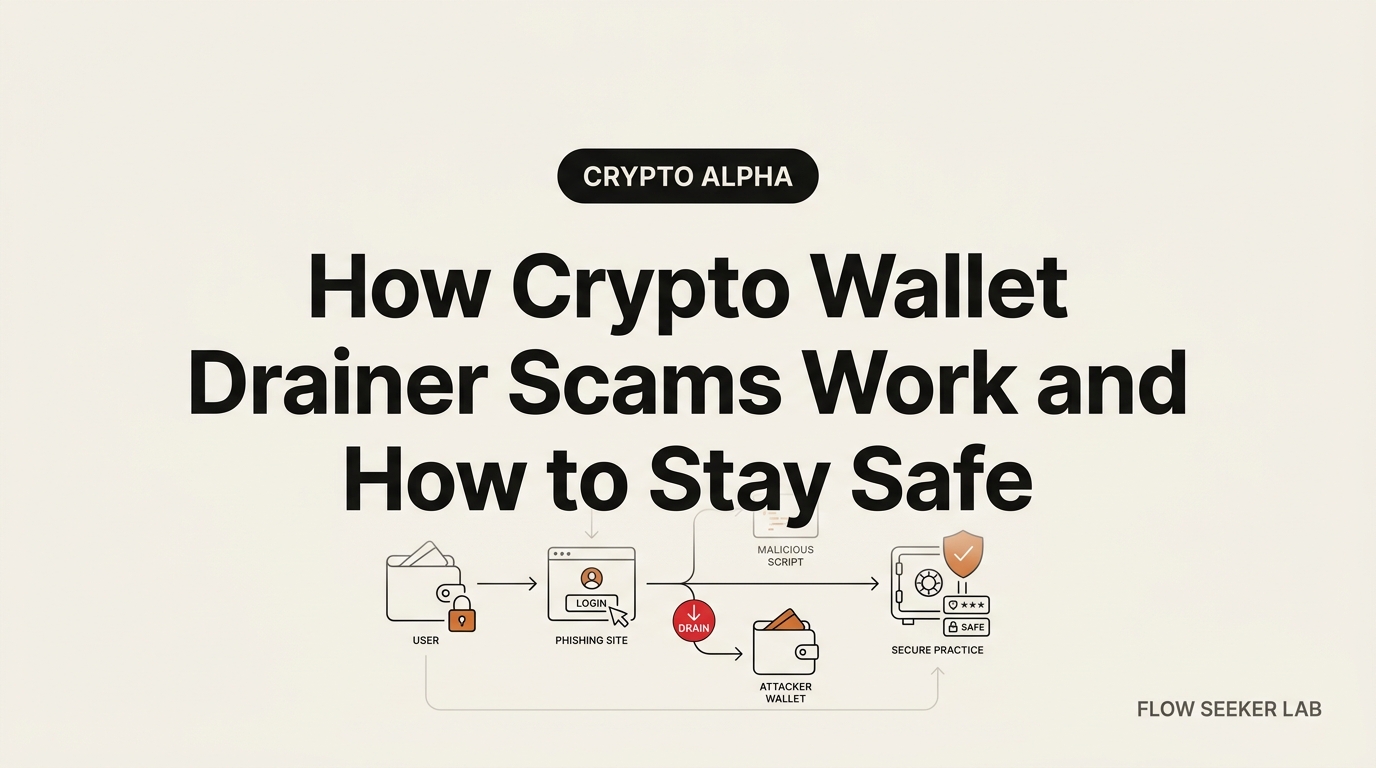
How Crypto Wallet Drainer Scams Work and How to Stay Safe
How Crypto Wallet Drainer Scams Work and How to Stay Safe
Nobody types their seed phrase into a scam site anymore. That advice is a decade old, and the criminals moved on years ago.
The trap that empties wallets now is a single green button. This post is an autopsy: I want to show you how crypto wallet drainer scams work and how to stay safe by walking the whole attack backwards, from the emptied wallet to the rented kit that started it. Then I hand you a layered defense a non-coder can actually run.
Here’s the plan. First the crime scene. Then the supply chain behind it. Then the exact moment you sign your own losses away — and the near-miss where I almost did.
The crime scene: what a drained wallet looks like
Picture the aftermath first, because that’s what most victims describe.
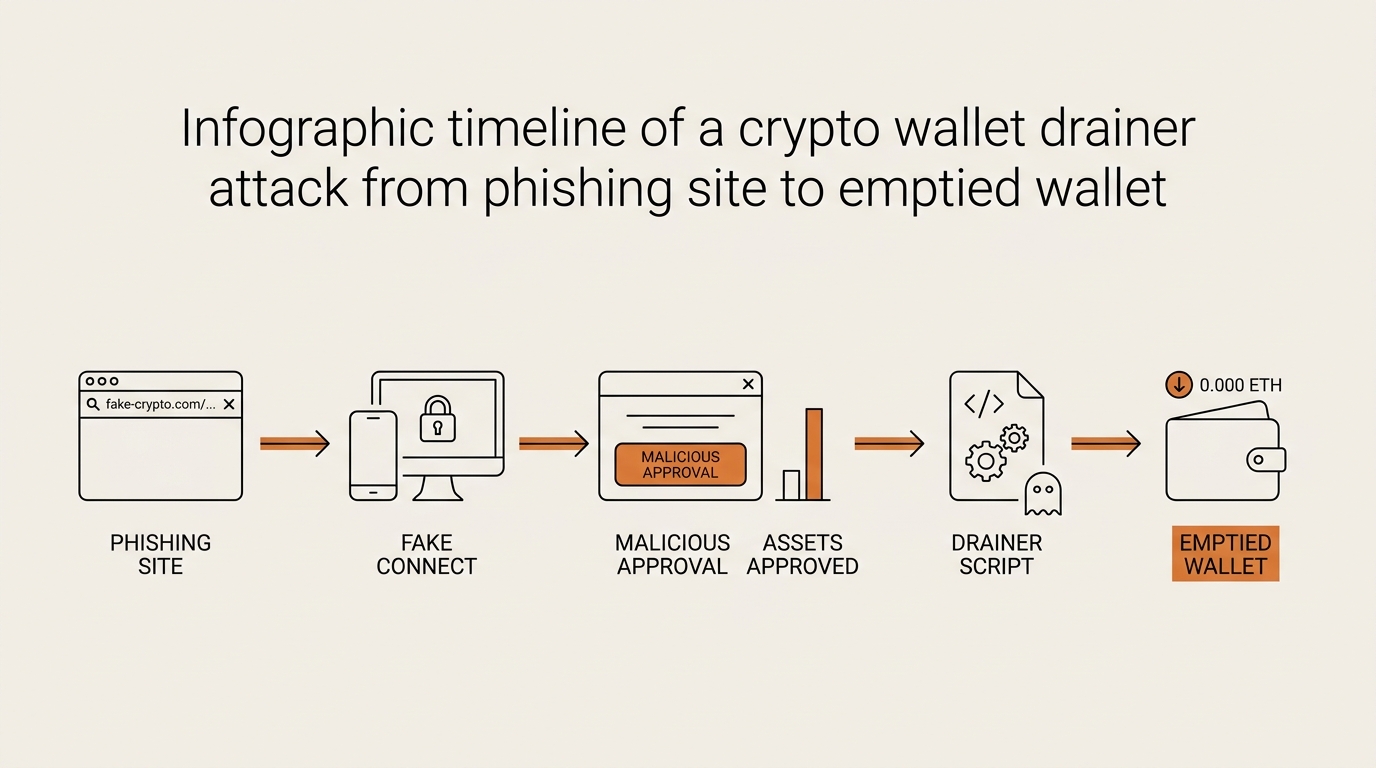
You connected your wallet to what looked like a legitimate airdrop page. You clicked “Claim.” A signature pop-up appeared, you approved it, and nothing visible happened. No error. No confirmation. A minute later your tokens were gone — sometimes all of them, in one transaction, from an address you controlled a second ago.
No malware ran on your laptop. Nobody guessed your password. The private key never left your device. You authorized the theft yourself, and the wallet did exactly what you told it to do. That’s the uncomfortable core of every wallet drainer case: the tool worked as designed, and the design included you clicking yes.
The scale is not small. Chainalysis reported roughly $1.93 billion in crypto stolen in the first half of 2025, with drainer revenue growing around 170% year over year — a shift from crude hacks toward automated, industrialized theft. That number matters less as a headline and more as a signal: draining is now a business with tooling, not a hacker in a hoodie.
The supply chain: drainer-as-a-service
Here’s the part almost no consumer guide explains, and the part that changed how I read every scam.
A modern wallet drainer is rarely built by the person who steals from you. It’s rented. The model is called drainer-as-a-service, or DaaS, and it looks disturbingly like a normal SaaS product. A developer maintains the draining engine — the code that reads your wallet, ranks your assets by value, and sweeps them. Affiliates rent access to that engine and keep the profits, minus a cut for the operator, usually somewhere in the 20–30% range.
Check Point’s threat research on the Inferno Drainer described exactly this structure: a professionalized kit with an affiliate dashboard, updates, and support. Inferno alone has been tied to over $80 million in stolen funds. Pink Drainer, another well-documented kit, has been linked to roughly $75 million across about 20,000 victims.
So the person who built the fake airdrop page isn’t a genius coder. They rented the engine and did the marketing. Their whole job is getting you to the page and getting you to sign. Everything technical is handled by the kit.
Once I understood that, the defense reframed itself. I stopped trying to out-smart a hacker. I started treating every “connect and sign” moment as a marketing funnel designed to rush me. That mindset shift did more for my safety than any tool.
The affiliate’s actual job
The affiliate needs two things: traffic and trust.
- Traffic comes from paid ads on search engines, fake trending posts, compromised social accounts, Discord DMs, and comment-section replies under real project announcements.
- Trust comes from a spoofed front-end — a page that clones a real project’s design, or a plausible “new” airdrop with a countdown timer to trigger urgency.
The fake buttons are always the same three verbs: Claim, Mint, or Verify. If a page pushes you to click one of those under time pressure, you’re inside the funnel.
The signature: where the drain actually happens
This is the mechanism, and it’s the one thing worth understanding in your own words.
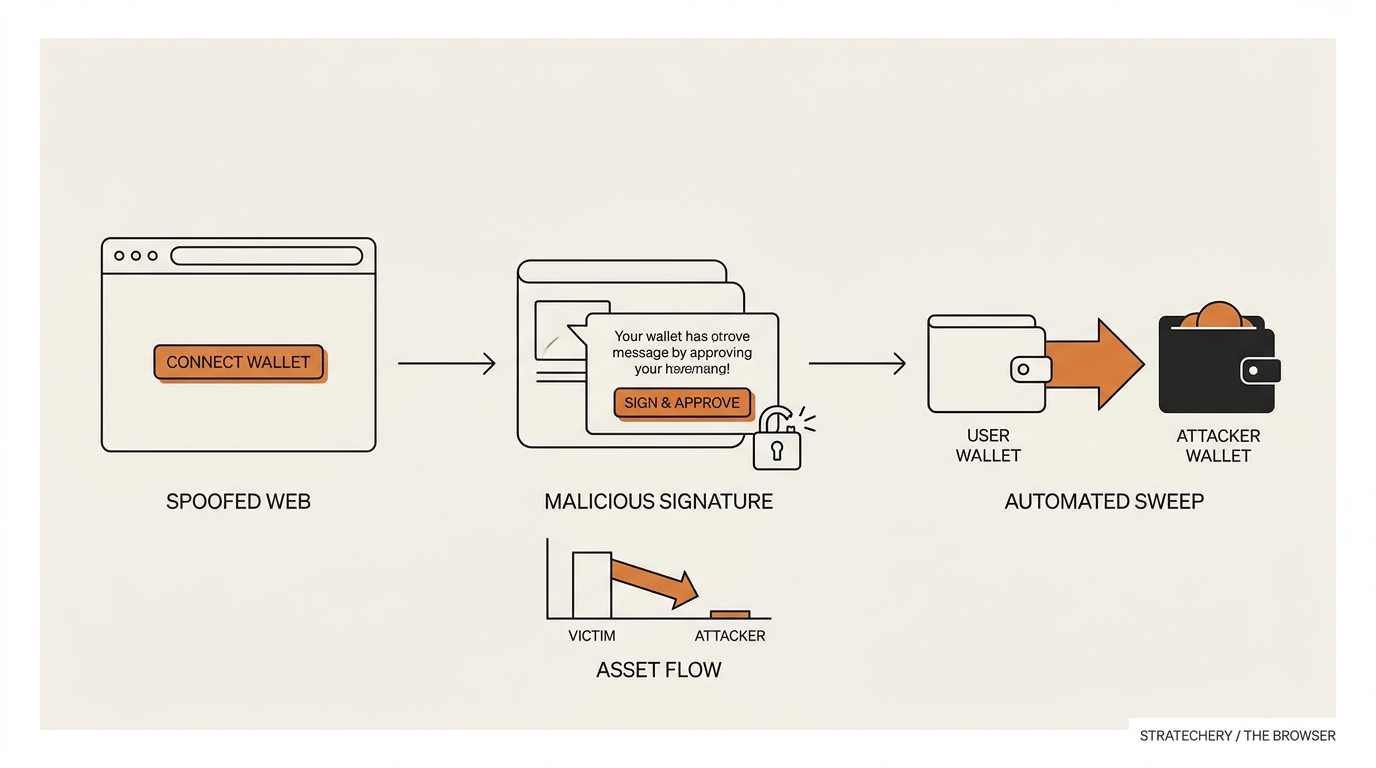
When you approve that pop-up, you’re usually not sending a normal transaction. You’re producing an off-chain signature — a cryptographic yes that costs no gas and shows no obvious dollar amount. It sits quietly until the attacker submits it on-chain in a batch, on their timing, not yours.
Several signature types get abused. You don’t need to memorize the code names, but recognizing them on a screen is the whole game:
eth_signTypedData_v4— structured data (EIP-712). The “Claim” button often maps to one of these. It can grant token permissions or authorize an NFT sale for a token.- Permit / Permit2 — a gasless approval standard. One signature can hand spending rights over a token to the attacker’s contract, no separate approve transaction needed.
- Seaport signatures — the OpenSea marketplace order format, repurposed so your “listing” is actually a near-zero sale of your NFTs to the attacker.
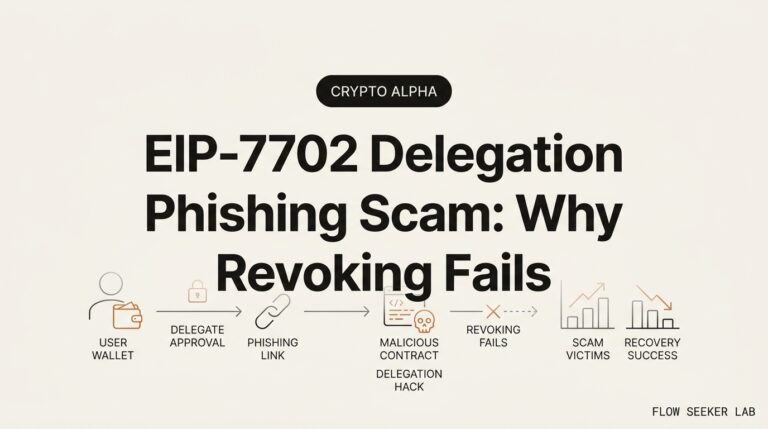
eth_sign— the raw, unstructured “blind sign.” Your wallet can’t tell you what it means because it’s just a hash. Legitimate apps almost never use it. Treat it as a fire alarm.- EIP-7702 delegation — a newer generation. It can temporarily give a smart-contract’s code control over your regular wallet, which a drainer uses to script the sweep. This is the frontier the kits are moving toward.
The ERC-20 token approval version of this — the classic malicious approve() with an unlimited allowance — has its own full breakdown. I won’t re-explain it here; I wrote a separate deep dive on how token approvals actually drain a wallet and how to revoke them. This post is the map above it. The point for now: signatures and approvals both authorize someone else to move your assets, and both look boring on screen.
The sweep
Once you’ve signed, automation takes over. The kit reads every token and NFT in your wallet, ranks them by market value, and bundles the transfers into a single multicall — one transaction that drains everything the signature authorized in one shot. Higher-value assets go first, in case gas runs short. It happens in seconds, and it happens whenever the attacker chooses.
Then the laundering: funds route through mixers, cross-chain bridges, and instant swaps to break the trail. This is why recovery is so rare, which I’ll get to.
What the pop-up says vs what it actually authorizes
The core skill is reading intent, not vibes. Here’s the gap I train myself to notice — the friendly label on top versus the authority underneath.
| What you see / think | What it can actually authorize |
|---|---|
| “Sign to verify you own this wallet” | A Permit granting spending rights over a token |
“Claim your airdrop” (eth_signTypedData_v4) |
An order selling your NFT for ~0, or a token approval |
“Sign this message” (eth_sign, unreadable hash) |
Anything — blind signature, no human-readable meaning |
| “Approve to enable trading” | Unlimited allowance to a contract you didn’t vet |
| “Connect wallet” then instant sign request | A pre-loaded drainer waiting for one click |
If the label promises you something (free tokens, verification, access) but the signature hands away permission over your assets, those two things don’t match. Mismatch is the tell.
What broke: the day I almost signed
I want to be honest about the moment this got real for me, because I’d read a dozen safety guides and still nearly fell in.
A project I actually followed announced something on social. Minutes later, a reply under the announcement pointed to a “claim” page with the same logo, same fonts, same everything. The countdown said the airdrop closed in under an hour. I connected my hot wallet. The “Claim” button lit up. I clicked it.
A signature request appeared, and I hit the wall I now think is the real vulnerability: I couldn’t read it. It was a block of typed data — some domain, some fields, a long hex string — and my brain did what brains do under time pressure. It looked for the reassuring part. The button was green. The wallet didn’t scream. So I reached for “Sign.”
What stopped me wasn’t knowledge. It was a rule I’d set for myself and almost ignored: no signing anything I can’t explain out loud, ever, especially under a countdown. I closed the tab instead. Later I checked — the domain was a lookalike registered days earlier, and the “airdrop” was a spoofed front-end feeding a wallet drainer kit.
Here’s where I was wrong, and it’s worth saying plainly. I used to believe the danger was ignorance — that if I just understood signatures, I’d be safe. That’s backwards. I did understand them in theory. Under urgency, understanding evaporates and habit takes over. The fix wasn’t more knowledge. It was a hard rule that runs even when I’m rushed, tired, or excited about free tokens. The countdown exists precisely to shut off the thinking part of your brain. Assume that’s its only job.
The defense: layers a non-developer can actually run
You can’t out-analyze a kit built by professionals. So don’t try to win on their turf. Stack layers so that no single mistake is fatal. Here’s the framework I use, ordered from cheapest to most involved.
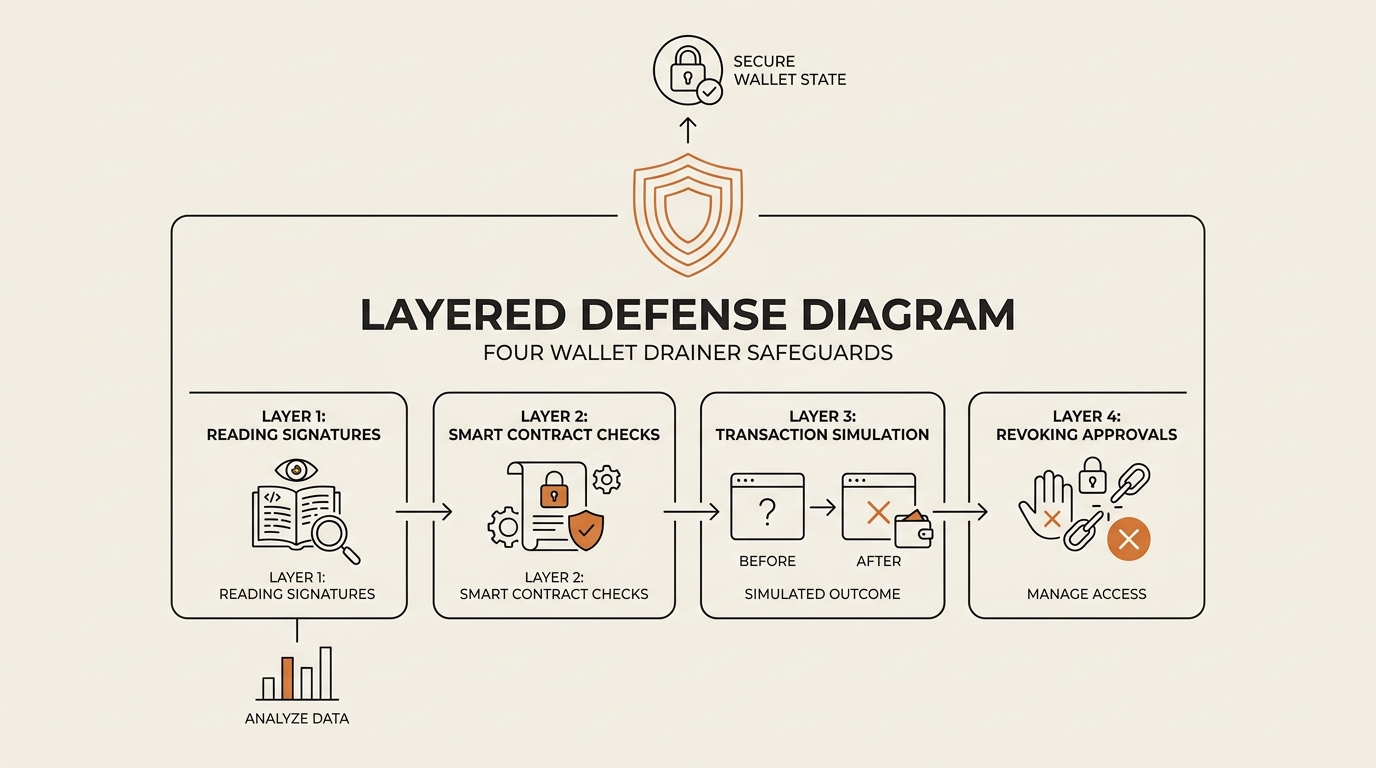
The one-glance drainer defense:
- Treat Claim / Mint / Verify under a countdown as hostile by default.
- Never sign what you can’t read;
eth_signand blank hashes mean stop. - Reach dApps by bookmark or typed URL, never from ads, replies, or DMs.
- Keep a disposable hot wallet with almost nothing in it for minting.
- Store real holdings in a separate wallet you rarely connect anywhere.
- Run a phishing-detection extension so bad domains get flagged before you sign.
- Audit and revoke old token approvals on a schedule.
- If something feels rushed, that feeling is the security check — stop.
Layer 1: read before you sign
Slow down at the exact moment the kit wants you fast. Read the signature type and the contract it points to. If your wallet or an extension shows a plain-language warning, believe it. If you see a raw hash you can’t interpret, treat it as an emergency stop, not a formality.
Layer 2: compartmentalize your wallets
This is the layer that saved me, structurally. I keep a disposable hot wallet with a tiny balance for anything experimental — minting, testing a new dApp, claiming things. If it gets drained, the loss is trivial. My actual holdings live in a separate wallet that almost never touches a website. A drainer can only take what the connected wallet holds. Compartmentalization caps your blast radius by design.
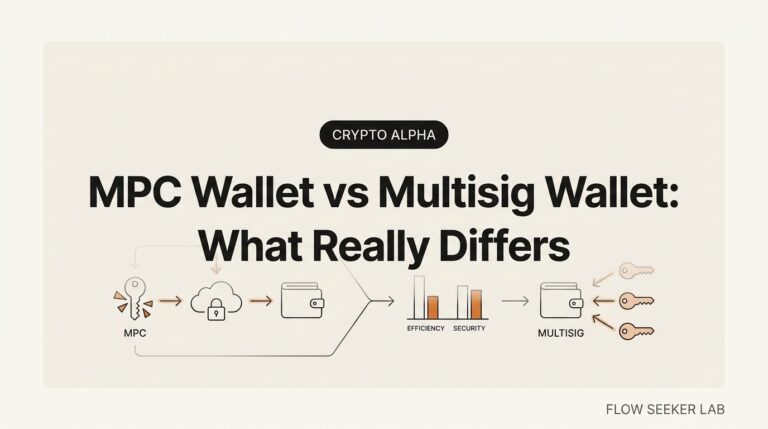
For the highest-value tier, a hardware wallet raises the bar — but here’s the nuance most people miss: hardware protects your keys, not your decisions. You can still sign a malicious approval on a hardware device. It just makes you confirm on a screen you have to look at, which is friction, and friction is good. I unpacked the full setup in my hardware wallet and self-custody checklist.
Layer 3: block the domain before you arrive
Phishing-detection extensions like Scam Sniffer or Blockaid flag known drainer domains and malicious signatures before you sign. They’re not perfect — new domains appear daily — but they catch the recycled ones, which is most of them. This is a cheap layer that runs without you thinking.
Layer 4: revoke on a schedule
Old approvals accumulate like open doors you forgot you unlocked. Use Revoke.cash or the Etherscan Token Approval Checker to review what your wallet has authorized, and cancel anything you don’t recognize or no longer use. I treat this as a quarterly chore, the way I renew a password. The mechanics live in the token-approval deep dive.
Drainer-adjacent tricks worth knowing
A drainer often travels with cousins. Address poisoning seeds your transaction history with a lookalike address hoping you copy-paste it later — I broke that one down in the address poisoning scam. And if you’re experimenting with automated signing, an AI agent that holds a wallet can be tricked into signing through prompt injection; I covered that surface in AI agent wallet security. Same core weakness every time: something else authorizes a transfer you didn’t consciously approve.
If your wallet was already drained
Let me be plain, because false hope is its own scam here: recovery is rare. Once funds move through mixers and bridges, they’re almost always gone. There is no button that reverses a blockchain transaction.
What you can do is damage control, fast:
- Move remaining assets to a fresh, uncompromised wallet immediately. If one signature drained part of it, more may follow.
- Revoke every approval on the affected address using Revoke.cash or Etherscan.
- Abandon the address. Assume it’s permanently compromised and stop using it.
- Report it to consumer-protection authorities. In the US, the FTC (reportfraud.ftc.gov) collects crypto-scam reports, and the FTC has noted a roughly tenfold rise in reported crypto-scam losses since 2020. Reporting won’t refund you, but it feeds the data that gets domains flagged.
One warning that matters as much as any defense above: never pay an “asset recovery service.” Many of them are a second scam that targets the freshly drained, because you’re the easiest mark on the internet right after a loss. Legitimate paths are free — flagging on a block explorer, reporting to authorities. If someone promises to recover your funds for a fee, close the tab.
FAQ
What is a crypto wallet drainer and how does it work? A crypto wallet drainer is malicious software, usually rented as a service, that tricks you into signing a transaction or approval on a fake site. Instead of stealing your keys, it gets your permission — then an automated script sweeps your tokens and NFTs in one batch, whenever the attacker chooses.
Can a drainer steal my crypto without my seed phrase? Yes, and that’s the whole design. Drainers don’t need your seed phrase or private key. They rely on you signing a malicious approval or off-chain signature that authorizes a transfer. Your key stays put; the authorization does the theft. This is why hardware wallets alone don’t fully protect you.
What is drainer-as-a-service (DaaS)? Drainer-as-a-service is a rental model where a developer maintains the draining engine and affiliates pay to use it, splitting the stolen funds. It works like a SaaS product, with dashboards and updates. Kits like Inferno Drainer and Pink Drainer, per Check Point research, have each been tied to tens of millions in losses.
How do I know if a signature request is a drainer? Watch for mismatch between the label and the authority. A “verify” or “claim” prompt that actually requests a Permit, a Seaport order, or a blind eth_sign hash is a red flag. If you can’t read what the signature does, or a countdown is rushing you, stop and don’t sign.
Can you recover crypto stolen by a wallet drainer? Rarely. Once funds move through mixers and bridges, reversal is essentially impossible. Focus on damage control: move remaining assets, revoke approvals, abandon the address, and report to authorities like the FTC. Never pay an “asset recovery service” — those frequently target victims a second time.
Are hardware wallets safe from drainers? Partly. A hardware wallet protects your private keys, so malware can’t extract them. But it can’t stop you from signing a malicious approval — it only makes you confirm on its screen. That confirmation step is real protection through friction, but the decision is still yours to get wrong.
How can I stay safe from wallet drainers day to day? Compartmentalize: keep a near-empty hot wallet for experiments and a separate wallet for real holdings. Reach dApps by bookmark, not ads or DMs. Run a phishing-detection extension, refuse to sign anything you can’t read, and revoke old approvals quarterly. No single layer is enough; stack them.
The reframe
The old rule was “never share your seed phrase.” It’s still true and almost useless, because nobody’s asking for it anymore. The new rule is quieter: your signature is your seed phrase now. A single approval you didn’t read can do what handing over your keys used to do.
So the defense isn’t cleverness — it’s a habit that survives urgency. Read what you sign, keep your real holdings off the pages you experiment on, and treat every countdown as an attack on your attention. The kit is automated and professional. Your one edge is that you can stop, and it can’t make you.
Next in the Crypto Safety series, I’m going deeper into that first layer: how to actually read a signature request — a line-by-line walkthrough of what eth_signTypedData_v4, Permit2, and Seaport prompts really say, so the green button stops being a mystery.
seonjae — Korean office worker documenting his transition into AI systems, agents, and vibe coding — without a CS background. Shipping in public.
Sources: Chainalysis, crypto drainers, rel=”noopener” · Check Point Research, Inferno Drainer deep dive, rel=”noopener” · FTC consumer fraud reporting, rel=”noopener”.

3 Comments