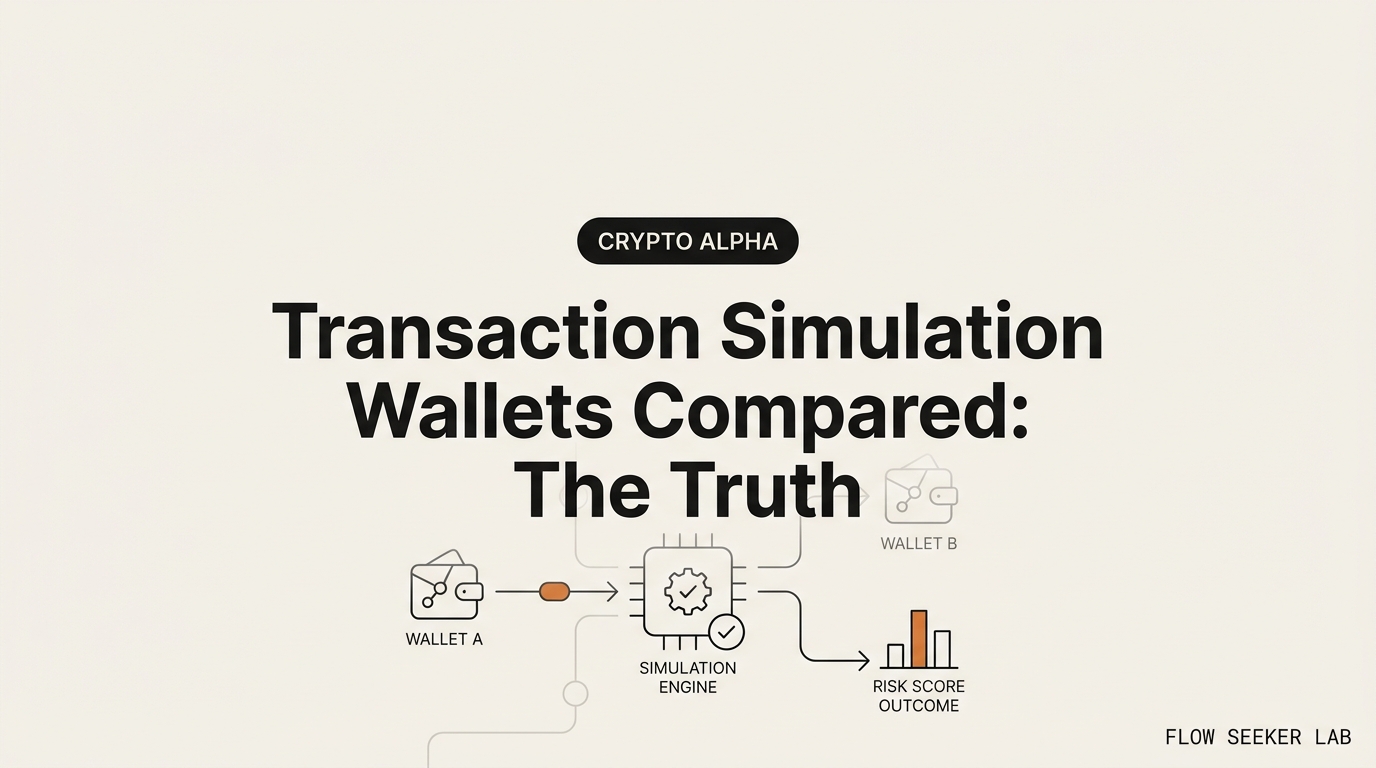
Transaction Simulation Wallets Compared: The Truth
Transaction Simulation Wallets Compared: Rabby vs Wallet Guard vs Blockaid
I opened a spreadsheet to score three tools against each other, and the spreadsheet fell apart in the first row.
My plan was simple. I’d line up the transaction simulation wallets everyone names — Rabby, Wallet Guard, Blockaid — put them in three columns, and rank them on install, coverage, and how loud they warn you before you sign. By the time I’d filled in one honest cell per tool, the columns didn’t line up. One was a wallet. One didn’t exist anymore. One I couldn’t install at all.
Here’s what I’ll walk through: what each of these three things actually is (they’re not competitors), what transaction simulation genuinely does before you sign, the four things it can’t catch — and the part I got wrong for months. This is a map, not a leaderboard.
The comparison that fell apart in the first row
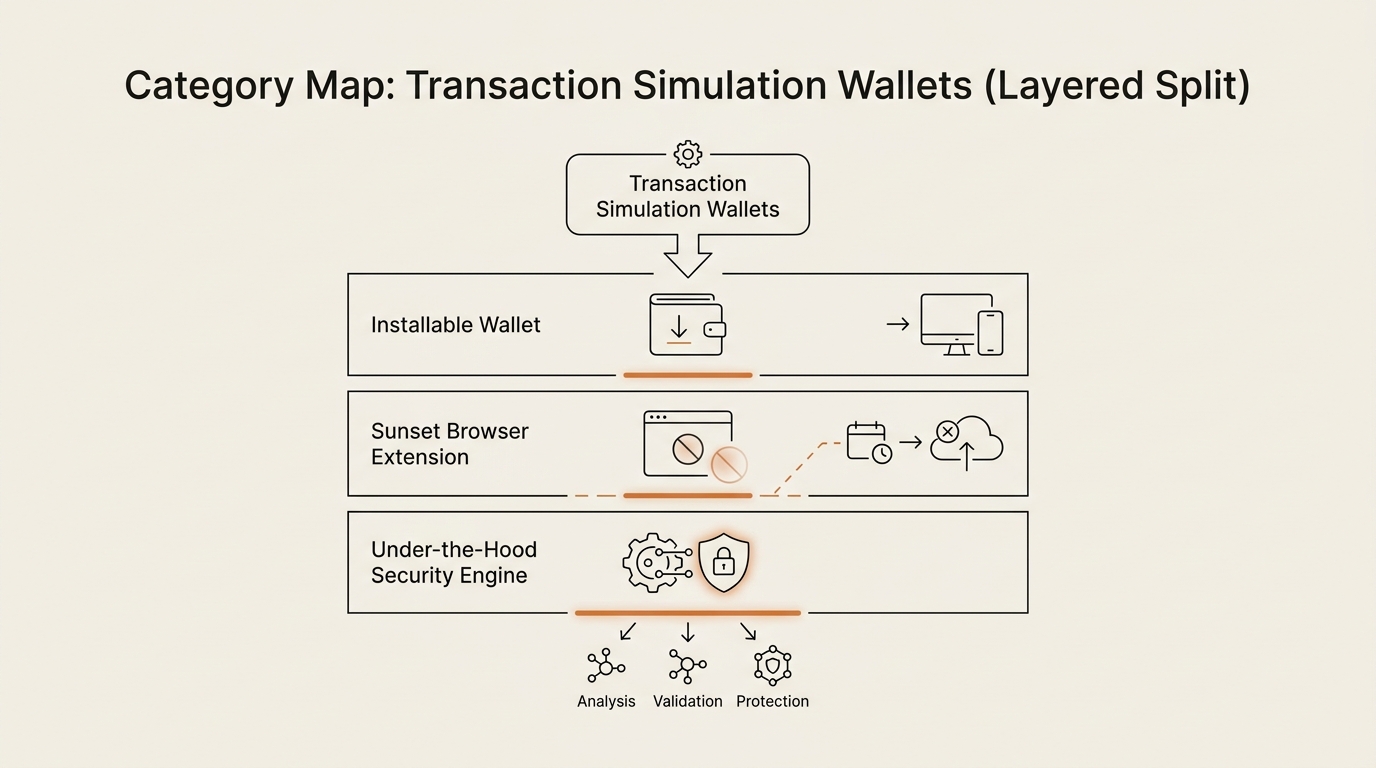
The question people type into Google is “which of these three should I use.” It feels like choosing between three password managers. It isn’t. The three names live in three different layers of the stack, and once you see that, the ranking question dissolves.
Let me say the punchline first, because it changes how you read the rest. You don’t pick one of three products. You pick one wallet that runs one engine, and then you build one habit the engine can’t do for you. Everything below is me showing my work.
Start with the thing that broke my spreadsheet: only one of the three is a wallet you install.
What each one actually is (three layers, not three rivals)
Rabby is the only one you’d “install as a wallet.” It’s a standalone, non-custodial browser wallet built by DeBank, and it shipped native pre-transaction simulation and risk scanning early, back when most wallets showed you a raw hex blob and hoped for the best. It’s open-source and has public audits from firms like SlowMist and Least Authority. The catch worth writing down: it’s EVM-only. No native Bitcoin, no native Solana. If your life is Ethereum and its L2s, that’s fine. If it isn’t, Rabby doesn’t cover half your holdings.
Wallet Guard is the ghost in the lineup. It used to be a security browser extension that sat on top of your existing wallet and translated scary transactions into plain English. Consensys acquired it in July 2024 to strengthen MetaMask, and then the standalone product was sunset on March 31, 2025. Its team and engine folded into MetaMask’s product-safety work. You can read the official Wallet Guard sunset notice{rel=”noopener”} and the Consensys acquisition announcement{rel=”noopener”} yourself. The point for you, sitting here in 2026: you literally cannot choose Wallet Guard anymore. It isn’t installable. Comparing it as a live option is comparing against a company that moved out of its house and left the lights on inside a bigger building.
Blockaid is the one nobody installs on purpose. It’s a security engine — an API — not a consumer wallet. It runs simulations and risk checks inside other wallets. MetaMask’s built-in Security Alerts are Blockaid-powered, and the same engine shows up in other apps too, including Coinbase Wallet, Safe, and more. MetaMask published its own note on Security Alerts by Blockaid{rel=”noopener”} if you want the primary source. You never download Blockaid. You download a wallet, and Blockaid is the thing quietly reading your transaction behind the “this looks risky” banner.
So the reader who wants to “compare three transaction simulation wallets” is really looking at a wallet (Rabby), a feature that used to be a product (Wallet Guard → MetaMask), and an invisible engine under other wallets (Blockaid). That’s not one shelf at the store. That’s three different aisles.
One more knot to untie, because I tangled myself in it: MetaMask’s protection today combines the absorbed Wallet Guard engine with its Blockaid-powered Security Alerts. I spent an evening trying to figure out which line of defense does what. Don’t. It doesn’t change a single thing you do at sign time. Treat MetaMask as “has strong built-in checks now” and move on.
The category map, in one table
Here’s the whole tangle in one place. This is the table I wish the search results had handed me.
| Name | What it actually is | How you get it | Status in 2026 | EVM-only? |
|---|---|---|---|---|
| Rabby | Standalone non-custodial wallet with native simulation + risk scanning | Install it as your wallet | Live, open-source, audited | Yes (EVM chains only) |
| Wallet Guard | Former security browser extension | You can’t — sunset | Discontinued (folded into MetaMask) | N/A |
| Blockaid | Security engine / API under other wallets | Comes built into wallets that license it | Live, invisible layer | Runs across major EVM chains |
| MetaMask | Wallet with built-in checks (Blockaid + absorbed Wallet Guard) | Install it as your wallet | Live, alerts on by default | Primarily EVM |
Read the “How you get it” column top to bottom. Two of the four are things you install. One you can’t. One arrives for free inside the others. That column is the entire answer to “which should I use.”
What transaction simulation actually does before you sign
Now the concept the whole search is circling. Strip away the brand names and here’s the plain definition.
Transaction simulation is a dry-run. Before you sign, the wallet replays your exact transaction against the current state of the blockchain and shows you the predicted result — which tokens leave your wallet, which arrive, and which permissions change — so you can preview the outcome instead of trusting a raw data blob. That preview is the whole value.
It’s the difference between signing a contract in a language you read versus a language you don’t. Before wallets did this, you approved a string of hex and hoped the dapp was honest. The dry-run turns “0x095ea7b3…” into “you are about to let this contract move all your USDC.” That’s a real upgrade, and it’s why Rabby got a reputation for safety and why MetaMask now shows the same kind of banner by default.
I don’t want to undersell it. Simulation catches a lot of clumsy scams — the fake mint that quietly drains your NFTs, the swap that returns nothing, the approval that’s larger than it should be. If you’ve read how wallet drainer scams work, the preview is exactly the moment where a lot of those get caught red-handed. A drainer wants you to sign blind. Simulation refuses to let you.
But a preview is a prediction. And predictions have blind spots. This is where I got the whole thing wrong.
Where I was wrong: a green preview is not a green light
For a long stretch, I treated a clean simulation as permission to relax. Preview looks fine, no red banner, hit sign, breathe. I built that reflex without noticing, and it’s the single most dangerous habit a “safe” wallet can teach you. Because the attacks that actually empty accounts today are the ones simulation was never built to see.
There are four holes. Learn the shape of each one.
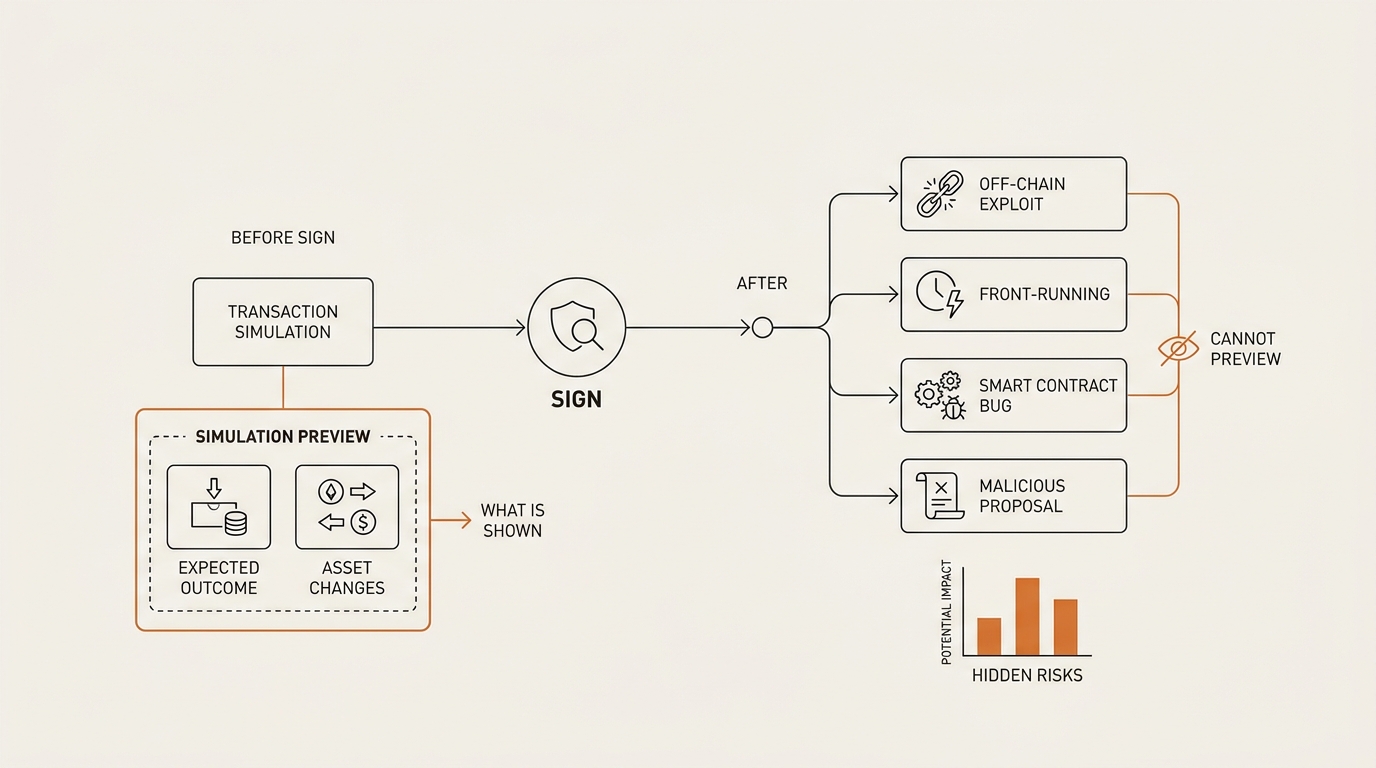
1. Off-chain signature phishing. This is the big one. Some of the nastiest 2025–2026 drains don’t ask you to send a transaction at all. They ask you to sign a message — a gasless EIP-712 approval, often a Permit2 signature. A signature isn’t a transaction, so there’s nothing to simulate. No tokens move in the preview because none move yet; the attacker collects your signature and moves the tokens later, on their schedule. Your simulation shows a clean, empty preview because, technically, nothing is happening on-chain in that moment. I’ve written a full breakdown of off-chain Permit2 signature phishing because it’s the exact gap a “safe wallet” lulls you past. If you learn one thing here, learn to read the signature request itself.
2. State-dependent “red pill” contracts. A contract can behave one way when it’s simulated and a different way when it’s actually executed. It checks the environment, notices it’s being previewed, and shows you a friendly result — then does something else at execution. Security researchers call the gap between the check and the use a time-of-check/time-of-use problem. Blockaid’s own engineers wrote a good primer, how attackers evade transaction simulation{rel=”noopener”}, and it’s worth your time. The preview is honest about what it saw. The contract just made sure it saw the nice version.
3. Address poisoning and lookalike calldata. Simulation shows you the effect of a transaction, not whether you picked the right recipient. If a scammer poisons your history with a lookalike address and you copy-paste the wrong one, the simulation will faithfully confirm you’re sending funds — to the wrong person. It’s working perfectly. It just can’t read your intent. This is a whole attack family; I mapped it in the address poisoning scam.
4. Simulation spoofing. The newest and most unsettling: attacks that manipulate the preview itself, so the dry-run shows a benign result that doesn’t match what will execute. When the preview is the thing being faked, “the preview looked fine” stops meaning anything. It’s a named scam category now, not a hypothetical.
Notice the pattern. A dry-run is a preview of a transaction against current state. Three of these four attacks either aren’t a normal transaction (signature phishing), deliberately differ from current state at execution (red pill), or target your intent and the preview itself rather than the transaction (poisoning, spoofing). The tool does its job. Its job just has edges, and the money leaks out the edges.
Where to start and what to ignore
So we’re back at the search that started this, but the question has changed shape. You weren’t choosing among three products. You were choosing one default engine and one habit. Here’s how I’d actually set it up.
Pick your one engine, and it’s mostly already picked. If you use MetaMask, Blockaid-powered Security Alerts are on by default across the major EVM chains — you already have the engine. You don’t go install Blockaid; you already run it. If you’d rather have simulation baked deeper into the wallet’s own UX, with a risk score and an approval manager in one place, Rabby is the pick — as long as you’re EVM-only. That’s the real fork in the road, and it’s a preference, not a safety ranking. Both preview your transactions. Neither reads your intent.
Do not go hunting for Wallet Guard. It’s gone. Any 2026 page telling you to “install Wallet Guard for protection” is stale at best. Its job now lives inside MetaMask.
Build the one habit no engine does for you: read the signature request. Before you sign anything, answer three questions in plain language. What am I signing — a transaction or an off-chain signature? If it’s an approval or a permit, who is the spender and how much can they take? And did I come here to do this, or did a popup ask me to? A clean preview answers none of those. You do.
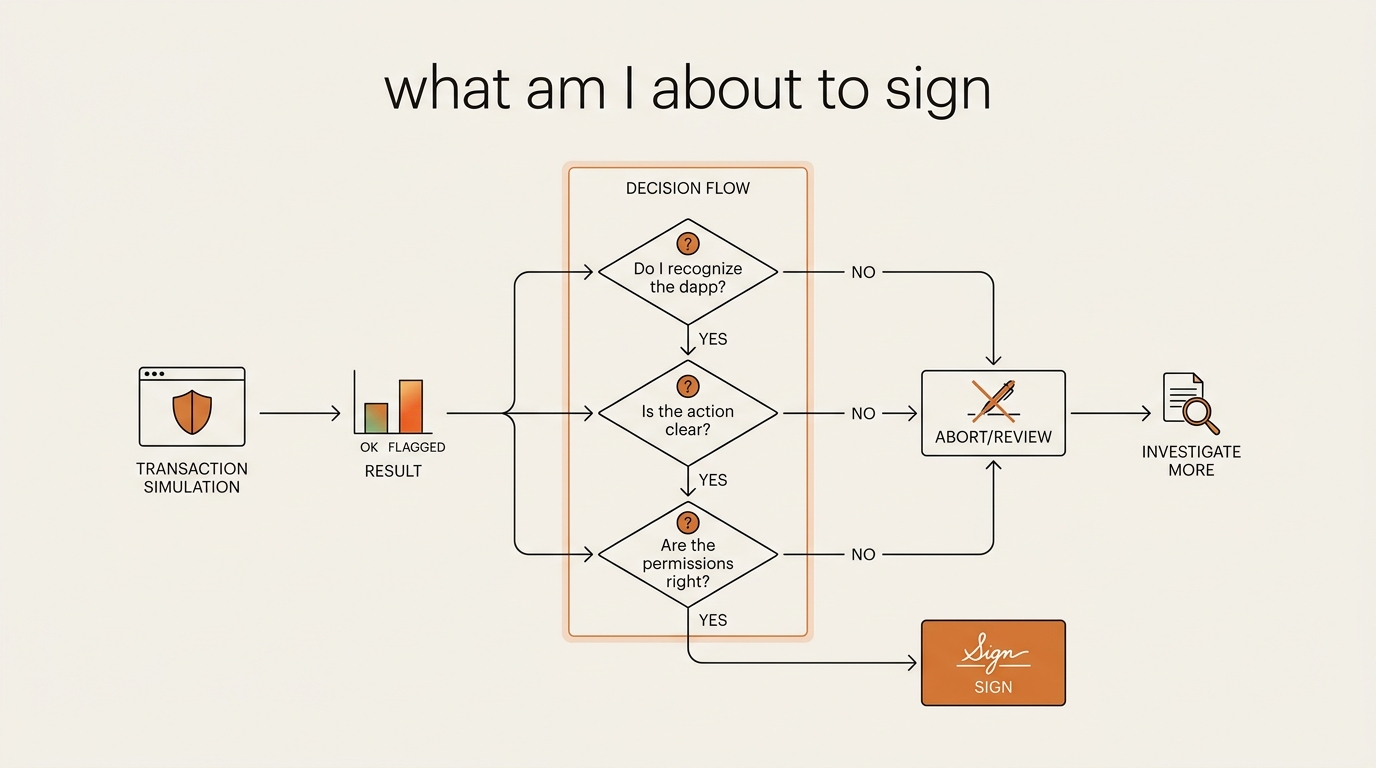
If you want the muscle memory version, it’s the same one I keep repeating across this series: slow down at the signature, not at the send. Most of the scams that survive a good wallet survive because the human clicked through the one screen the wallet couldn’t fill in. Pair simulation with a revoke habit — I keep risky token approvals you should revoke on a quarterly cleanup — and you’ve closed most of the doors. Not all. Most.
What broke, in one honest paragraph
The thing that actually broke wasn’t a tool. It was my mental model. I thought “safer wallet” meant “wallet that catches the bad stuff,” and I outsourced my attention to the green banner. What changed is small and boring: I stopped reading the preview as a verdict and started reading it as one input. The preview tells me the “after.” It cannot tell me the “why” or the “who.” For those, there’s no engine — there’s just me, reading the request, at 11pm, tired, when the scam is counting on me not to.
If you want the sibling piece in this cluster — same “compared” format, different job — I put Nansen and Arkham head to head in another honest wallet tooling comparison. That’s about seeing the chain. This one’s about seeing your own next click.
FAQ
What is transaction simulation in a crypto wallet? It’s a dry-run. Before you sign, the wallet replays your exact transaction against the current state of the blockchain and previews the result — tokens in, tokens out, permissions changed — so you can see the likely outcome instead of approving a raw data blob. It’s a preview, not a guarantee.
Is Rabby safer than MetaMask? It depends on what you do, not the logo. Rabby shipped native simulation and risk scanning early and bakes them into its UX. MetaMask now runs Blockaid-powered Security Alerts by default and absorbed the Wallet Guard engine. Both preview transactions well. Neither reads a malicious signature or your intent for you.
Can transaction simulation be bypassed or fooled? Yes. State-dependent “red pill” contracts behave differently in preview than at execution, address poisoning tricks target your copy-paste rather than the transaction, and simulation spoofing manipulates the preview itself. A clean preview is one honest input, not proof the transaction is safe.
Does transaction simulation stop off-chain Permit2 signature phishing? Largely no. A gasless EIP-712 or Permit2 approval is a signed message, not a normal transaction, so there’s nothing on-chain to simulate. The preview looks empty because no tokens move yet — the attacker moves them later using your signature. Read the signature request itself.
Is Wallet Guard still available in 2026? No. It was a security browser extension acquired by Consensys in July 2024 and sunset on March 31, 2025. Its engine and features folded into MetaMask’s built-in protection. You can’t install it as a standalone product anymore, so it isn’t a live option to “choose.”
Does MetaMask use Blockaid? Yes. MetaMask’s built-in Security Alerts are Blockaid-powered and enabled by default across major EVM chains. MetaMask also absorbed the Wallet Guard engine after the 2024 acquisition, so its current protection combines both. You never install Blockaid separately — it runs inside the wallet.
What is transaction simulation spoofing? It’s a scam where the preview itself is manipulated to show a benign, expected result that doesn’t match what the transaction will actually do at execution. When the dry-run is the thing being faked, “the simulation looked fine” stops being reassurance. It’s why the signature-read habit matters more than any single banner.
seonjae — Korean office worker documenting his transition into AI systems, agents, and vibe coding — without a CS background. Shipping in public.
Next in Crypto Safety: I’ll take one of these signature requests to a block explorer and trace a real permit-and-drain from the signed message to the on-chain sweep — so you can see, transaction by transaction, exactly where the preview goes blind.