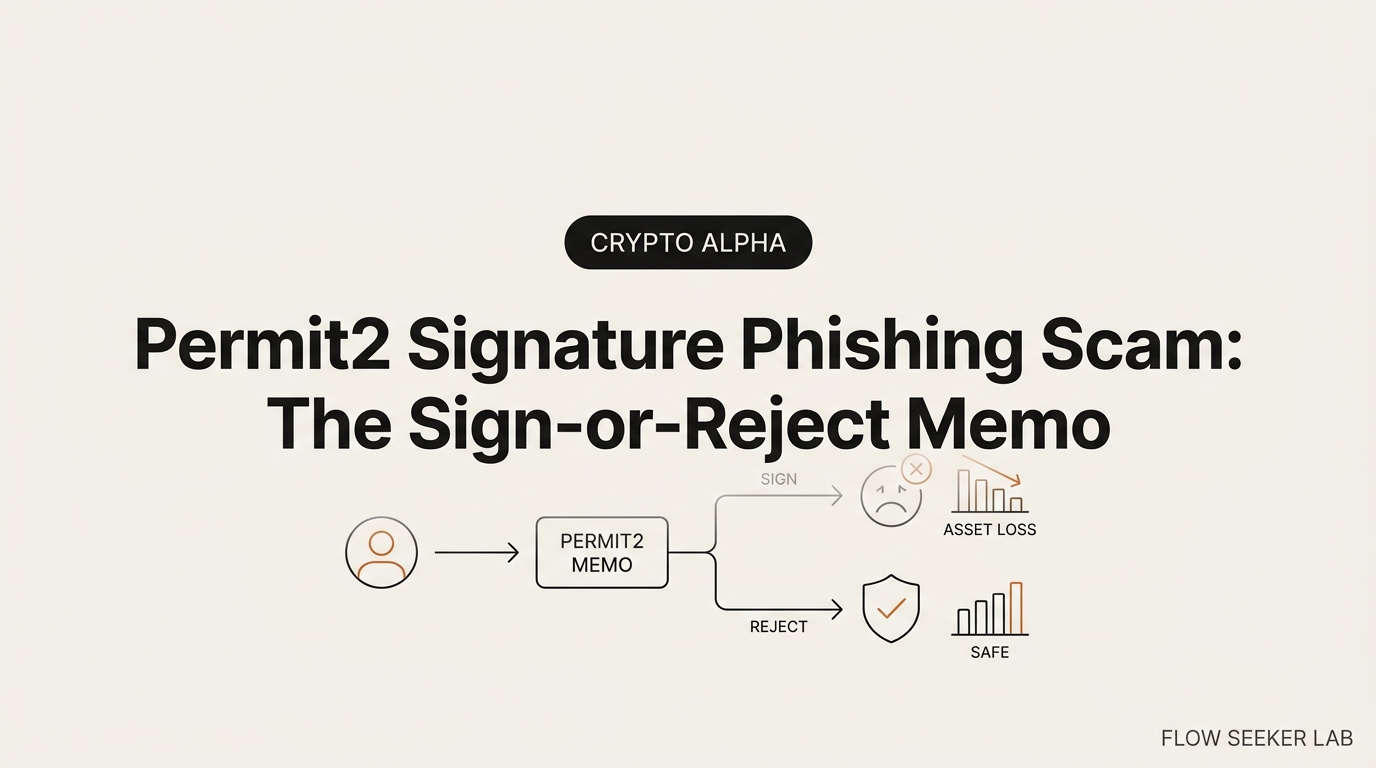
Permit2 Signature Phishing Scam: The Sign-or-Reject Memo
Permit2 Signature Phishing Scam: How to Turn Every Signature Into a Decision
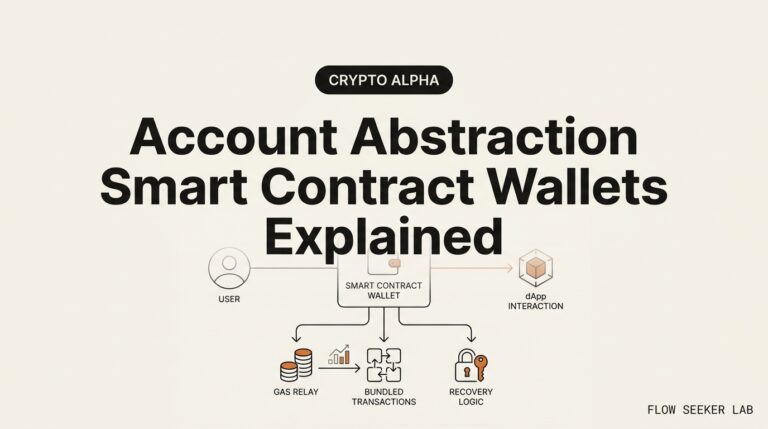
A wallet popup asked me to “sign to verify.” No gas fee. No amount. It looked like a formality, so I almost clicked. That popup is the whole trick behind a permit2 signature phishing scam — a drain that happens off-chain, costs you nothing at the moment you sign, and shows up on the blockchain only after the money is gone.
Here is what I want to hand you: not a lecture on smart contracts, but the short memo I now run at every signature request. Sign, reject, or inspect. Three fields decide it.
I write this as a Korean office worker with no CS degree. I hold a little crypto, I read no Solidity, and I have stared at one of these popups at 11pm wondering if it was safe. If that is you, this is written for you.
Here is the plan: what a Permit2 signature actually authorizes, how one signature empties a wallet, the exact fields I check before I sign, the near-miss that changed my habit, and how to revoke a Permit2 approval you already granted.
What a Permit2 signature phishing scam actually is
Let me give you the plain definition first, because the fancy words hide a simple weapon.
A permit2 signature phishing scam tricks you into signing an off-chain message that grants an attacker permission to move your tokens through Uniswap’s Permit2 contract. There is no gas fee and no visible approval transaction, so the signature feels harmless — but it is a transferable authorization, and the attacker uses it to drain the wallet later.
That is the whole thing in fifty words. The rest of this post unpacks why that popup is dangerous and how to read it.
Start with the normal way approvals used to work. When you let a decentralized exchange spend your tokens, you sent an on-chain approve() transaction. It cost gas. It showed up in your wallet history as an “Approval.” You could see it. You could feel it, because it cost money.
Permit changed that. EIP-2612, an extension to the ERC-20 token standard, lets you approve a spender by signing a typed message instead of sending a transaction. No gas. No visible approval. A dapp collects your signature and submits it on-chain later. Tokens like USDC and DAI support this directly.
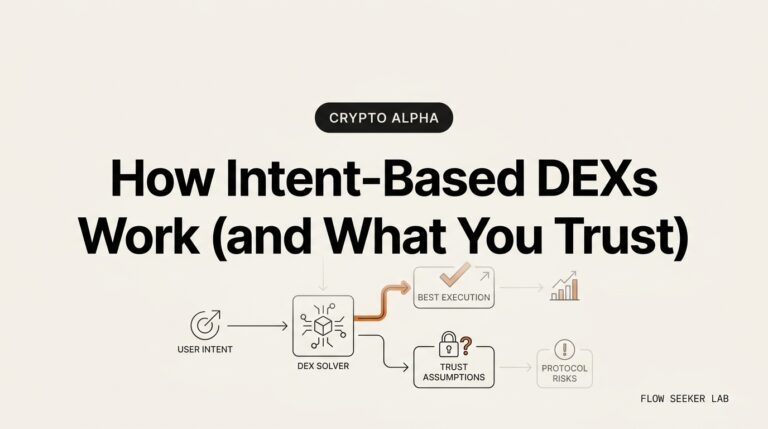
Uniswap’s Permit2 took that idea and made it universal. It is one approval contract that works for every ERC-20 token, even ones that never built permit in. You approve Permit2 once, then hand out per-app spending rights through off-chain signatures. Convenient for real swaps. Also the perfect disguise for a scam, because now the dangerous action looks identical to a login.
That is the core of every signature phishing attack: the thing that moves your money and the thing that just verifies your wallet look the same in the popup. The wallet does not shout the difference. Phishers live in that silence.
How a Permit2 signature drains a wallet
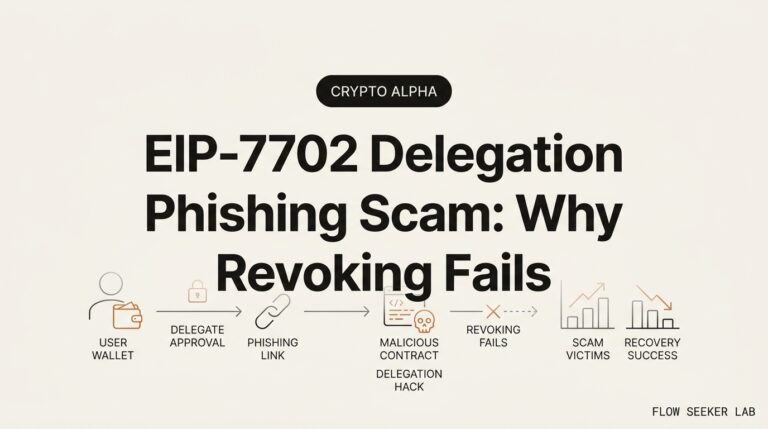
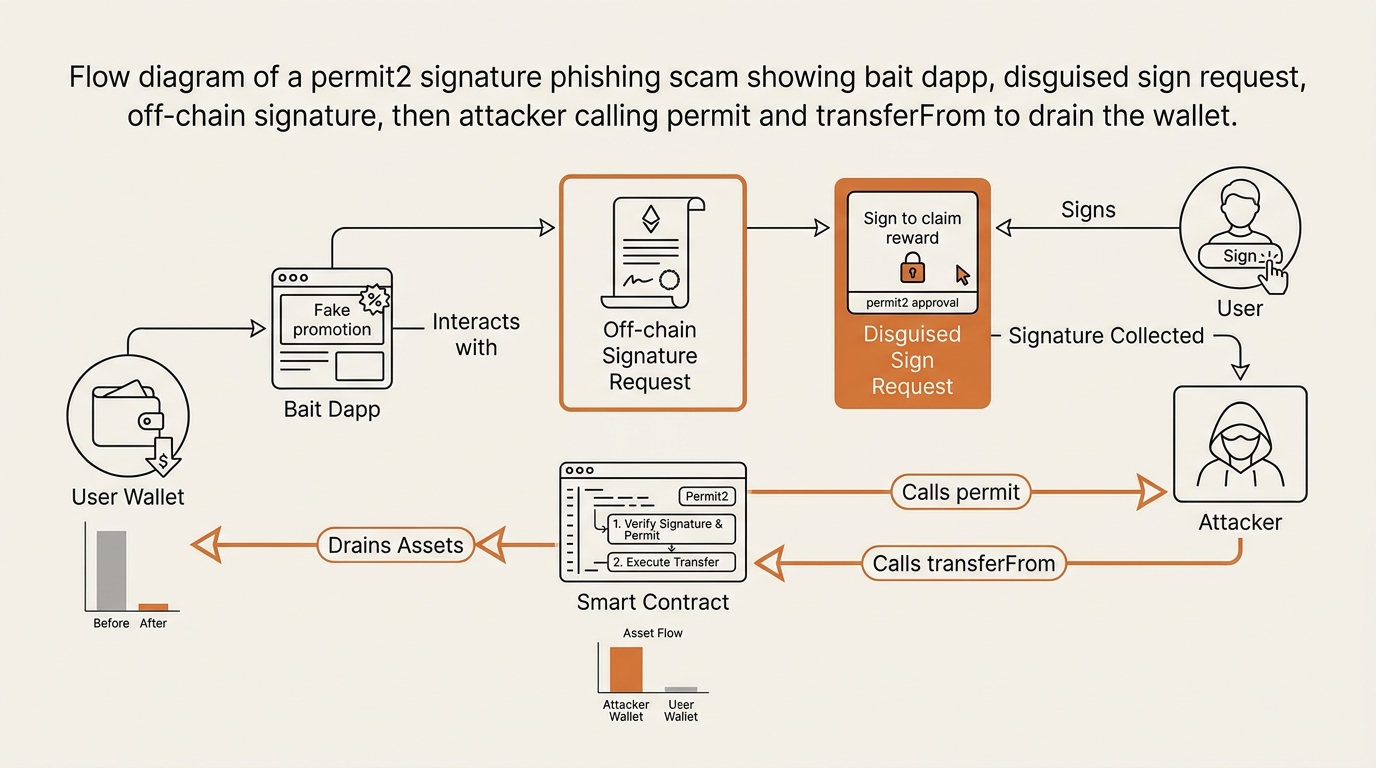
Walk through the attack chain slowly. It has four steps, and only one of them touches the blockchain.
Step 1 — The bait. You land on a page that wants urgency. A fake airdrop claim. An NFT mint with a countdown. A “verify your wallet” gate. A lookalike domain one letter off from a real one. You reached it through a DM, a search ad, or a pinned reply. The rush is the point.
Step 2 — The disguised prompt. The site asks you to “sign a message.” It labels the button “Verify,” “Login,” or “Claim.” Under the hood, that message is a Permit2 authorization — a PermitSingle, PermitBatch, or PermitTransferFrom — that names the attacker’s address as the spender, sets the amount to your entire balance, and sets the deadline or expiration years into the future.
Step 3 — The quiet signature. You sign. This happens off-chain. No gas leaves your wallet. Nothing posts to the blockchain. Your explorer history stays clean. You feel safe, because nothing visibly happened. The signed message is now sitting in the attacker’s hands like a signed blank check.
Step 4 — The drain. Later — seconds, hours, or days — the attacker submits your signature on-chain by calling permit() and then transferFrom(). The tokens move to their wallet. This is the first on-chain evidence, and it appears after the money is already gone.
That delay is the cruel part. In an ordinary theft you see it happen. In this one, the signature and the loss are separated in time, so by the time your history shows anything, there is nothing left to protect.
According to MetaMask’s signature phishing guidance, the wallet cannot always tell you in plain language what a signature will do — which is exactly why reading the request yourself matters. Security firm SlowMist has documented real cases where off-chain permit signatures alone moved tokens. Reported single-victim losses have reached seven figures in individual incidents covered by crypto press. I am not repeating those figures to scare you. I am repeating them because they prove the same small popup keeps working.
On-chain approval vs off-chain signature: why one feels safer
The reason signature phishing works is that a signature feels free. Your instinct treats “free and instant” as “harmless.” Here is why that instinct misfires, laid out side by side.
| On-chain approve() | Off-chain Permit2 signature | |
|---|---|---|
| Costs gas | Yes | No |
| Shows in wallet history at signing | Yes, as an “Approval” tx | No — nothing posts yet |
| Feels like a real action | Yes | No — feels like a formality |
| Grants spend authority | Yes | Yes — identical power |
| Reversible after the fact | Revoke later (costs gas) | Revoke later (costs gas) |
| When you first see it on-chain | Immediately | Only after the drain |
Read the last two rows twice. The two columns end in the same place — full spend authority over your tokens — but the signature version hides every warning sign that would normally make you pause. No cost. No history entry. No friction. The danger is identical; the alarm is muted.
So the honest framing is this: a signature is not a lighter version of an approval. It is the same weapon with the safety label removed.
How to read a signature request before you sign
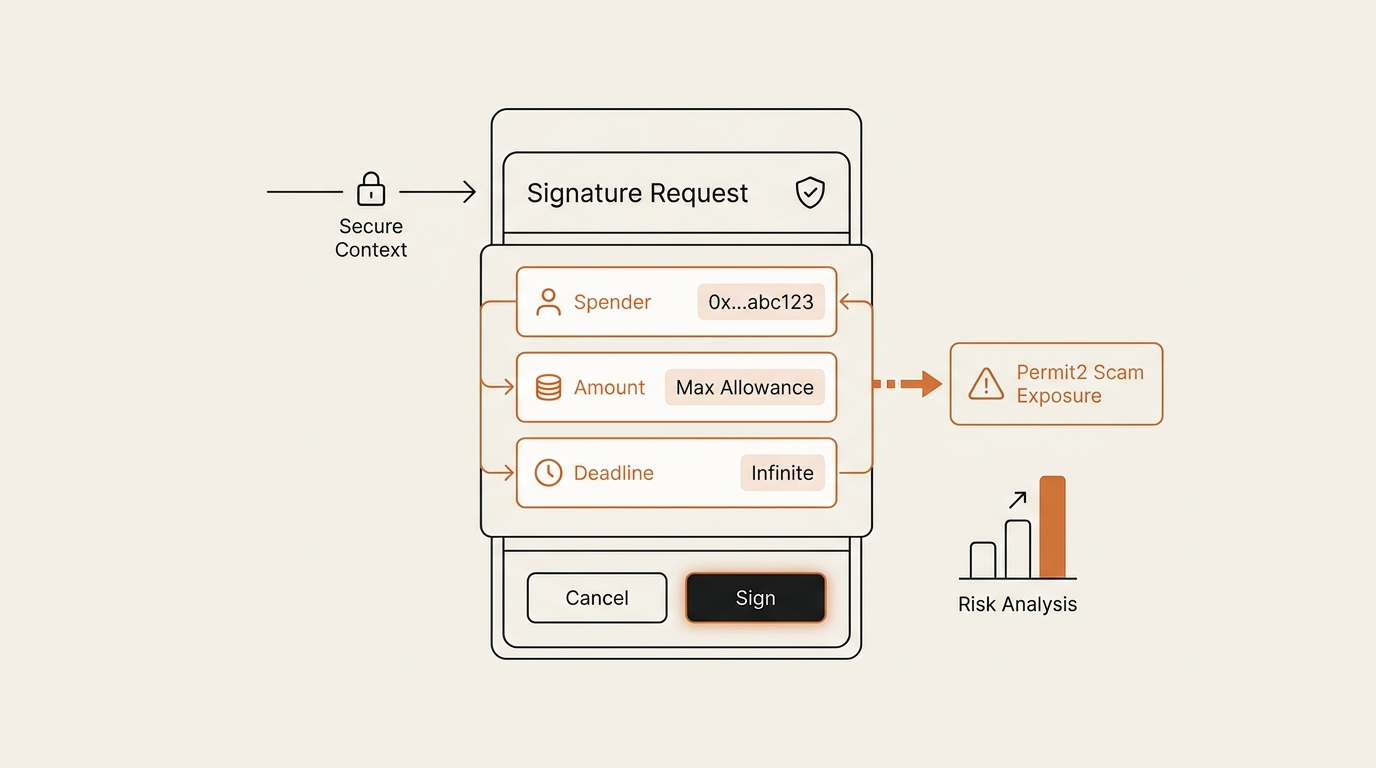
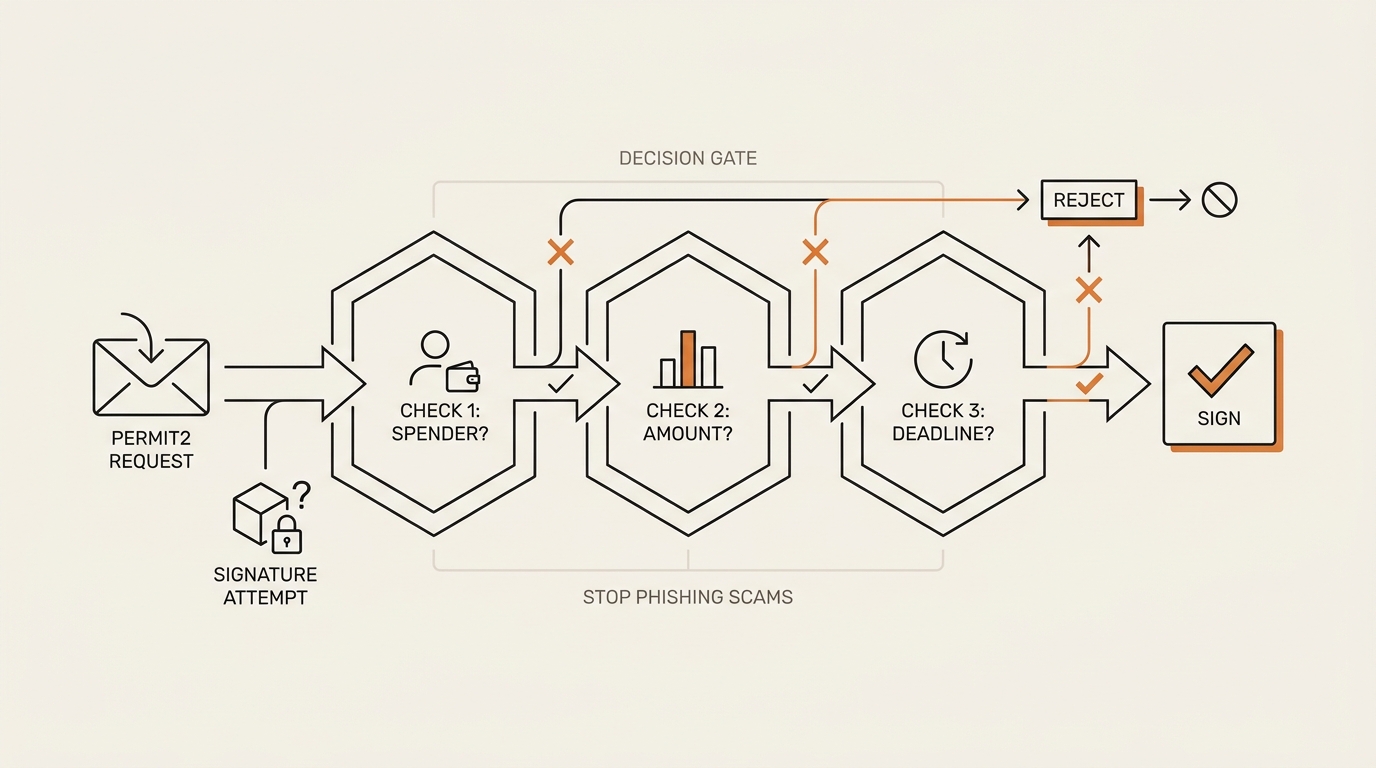
This is the part the incident news and the dry explainers skip. When the popup appears, you do not need to read code. You need to run three questions. I treat every signature prompt as a decision — sign, reject, or inspect — and these questions decide which.
Question 1: Who is the spender? The spender is the address you are authorizing to move your tokens. On a real swap, this is a router or contract you can verify in the app’s official docs. If the popup names an address you cannot recognize or confirm, that is a reject. Unknown spender, no signature. No exceptions for urgency.
Question 2: What is the amount? The amount should match what you are actually doing. Swapping 50 USDC? The amount should look like 50, not your whole balance and not an unlimited value. If a “verify” or “login” step asks to authorize your entire holding of a token, the label is lying about what the message does. Full-balance amount on a non-swap action is a reject.
Question 3: What is the deadline? The deadline (for one-shot transfers) or expiration (for reusable allowances) sets how long this stays valid. A real swap needs minutes. A scam sets years, so the signed check stays good long after you forget the site. Deadline measured in years is a reject.
Three questions. Recognizable spender, sane amount, short deadline — those are the marks of a signature you can sign. Miss any one, and the default is reject. You do not need to know what PermitTransferFrom means to run this. You only need to read three fields off a screen.
I keep a plainer rule taped to this habit: a login should never ask for a token. If a message claims to be sign-in or verification but names a token, a spender, and an amount, it is not a login. It is an approval wearing a login costume. This is the same muscle I described in my walkthrough of how crypto wallet drainer scams work — the drainer and the signature are the same trick seen from two angles.
Safe signature vs phishing signature: what each looks like
Not every signature is dangerous. Signing has a range, and knowing the range calms the whole thing down.
| Signature type | What it does | Can it move tokens? |
|---|---|---|
| Sign-In with Ethereum / login message | Proves you control the wallet | No |
| Plaintext “I agree” verify message | Confirms an action | No |
| EIP-2612 / Permit2 permit | Grants a spender allowance | Yes |
| PermitTransferFrom | Authorizes a specific transfer | Yes |
A plain login message is genuinely harmless. It cannot move funds. The danger begins the moment the message names a spender, an amount, and a deadline — the permit fields. That is the line. Everything above the permit rows in this table is safe to sign. Everything at or below it is a sign-or-reject decision, not a formality.
What broke: the time I almost signed one
Here is where I was wrong, honestly.
Months ago I clicked a link promising an early airdrop for a token I actually held. The site looked plausible. A countdown ticked in the corner. It asked me to “sign to verify wallet ownership.” No gas fee showed. My finger was already moving toward confirm.
What stopped me was small and almost accidental. I had just written about token approvals, so the word “verify” snagged. I thought: a real ownership check does not need to move anything. Why is this signature request so long? I expanded the details. There was a spender I did not recognize and an amount that was not zero.
I rejected it. My hands were a little cold afterward. Not because I lost anything — I did not — but because I saw how close the gap was. The scam did not need me to be careless. It only needed me to treat “no gas fee” as “no risk.” That single assumption almost did it.
That is the lesson I keep. The danger was never a hard technical trap I failed to solve. It was a soft one: a gasless popup lulling me into clicking a formality. My mistake was emotional, not technical. So the fix had to be a habit, not knowledge. I do not trust the calm feeling anymore. I expand the details on every signature and read the three fields, every time, even when I am sure. Especially when I am sure.
I built this reflex the same way I built my two-tier storage rule in hot wallet vs cold wallet: make the safe move the boring default, so urgency has nothing to grab.
How to revoke a Permit2 approval you already granted
Say you already signed something, or you just want to clean up old permissions. You can, and you should do it periodically.
Approvals and Permit2 allowances do not expire on their own unless the expiration was set short. Old ones sit there. To find and cancel them, use a tool like revoke.cash, which lists the approvals and Permit2 allowances tied to your address and lets you cancel the ones you no longer want. I mention it as a tool, not a sponsor — I have no relationship with it.
One catch you must plan for: revoking is an on-chain transaction, so it costs gas. Off-chain signing was free; undoing it is not. That asymmetry is the whole reason prevention beats cleanup. It is far cheaper to reject a bad signature than to revoke a good-looking one after the fact.
A practical rhythm: once a quarter, open a revoke tool, look at what your wallet still authorizes, and cancel anything you do not recognize or no longer use. I fold this into the same monthly wallet check I described in how token approvals drain wallets and how to revoke them. Prevention at the popup, cleanup on a schedule. Two layers, both boring, both cheap in attention.
The one condition that flips my rule
I run a hard default: unknown spender, full-balance amount, or far-future deadline means reject. But every rule should name the condition that would flip it, or it is dogma.
Here is mine. I will sign a permit-style signature only when all three fields survive inspection at once — a spender I can verify in the app’s own documentation, an amount that matches the exact swap I am making, and a deadline measured in minutes. On a real Uniswap swap, from the real domain, doing a real trade, those three line up and signing is fine. That is the whole point of Permit2 when it is used honestly.
So I am not anti-signature. I sign permits regularly. I am anti-blind-signature. The flip condition is not “do I trust this site” — trust is exactly what phishers manufacture. The flip condition is “do all three fields read clean.” Fields over feelings. That is the only trigger that moves me from reject to sign.
FAQ
What is a Permit2 signature? It is an off-chain typed message that authorizes a spender to move your tokens through Uniswap’s Permit2 contract. It costs no gas and creates no visible approval transaction at the moment you sign. That convenience is real, but the same mechanism is what a permit2 signature phishing scam abuses to drain a wallet.
Can you get your wallet drained just by signing a message? Yes, if the message is a permit or Permit2 authorization. A plain “Sign-In with Ethereum” login message cannot move funds. But a permit signature grants spend authority, so signing one crafted by an attacker can lead to a full drain later, with no gas and no upfront trace.
How do I revoke a Permit2 approval? Use a tool like revoke.cash to list the Permit2 allowances and token approvals tied to your address, then cancel the ones you do not recognize. Note that revoking is an on-chain transaction, so it costs gas — unlike the free off-chain signature that created the risk.
How can I tell a fake signature request from a real one? Check three fields before you sign. The spender should be a router or contract you can verify in the app’s official docs. The amount should match your actual swap, not your whole balance. The deadline should be minutes, never years. Any one of those failing is a reject.
Does a Permit2 approval expire? It can. Reusable allowances carry an expiration, and one-shot transfers carry a deadline. Honest ones are short. A malicious signature sets that window years into the future so the authorization stays valid long after you have forgotten the site, which is a clear warning sign.
Is signing a message always safe? No. Signatures range from harmless logins to full spend authority. A wallet does not loudly separate the two, and that quiet is exactly what signature phishing exploits. Treat any message that names a spender, an amount, and a deadline as a decision, not a formality.
Are hardware wallets safe from this? A hardware wallet helps because it forces you to confirm the signed data on the device, adding friction. But it does not read the fields for you. If you approve a malicious permit on the device screen, the outcome is the same. The three-question habit still matters.
The reframe
Stop asking whether this site is trustworthy. That is the question the scam wants you to answer, because trust is the thing it manufactures with countdowns and lookalike domains. Trust is a feeling, and feelings are the attack surface.
Ask a colder question instead: does this signature pass three fields? Spender I can name. Amount that fits. Deadline in minutes. The popup stops being a test of your judgment about a stranger and becomes a form you either fill correctly or reject. A signature is not something you grant because a page earned it. It is something you check, like a receipt, before you sign.
Next in this Crypto Safety series, I want to trace one of these signatures on a block explorer — follow a real permit-and-drain from the off-chain sign to the on-chain transferFrom, so you can see the four steps land in someone’s wallet history and read them yourself.
seonjae — Korean office worker documenting his transition into AI systems, agents, and vibe coding — without a CS background. Shipping in public.