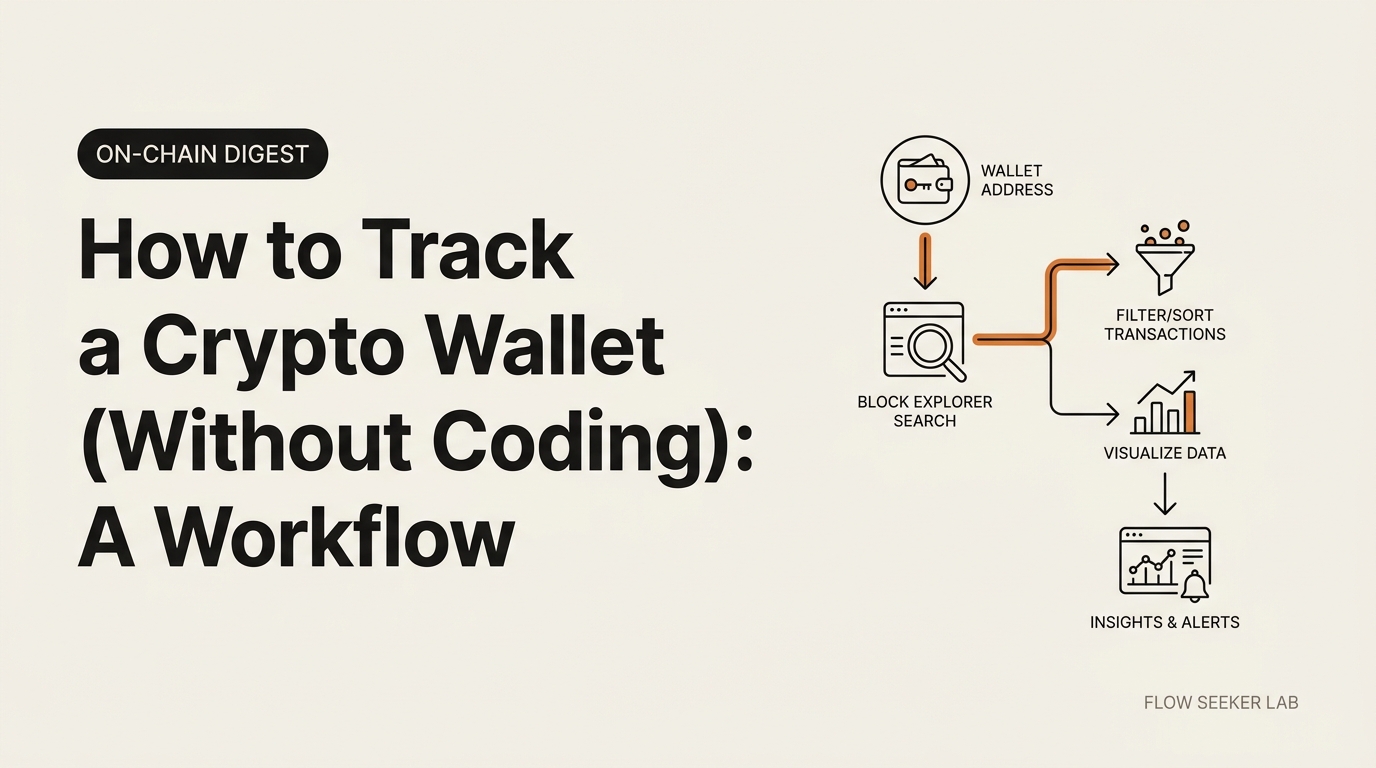
How to Track a Crypto Wallet (Without Coding): A Workflow
How to Track a Crypto Wallet (Without Coding): A Non-Developer’s Workflow
The first time I tried to follow one wallet on-chain, I closed the tab in under a minute. Two hundred token-approval rows, dust I’d never heard of, and ten “transfer” types that meant nothing to me. This post is the calm, no-code version of how to track a crypto wallet that I wish I’d had that day — written by a Korean office worker, not a developer.
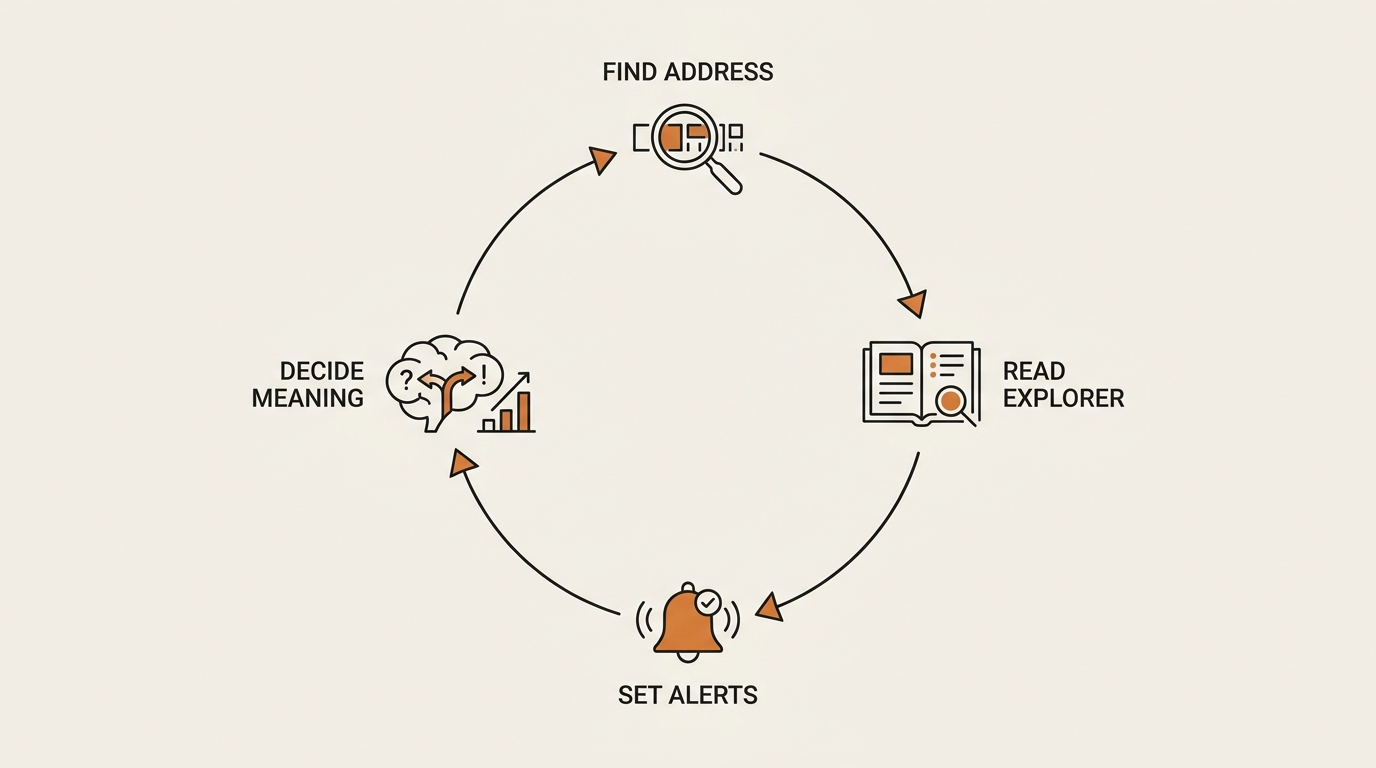
By the end you’ll have a four-step loop you can run on free tools: find the address, read it once on a blockchain explorer, set alerts so you stop refreshing, and decide what a move actually means before you react.
One honest line up front: this is observation, written for literacy. It’s a way to watch public data, not a tip about what to buy.
What “Tracking a Crypto Wallet” Actually Means
Tracking a crypto wallet means watching the public transaction history of a blockchain address over time — the deposits, withdrawals, swaps, and contract calls it makes. You’re reading a public ledger, not breaking into anything. Every move is already visible to anyone with a browser.
Here’s the part most guides skip: a wallet is pseudonymous, not anonymous. The address is public. The human behind it usually isn’t — unless they’ve published it or moved funds through a KYC exchange.
One security line before we go further. You only ever need the public address to track a wallet. You never need, and should never ask for, a private key or seed phrase. If a guide tells you otherwise, leave. The Bitcoin.org privacy page is a calm reference on why addresses are public but identity isn’t.
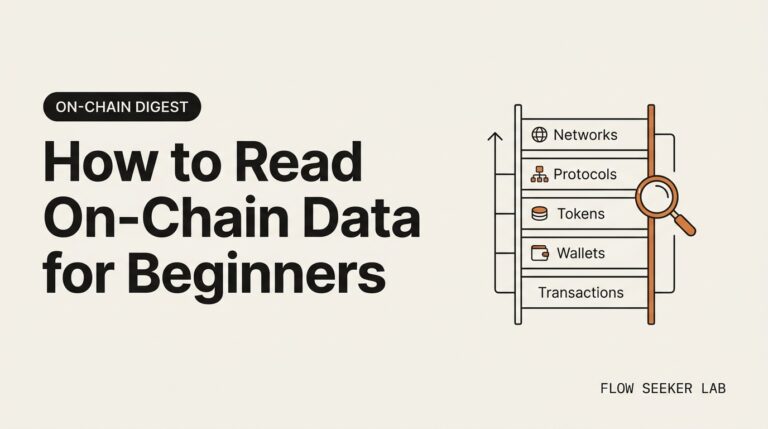
This post is the direct sequel to the on-chain reading series. If you haven’t read it yet, learn to read on-chain data before you track a crypto wallet — that prequel teaches the explorer fields this workflow assumes you can already recognize.
The 4-Step Workflow I Run to Track a Crypto Wallet
Most top results hand you a definition and a tool list, then say “paste the address into the search bar.” That’s not a workflow. That’s a screenshot of step two.
Here’s the full loop I actually run, in order:
- Find the address worth watching — a whale, a project team, or your own wallet.
- Read it once on a blockchain explorer to learn its shape before you commit attention.
- Set free alerts with a watch list so the wallet tells you when it moves, not the other way around.
- Decide what a move means — calmly, as observation, before you react.
The order matters. People jump straight to alerts and then drown in noise, because they never read the wallet first to learn what’s normal for it. Read once, then watch. It’s the same framework-first habit I lean on everywhere — define the sequence, run it the same way every time.
Step 1 — Find the Wallet Address Worth Watching
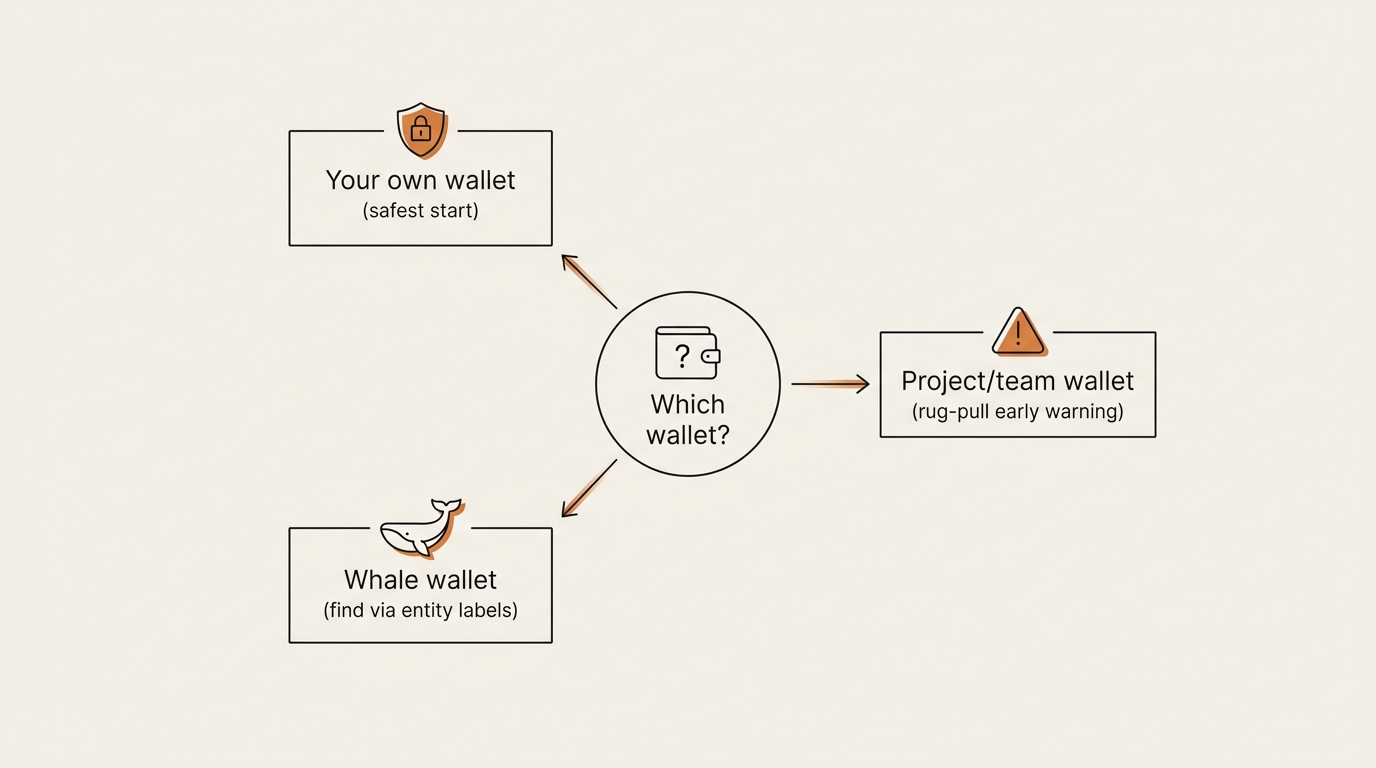
You can’t track a crypto wallet until you know which one is worth your attention. There are three honest reasons a non-developer ends up here, and each points to a different kind of address.
Your own wallet. The safest place to start. You know what every transaction was, so the explorer’s columns finally make sense against reality. This is the training-wheels case, and I started here.
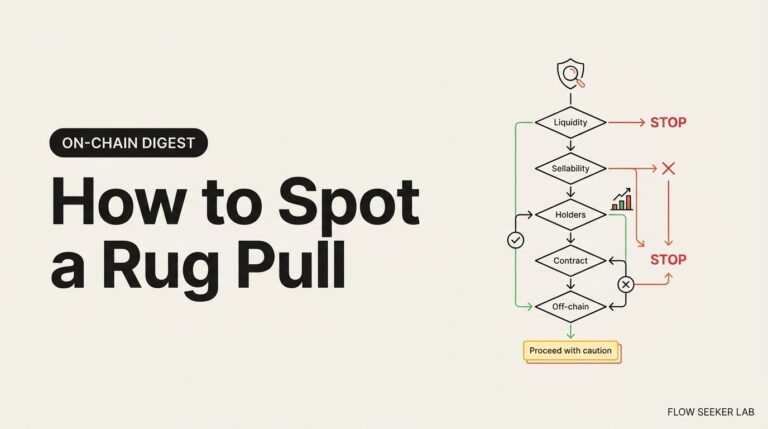
A project or team wallet. When a token’s team holds a treasury address, watching it is an early-warning habit. A team wallet quietly moving its supply toward an exchange is exactly the pattern I covered in how to spot a rug pull — tracking the team wallet is the live version of that checklist.
A whale wallet. A large holder whose moves are big enough to be worth reading as public information. The hard part is finding the address in the first place, because the chain shows you 0x71c7… strings, not names.
This is where entity labeling tools help. Arkham Intelligence tags many addresses with human-readable labels — exchanges, funds, known whale wallets — so you can search by name instead of guessing at hex. Their free tier is enough to find and label an address. Nansen does similar “smart money” labeling, but it’s a paid product, so I treat its public posts as reading material, not a subscription I’m telling you to buy.
One caution that cost me time: a labeled “whale” is often an exchange hot wallet — a custodial address holding thousands of users’ funds, not one person. More on that disaster in the What Broke section.
Step 2 — Read It Once on a Blockchain Explorer
Before you set a single alert, read the wallet once on a blockchain explorer. For Ethereum that’s Etherscan; the same idea works on BscScan, Solscan, or any chain’s explorer. The goal isn’t to understand every row. It’s to learn the wallet’s shape so future alerts mean something. Reading before watching is the part most guides skip, and it’s the real answer to how to track a crypto wallet without losing an afternoon to noise.
When you paste an address into Etherscan, you get a wall of activity. Here’s the order I read it in, and what I deliberately ignore:
- Balance and top holdings first — how much, in what. This is the headline.
- The transaction list — sorted newest first. I scan the “Method” column for repeated patterns: lots of
Swap, lots ofTransfer, lots ofApprove. - Token transfers tab separately from normal transactions, because token movement is where the story usually is.
Now the noise. A fresh wallet page is overwhelming because most of what’s on it is junk:
| What you’ll see | What it usually is | Do I care? |
|---|---|---|
Approve rows |
Permission grants to contracts, not money moving | Rarely |
| Unknown dust tokens | Spam airdrops sent to inflate or phish | No |
| Tiny inbound “transfers” from random tokens | Address-poisoning / spam | No, and don’t click them |
| Repeated swaps through one router | The wallet trading on a DEX | Sometimes |
| Large transfer to a labeled exchange | Funds heading to a CEX (possible sell prep) | Yes |
| Transfer to a fresh, unlabeled wallet | Could be a new address of the same owner | Yes |
That table is the filter I didn’t have on day one. Most rows on any active wallet are approvals and spam. The signal is large transfers to or from labeled entities. If you want a refresher on reading those explorer fields line by line, the prequel on reading on-chain data as a non-trader walks through a single transaction receipt in detail.
Read the wallet once like this and you’ll know its normal rhythm — daily swaps, occasional big moves, whatever it is. That baseline is what makes step three useful instead of maddening.
Step 3 — Set Up Free Alerts So You Stop Refreshing
Refreshing an Etherscan tab forty times a day is not tracking. It’s anxiety with extra steps. The point of step three is to make the wallet notify you, using the free watch list built into the explorer.
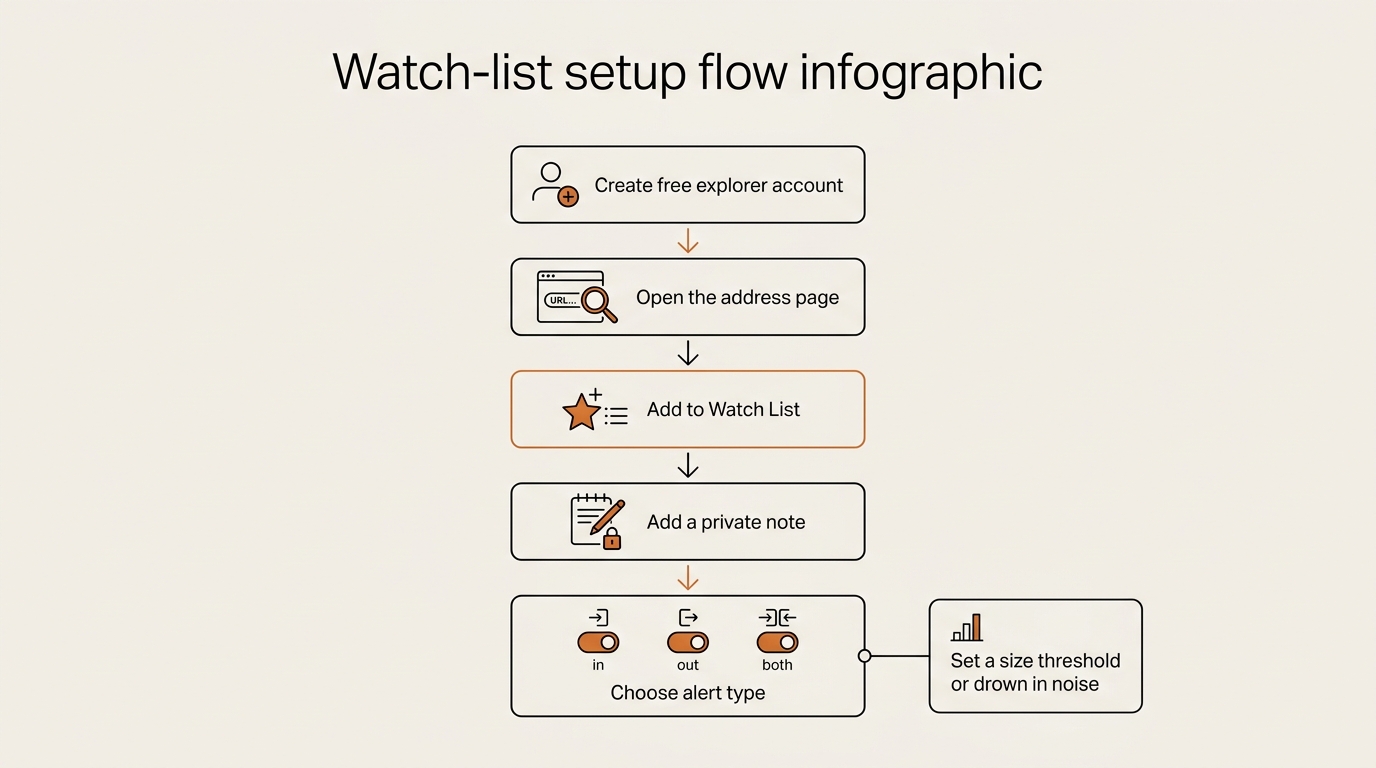
Etherscan’s watch list lets you add any address, give it a private note, and get an email when it sends or receives. You need a free Etherscan account, nothing more. The official Etherscan watch list documentation walks through the toggles, but the flow is short:
- Create a free Etherscan account and log in.
- Open the wallet address page, click Add to Watch List (or go to your account’s Watch List).
- Paste the address, add a description so future-you remembers why.
- Pick notification type — incoming, outgoing, or both — and confirm your email.
That’s the no-code core of how to track a crypto wallet. No SQL, no API keys, no paid plan. If you want richer alerts later — threshold filters, or pushes to Slack or Telegram — dedicated tools like Arkham layer that on top, though which features sit in the free tier shifts over time, so check their current plans before you rely on one. A service like Whale Alert broadcasts only very large movements if you’d rather watch size than a specific address.
The trap is leaving the threshold at zero. If you ask for every transaction on an active wallet, you’ll get buried — which is exactly the mistake I’m about to confess.
Free vs Paid Ways to Track a Crypto Wallet (A Non-Developer’s Honest Take)
The SERP for this keyword is half product landing pages selling you a tracker. You don’t need one to start. That free-first reality is the honest answer to how to track a crypto wallet without a subscription. Here’s how the options actually compare for a non-developer — and I’m describing them as observation, not pushing any product.
| Method | Cost | Best for | Honest limit |
|---|---|---|---|
| Block explorer (Etherscan, etc.) | Free | Reading one wallet, one watch-list alert | Per-address, email only, no labels |
| Arkham (free tier) | Free | Finding + labeling entities; richer alerts (plan-dependent) | Labels can be wrong or stale |
| DeBank | Free | A clean portfolio view of one wallet’s holdings | Less granular tx history |
| Whale Alert | Free / paid | Size-based alerts across the market | Not per-wallet; very noisy |
| Nansen | Paid (~$99+/mo) | Professional “smart money” labeling | Overkill for one wallet; I read their posts, I don’t subscribe |
My actual setup is the boring free end of this table: an explorer watch list for the specific addresses I care about, plus Arkham’s free tier when I need a name for a hex string. I’ve never paid to track a wallet, and for following one or two addresses I haven’t needed to. If you feel pressure to upgrade in your first month, that’s usually the tool’s marketing talking, not your need.
Wikipedia’s overview of blockchain analysis is a neutral primer if you want to understand what these paid platforms do under the hood — it’s the same public-ledger reading, with more labels and automation bolted on.
What Broke — My First Week Tracking a Wallet
Mandatory FLOW SEEKER LAB section, and the most useful part of this post. Knowing the four steps on paper is one thing. Actually living how to track a crypto wallet, day to day, is where my first week went sideways.
The alert flood. I added an active wallet to my watch list, set it to notify on every transaction, and felt very professional. Then the emails started. By the next morning I had over forty alerts, and almost all of them were garbage: Approve calls, inbound dust tokens I’d never bought, and tiny “transfers” from spam contracts trying to get me to click a poisoned address. Real tracking, drowned in noise. Lesson: never alert on everything. Watch for large transfers to or from labeled entities, and treat approvals and dust as background static.
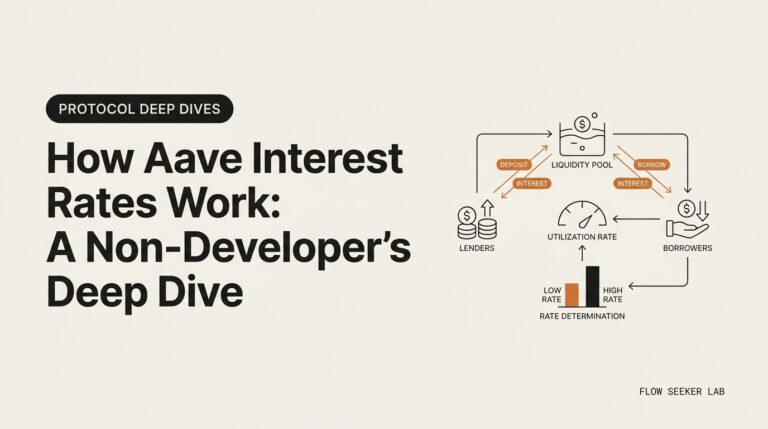
The hot-wallet humiliation. Early in the week I found an address holding tens of thousands of ETH and got excited — a whale, finally. I half-wrote a note to a friend about “accumulation.” Then I checked the label. It was an exchange hot wallet: a custodial address pooling thousands of users’ deposits. The “whale” was a company’s plumbing. Every inflow was just someone, somewhere, depositing to trade. Lesson: before you call an address a whale, check whether it’s a labeled exchange or contract. A balance without a label is a number, not a story.
Address poisoning. One of those dust transfers was a scam I didn’t recognize at first. Someone sent a near-zero amount from an address crafted to look almost identical to one I’d interacted with, hoping I’d copy the wrong address later from my history. I didn’t lose anything, but it taught me to read the full address, never the first and last four characters.
Three dents in one week. If you skip all three, you’re already ahead of where I was.
Reading a Move Without Fooling Yourself
This is the guardrail step, and it’s the part of how to track a crypto wallet that keeps the whole loop educational. When a wallet you track makes a big move, the temptation is to attach a story — and usually the wrong one.
A whale sending ETH to an exchange is not a sell signal. It might be a deposit to trade, to provide liquidity, to move between their own accounts, or to do something you’ll never see once it enters the exchange’s internal ledger. The on-chain trail ends at the exchange door. Anyone who tells you that single transfer predicts a price is guessing and calling it analysis.
So I hold three rules when I read a move:
- Destination over drama. Where did it go? A labeled exchange, a known contract, a fresh wallet? The destination is most of the meaning.
- Pattern over a single transaction. One transfer is an anecdote. The same move five times is a rhythm worth noting.
- Observation, not a recommendation. I’m watching public data to stay literate, the same calm stance I keep in the whole On-chain Digest series. I’m never deciding what you should buy, and I’m certainly not predicting a price.
That last rule is the whole reason this series exists. Frameworks, not forecasts. Tracking a wallet is a reading skill, not a trading edge.
FAQ
Is it legal to track someone else’s crypto wallet? Yes. Blockchain addresses and their transaction history are public by design, so reading a public wallet’s activity is legal. You’re viewing a public ledger, not accessing anything private. The boundary is identity — the address is public, the person behind it usually isn’t.
Can you track a crypto wallet to a real person? Usually no. A wallet is pseudonymous: you see the address and its moves, not a name. You can only connect it to a person if they’ve publicly published the address, or if funds touch a KYC exchange that knows the owner’s identity — and that information stays with the exchange, not on-chain.
How do I track a crypto wallet for free? Use a blockchain explorer’s watch list. On Etherscan you create a free account, add the address, and get email alerts when it moves. Arkham’s free tier adds entity labels and richer notifications, and DeBank gives a clean holdings view. None of these require coding or payment.
Can you get notified when a wallet makes a transaction? Yes. Etherscan’s free watch list emails you on incoming, outgoing, or all transactions for any address you add. Tools like Arkham add richer alert channels such as Slack or Telegram — check their current plans for what’s included free — and Whale Alert broadcasts only very large movements. Set a size threshold, or you’ll get buried in approval and dust noise.
How do you track a whale wallet? First find the address — entity-labeling tools like Arkham tag known large holders so you can search by name instead of hex. Read the wallet once on an explorer to learn its normal pattern, add it to a watch list, and set alerts for large transfers only. Then read each move as observation, not as a trading signal.
Do I need a private key or seed phrase to track a wallet? No, and you should never enter one to track a wallet. Tracking only needs the public address. Anyone asking for a private key or seed phrase to “track” or “connect” a wallet is trying to steal funds. Read-only, public addresses only.
Closing
Learning how to track a crypto wallet isn’t about chasing whales or copying trades. It’s a reading habit: find one address, learn its shape on an explorer, let a free watch list tell you when it moves, and read that move calmly as public information. Four steps, free tools, no code.
Next in this series — On-chain Digest #4: Following the Money Across Three Hops — How I Tell a Treasury From a Router — the no-code way I trace a flow from wallet to wallet to see where funds actually land before the exchange door swallows the trail.
One last time, because it matters: this is educational and for literacy. It’s observation of public data, not a recommendation about what to buy, and never a forecast of where a price is headed.
About the author
seonjae — Korean office worker documenting his transition into AI systems, agents, and vibe coding — without a CS background. Shipping in public.